Guides · 11 min read
Make AI text sound human in a YouTube script
To make AI text sound human in a YouTube script, delete the patterns AI repeats (long dashes, "it isn't A, it's B" lines, stock openers, triplets of adjectives, rhetorical questions) and put back what only you know: your phrases, your numbers and your stories. Then read every line out loud and rewrite anything you'd never say.
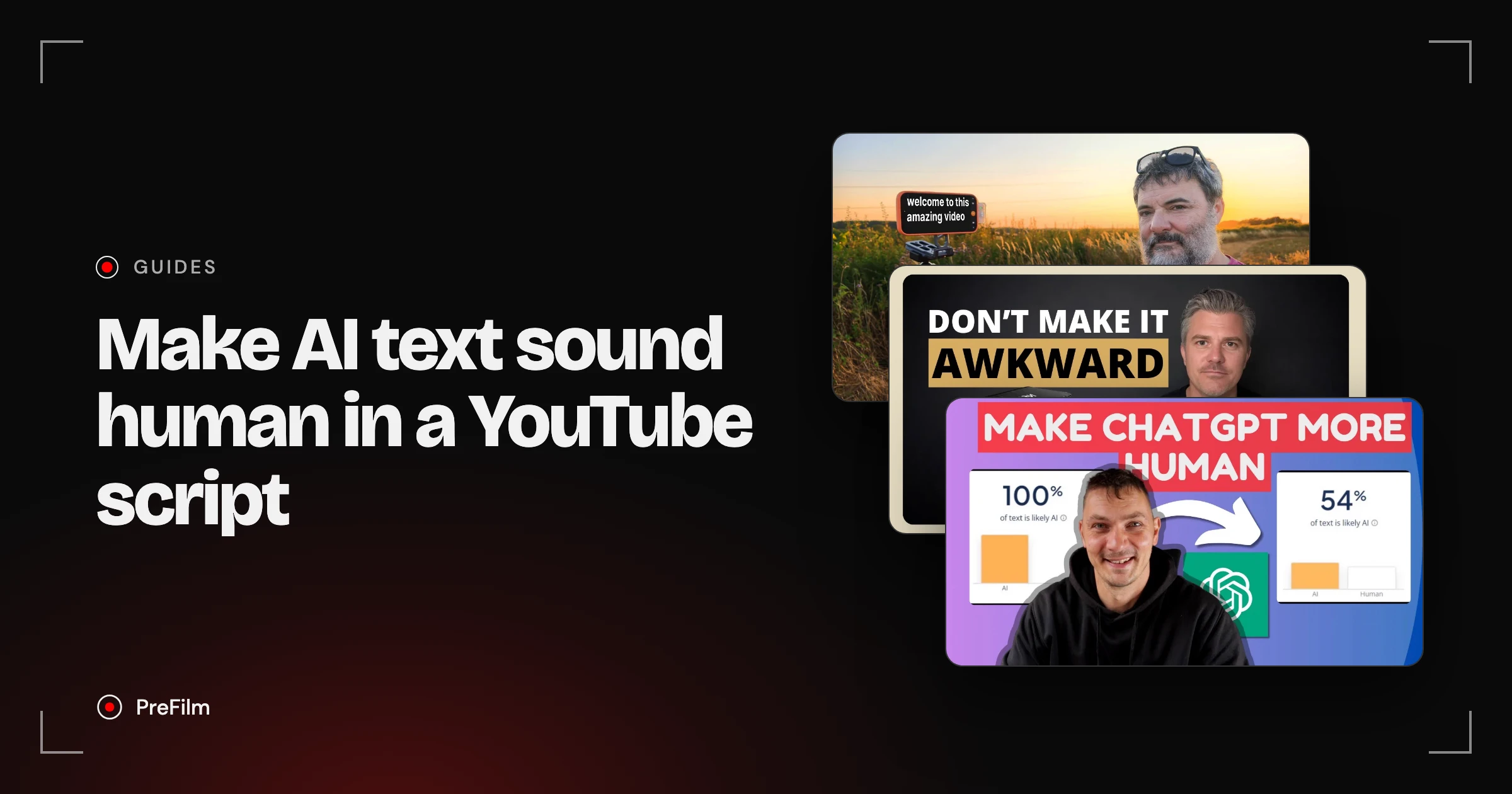
I'm fussy about this. Every article on this site is checked against a list of AI tells before it goes live, and my own scripts in PreFilm are checked against a list of phrases I never say. Below you'll get that full list, a before and after with every change labelled, and a real script PreFilm wrote for my channel, including what its check caught and what it missed.
Why does AI text sound like AI?
AI text sounds like AI because a model writes the most likely next sentence, so it reaches for the same openers, the same words and the same rhythm every time. One draft on its own reads fine. The problem is that your viewers have heard that exact rhythm hundreds of times already.
It's so consistent that Wikipedia's editors keep a public guide to it, Signs of AI writing, with sections on favourite AI vocabulary, contrast lines, the "rule of three" and overused dashes. They also warn that AI detectors have real error rates, so don't rely on one to tell you whether your script is fine. Your ear is a better test.
And a script is harder than a blog post. On a page, a reader can skim past a stiff sentence. On camera you have to say it, and a sentence nobody would say out loud sounds wrong the second it leaves your mouth.
What makes an AI YouTube script sound fake?
An AI YouTube script sounds fake when it's full of patterns no real person uses together: dramatic dashes, contrast lines, stock openers, hype words and questions nobody asked. This is the list every article on this site is checked against, plus the phrases I've told PreFilm I never say.
| The tell | What it looks like | What to do instead |
|---|---|---|
| Long dashes | a long dash dropped mid-sentence, as in "the right idea [long dash] and the right buyers" | Use a full stop, a comma or brackets |
| Contrast lines | "Growth isn't about filming more. It's about filming smarter." | Say the one thing you mean |
| Stock openers | "In today's video", "Ever wondered why…", "Imagine…" | Start with the viewer's problem or your answer |
| Hype words | journey, navigate, vital, game-changing, revolutionary, secrets | Use the plain word you'd use with a client |
| Filler phrases | "Whether you're just starting out or…", "The good news?" | Cut them. The sentence works without them |
| Triplets of adjectives | "simple, powerful and proven" | Pick the one that's true and prove it |
| Rhetorical question chains | "Want more views? Need more leads? Ready to grow?" | Ask one real question, or none |
| A punchy one-liner after every paragraph | "That changes everything." | Keep the short line for the one point that earns it |
| Fake specifics | "Studies show…" with no study, a client who doesn't exist | Use a real number with a source, or leave a slot |
| Generic filler | Sentences any channel in any niche could say | Add the detail only you know, or cut it |
The last two matter most for a business. An invented statistic or a client story that never happened is a trust problem as well as a style one. If a buyer checks it, you've lost them.
Find the videos your buyers already watch
Find my winning videosA before and after, with every change labelled
Here's a typical AI draft of a video opening, written for this article to show the tells. I wrote it as an example; no model produced it. The topic is the kind of video I'd make: how to pick video ideas.
Before (a typical AI draft):
Where the draft used a long dash, I've written [long dash], because this site doesn't print them.
Ever wondered why some YouTube videos take off while others barely get noticed? In today's video, we're going to explore the secrets behind choosing video ideas that actually work. Growing a channel isn't about filming more. It's about filming smarter. Whether you're just starting out or you've been at it for years, finding the right idea can feel like navigating a maze. The good news? With the right strategy, you can turn your channel into a simple, powerful and proven lead machine [long dash] and turn viewers into loyal customers. Ready to take your content to new heights? Let's get started.
After (rewritten in my voice):
There's nothing worse than spending a week on a video only for it to get 100 views. One of mine got 102 views in about four months. And when I was paying a YouTube agency about $5K a month for four videos, every flop like that cost me over $1,000. So in this video I'm going to walk you through how I pick ideas now: from videos that have already beaten their channel's normal, before I film anything. Now, don't worry if you've never looked at an outlier before. An outlier is just a video that got far more views than its channel normally gets.
What changed, and which tell each change removes:
| Before | After | Tell removed |
|---|---|---|
| "Ever wondered why…?" | "There's nothing worse than…" | Rhetorical opener. I open on the pain, stated flat |
| "In today's video" | "So in this video I'm going to walk you through" | A phrase on my never-say list, swapped for one I really use |
| "the secrets behind" | "how I pick ideas now" | Hype word (also on my never-say list) |
| "isn't about filming more. It's about filming smarter." | Cut | Contrast line |
| "Whether you're just starting out or…" | "Don't worry if you've never looked at an outlier before" | Filler phrase, replaced with real reassurance |
| "navigating a maze" | Cut | Hype word used as a metaphor |
| "The good news?" and "Ready to take your content to new heights?" | Cut | Rhetorical question chain |
| "simple, powerful and proven" | "videos that have already beaten their channel's normal" | Triplet of adjectives, replaced with what "proven" means |
| The long dash | Full stops | Long dash |
| Nothing real | 102 views, about $5K a month for four videos | Generic filler, replaced with my own numbers |
| "Let's get started." | Cut | Stock sign-off to an intro. Just start |
The after version is longer and the sentences run longer. That's on purpose. I speak in medium-length sentences that start with "And", "So" or "Now", with a short one after a key point. AI tends to write either every sentence the same length or a string of short punchy ones, and neither sounds like me.
How to make AI text sound human, step by step
To make AI text sound human, give the model your voice before it writes, then edit what comes back in this order:
- Give it your words first. Paste transcripts of your own videos into ChatGPT or Claude and tell it to copy how you talk. The more of your real speech it sees, the less it falls back on its own habits.
- Give it your facts, and tell it not to invent any. List the numbers and stories it may use. Tell it to write [YOUR NUMBER] or [YOUR STORY] wherever it needs something you haven't given it.
- Give it your never-say list. Write down the phrases you'd never use on camera and paste them in with the prompt.
- Delete the tells. Go through the table above line by line. Search the draft for long dashes and question marks first; they're the quickest to find.
- Swap in your own phrases. Everyone has a few. Mine are "in order to", "make sure", "the reality is" and "now, of course".
- Fill every slot. Put in a real number or a real story, or cut the sentence. Never round or guess to fill a gap.
- Read it out loud. Record a voice memo if you can. Anything you stumble on, or wouldn't say to a client across a table, gets rewritten in the words you just used to explain it.
Step 7 is the one people skip, and it's the one that catches the most. For the rest of the script, from the hook to the close, see how to write a YouTube script and 12 YouTube hooks taken from outlier videos.
Get a first draft that already sounds like you
Write my scriptWhat PreFilm's script check caught, and what it missed
PreFilm's script writer learns your voice from up to 20 of your own transcripts, checks every line against your never-say list, and rewrites lines that sound generated as soon as the script finishes. This is the never-say list on my channel:
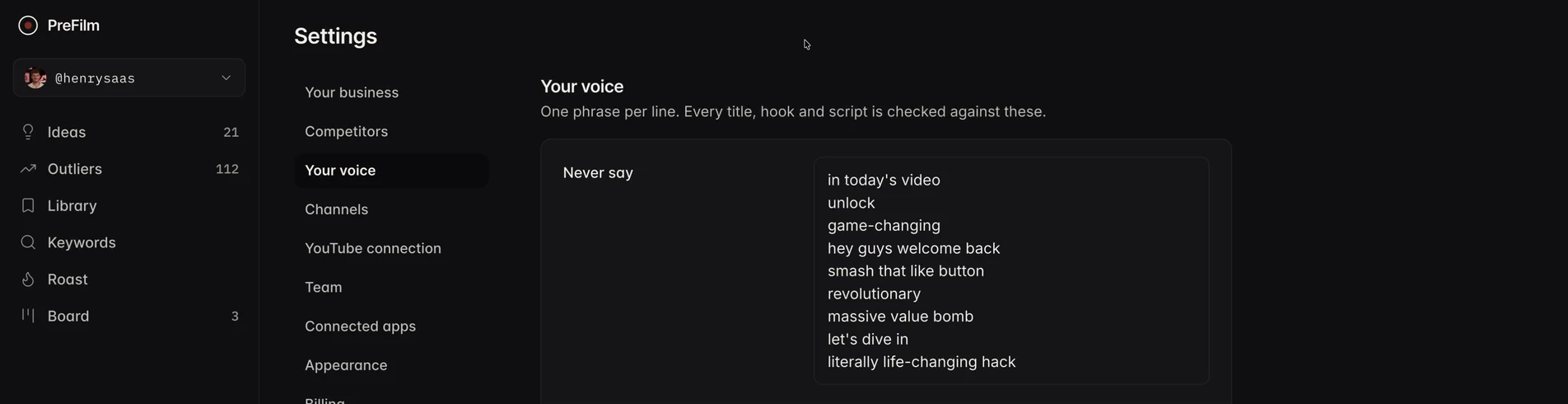
Here's what that looks like on a real script. PreFilm wrote one for an idea on my channel, "How to Price a SaaS in the AI Era", for a video under 10 minutes long. It's the one software example in this article, because my channel is about SaaS. It opens like this:
Most pricing pages have three tiers, a per-seat price, a free trial, and an enterprise box at the bottom.
That's how I'd open: a flat statement the viewer recognises, no question, no "in today's video". Further in, it uses phrases I really say, word for word: "So what I want you to do is write one sentence in the voice of your customer" and "Now, of course, seats still work in a few places." None of the phrases on my never-say list made it in.
Two other things it did are worth copying, whatever you write with:
- It left slots instead of guessing. Where it needed a number only I would have, it wrote "[YOUR NUMBER: your average AI and infrastructure cost per active account per month]".
- It flagged what it couldn't check. It listed one sentence with a percentage it couldn't find in my videos, so I know to check that before I say it on camera.
Now, to be honest, the check doesn't catch everything, and PreFilm says so itself. One line starts "So picture", and "Picture…" openers are on this site's banned list, so I'd rewrite it. So I still read every script out loud before I film it. If you're comparing tools that write scripts, see the TubeMagic alternatives for AI scripts.
Do viewers notice a script that sounds read?
Yes, and the videos about fixing it get watched far more than their channels normally do. I couldn't find a study on viewers spotting AI scripts that I'd trust enough to quote, so here's what YouTube itself shows instead.
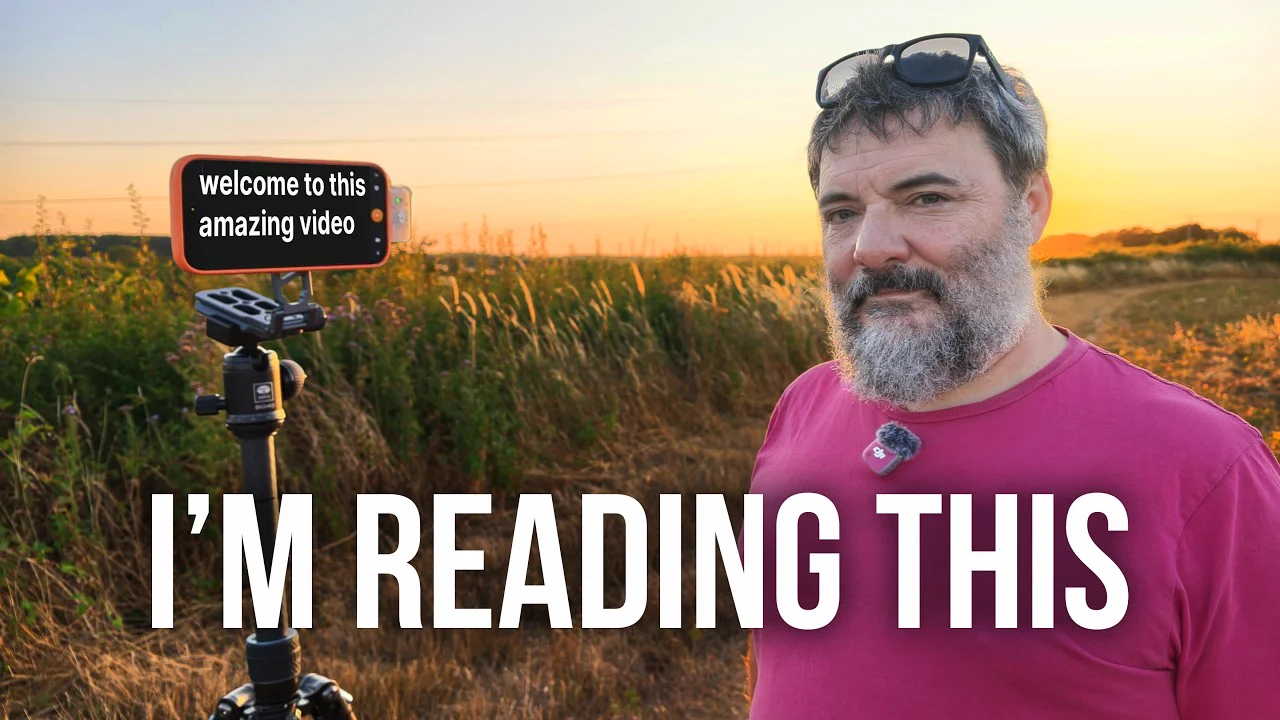
Chris Goor, whose channel is about showing up on camera to build your brand, got 373,635 views with "This One Trick Stops You Sounding Like You're Reading a Script". That's 12.8 times his channel's normal of 29,119. He opens by admitting it: "Nearly every long video on this channel, well, I'm reading it." His first fix, at 1:15, is the script itself: short sentences in simple words, so it's easy to say out loud.
Jason Stapleton, a coach whose videos lead to a free training on getting leads and sales from YouTube, got 8.2 times his normal with "How To Sound Natural When Reading From A Teleprompter". He scripts word for word, then tests each line out loud or as a voice memo to catch anything that sounds formal (2:45). That's step 7 above.
And people want the writing fixed before they ever get to the camera. "How to make ChatGPT write like a human" from Dr Kriukow got 52,974 views, 11.9 times the channel's normal. Once viewers have clicked, the audience retention report in YouTube Studio shows how many are still watching after the first 30 seconds, which is where a stiff script shows up first.
Does YouTube penalise an AI YouTube script?
No. YouTube doesn't penalise a script because AI helped write it. Its Help page on disclosing generative AI content lists using AI to create or improve a script, outline, title or thumbnail as a use you don't need to disclose. The disclosure rules cover realistic altered or synthetic video.
What YouTube does go after is generic content. In July 2025 its channel monetisation policies renamed "repetitious content" to "inauthentic content", which covers mass-produced and repetitive videos, including AI content made from generic templates without the creator's own insight. So the real risk is a script with nothing of you in it, and that's also what loses you viewers.
If you're new to YouTube
If you haven't published many videos yet, start by writing your scripts yourself, or at least the hook and the close. You'll learn how you actually talk, and that's what you'll need to give any AI later. PreFilm works best once you've published a few videos, because it learns your voice from them. Until then, the free tools and the blog are a better place to start.
To make AI text sound human, the work is mostly deleting: the dashes, the contrast lines, the openers, the questions and anything you'd never say. Then add the numbers and stories only you have, and read it out loud before you film. If you'd rather start from a draft that already uses your phrases, see how PreFilm writes scripts or compare the plans.
Stop guessing what to film.
PreFilm finds the videos your buyers already watch and writes the script in your voice. $1 for 7 days.
Find my winning videosQuestions
Questions.
How do I make AI text sound human?
Delete the patterns AI repeats, then add what only you know. Cut long dashes, contrast lines, stock openers, triplets of adjectives and rhetorical questions. Swap in the phrases you actually say, fill every number and story with a real one, and read the whole thing out loud. Rewrite any line you'd never say to a client.
How do I make ChatGPT sound more human?
Give ChatGPT your own words before you ask for a draft. Paste in transcripts of your videos, a list of phrases you never say and the facts it may use. Tell it to leave a marked slot for anything it doesn't know. Then edit the draft by hand, because no prompt removes every AI habit.
What are the signs of AI writing?
The common signs of AI writing are long dashes everywhere, contrast lines that say what something isn't before what it is, lists of exactly three adjectives, stock openers, rhetorical questions in a row and a set of favourite words. Confident numbers with no source are another sign. One pattern alone proves nothing, but several together usually do.
Can you make AI text sound human without a humanizer tool?
Yes, and for a YouTube script you should. Humanizer tools swap words around in order to get past AI detectors, but your viewers aren't detectors. They notice when a script has no real story, no real numbers and none of your phrases. Only you can add those, so edit the draft yourself.
Does YouTube penalise AI-written scripts?
No, YouTube doesn't penalise a script just because AI helped write it. Its Help page lists using generative AI to create or improve a script as a use you don't need to disclose. What its monetisation policy targets is inauthentic content, meaning mass-produced or generic videos without the creator's own insight or perspective.
Is it OK to use AI to write YouTube scripts?
Yes, as long as the finished script is yours. Use AI for the structure and a first draft, then put in your own stories, numbers and opinions, and check every fact before you film. A script that could have been read by anyone in your niche won't win you customers, however it was written.