Guides · 11 min read
How to write a YouTube script (free template)
A YouTube script is the written plan for what you'll say and show in a video, in order. To write one, pick an idea that has already worked, write the hook and promise word for word, outline the sections, add proof and the moment you mention your offer, then read it aloud and cut.
Most guides to writing a YouTube script are written for vloggers and gamers. This one is for business owners who want the video to bring in customers. You'll get the structure I built PreFilm's scripts around, a free template you can copy, a real script PreFilm wrote for an idea on my own channel, and how three outlier videos from a contractor, a financial planner and a consultant were put together.
What is a YouTube script?
A YouTube script is the document you film from: the words you'll say, in the order you'll say them, with notes on what appears on screen. It can be every word, or full sentences for the opening and close with bullet points in between.
How much to write depends on the video. A tutorial or an explainer for buyers needs more detail, because a wrong fact costs you trust. A chat with a client can run on bullet points. Either way, the script is where you decide what the video promises and how it pays that promise off, before you spend a day filming.
The structure I built PreFilm's scripts around has five parts:
| Part | Its job | How long |
|---|---|---|
| The hook | Make the right viewer stay past the first 30 seconds | First 2 to 4 sentences |
| The promise | Say exactly what they'll be able to do by the end | One sentence |
| The proof | Show why they should listen to you, with something real | A sentence or two, then throughout |
| The path to the sale | The moment your offer naturally fits | One short passage, usually late |
| The close | One next step, and nothing else | The last few lines |
The body sits between the promise and the close. That's where the sections go.
How to write a YouTube script in 7 steps
To write a YouTube script, start from a proven idea, fix the title, write the opening word for word, outline the sections, add proof, place your offer, then read it aloud and cut. Here's each step.
- Start from an idea that has already worked. A great script can't save a video nobody wants to watch. Pick an idea that beat its channel's normal, meaning it got far more views than that channel usually gets. There's a full method in how to find YouTube video ideas that are already proven.
- Write the title before the script. The script's whole job is to pay off what the title and thumbnail promised. If you change the title after filming, the video stops matching it. Roast, PreFilm's title and thumbnail checker, judges a title against what's working in your niche before you write a word.
- Write the hook and the promise word for word. YouTube's audience retention report has a measure called Intro, which shows what percentage of viewers are still watching after the first 30 seconds. That's the stretch you can't afford to improvise. Open on the viewer's problem, then say what they'll walk away with.
- Outline three to six sections, each with one job. Give each section a heading you could use as a chapter title. YouTube's video chapters need at least three timestamps, starting at 00:00, and each chapter has to be at least 10 seconds long, so a clear outline gives you chapters for free.
- Put proof in every section. A client result, a number from your business, a screenshot, a before and after. If you don't have the number yet, write [YOUR NUMBER] and fill it before you film. Never round or guess.
- Decide where your offer goes. Mention what you sell at the point where the viewer has just understood the problem it solves. For most videos, that's late, not in the first minute.
- Read it aloud, then cut. Anything you'd never say out loud goes. So does any sentence that doesn't move the viewer closer to what the title promised. Add B-roll notes in brackets where something should be on screen.
Writing a script for a YouTube video this way takes longer than writing three bullet points. But it's quicker than reshooting, and much quicker than publishing a video that loses everyone at 0:30.
Find the videos your buyers already watch
Find my winning videosYouTube script template (copy this)
This YouTube script template follows the five parts above, with the body split into sections. Copy it into a doc, replace each line in brackets, and delete the notes once you've filled them in.
Title: [The title you've already checked. Write it before anything else.]
Hook (word for word, under 30 seconds): [The problem your buyer has, stated flat. One or two sentences.] [What most people get wrong about it.]
Promise (word for word): By the end of this video, you'll be able to [one specific outcome].
Proof: [Why you, in one sentence: a result, a number or what you've done.] [YOUR NUMBER or YOUR STORY if you don't have it yet.]
Section 1, [chapter title]: [The first thing they need to know.] [Proof for this point.] [B-ROLL: what's on screen.]
Section 2, [chapter title]: [The next step or point.] [An example from a client or your own business.]
Section 3, [chapter title]: [The next step or point.] [The mistake people make here.]
Path to the sale: [The moment the viewer realises they could do this alone, or have you do it.] [One sentence on what you offer and where to find it.]
Close: [A one-line recap of the promise, kept.] [One next step: a link, a call or the next video.]
Add or remove sections to fit the length. A list video ("5 red flags", "7 accounts") gets one section per item. A how-to gets one section per step. Keep the hook, the promise and the close in every version.
A real YouTube script example, written by PreFilm
Here's a real YouTube script example for an idea on my own channel. It was written by PreFilm's script writer, which learns how you talk from your own videos and builds the moment to mention your offer into the script. The excerpts below are exactly as PreFilm wrote them. It's the one software example in this article, because my channel is about SaaS.
The idea came from an outlier: Ash Maurya's "How to Build a Startup in the AI Era (Old YC Rules Changed)" did 5.5× his channel's normal. PreFilm turned that format into a video idea for my audience: "How to Price a SaaS in the AI Era". I asked for a video under 10 minutes and sent no notes.
This is how the script maps onto the template:
| Template part | What the script did |
|---|---|
| Hook | Opens on the pricing page every founder copied: "Most pricing pages have three tiers, a per-seat price, a free trial, and an enterprise box at the bottom." |
| Promise | "By the end of this you'll be able to name the unit you should actually be charging on, you'll know what to change on your page first, and you'll know the two numbers to watch after you change it." |
| Proof | One line of my own credentials, straight after the hook, then an example from the product I built and sold |
| Sections | Six: the opening, why per-seat is capping you, finding the unit your customer counts, the margin floor, the pricing page itself, and what to change this week |
| Path to the sale | In section five of six, after the viewer has seen the problem: "book a call with me using the link below" |
| Close | The exercise to do, the link, and the next video |
A few things worth copying from it, whatever you sell:
- The hook describes something the viewer can see. Not "pricing is changing" but the exact page they have open in another tab. A financial planner could open on the account statement a client brings to a first meeting. A builder could open on the quote that's half the price of the others.
- It leaves slots instead of inventing numbers. Where the script needed a figure I hadn't given it, it wrote "[YOUR NUMBER: your average AI and infrastructure cost per active account per month]". That's the rule from step 5, done for you.
- B-roll notes sit where they're needed. For example, "[B-ROLL: a usage dashboard showing cost per account]" sits right under the line about pulling that number.
- There's an exercise, and the offer comes after it. The viewer gets something to do before they're asked for anything.
It also shows why you check every script before filming. PreFilm listed one line it couldn't match to my own videos (a "95% plus" figure), and I'd want a source for a line about ChartMogul's data before saying it on camera. A YouTube video script that sounds sure of itself still needs every fact checked.
See how the winning videos in your niche are built
Show me my niche's outliersHow do outlier videos structure their scripts?
Outlier videos in business niches mostly use one simple structure: a clear promise in the title, one section per point, and the ask late or at the very end. Here are three I ran through PreFilm's video breakdown, which maps each video's sections, where the pitch comes and what viewers asked for in the comments. None of them are in software.
| Video | Multiplier | Structure | Where the ask comes |
|---|---|---|---|
| "Hiring a Contractor for Home Renovation? 5 Red Flags to WATCH OUT for!" (Millennial Mike) | 30.8× | Intro, then five red flags in order, one section each | At the end: comment, like and subscribe |
| "CFP® Explains: How to Organize Your Retirement (7 Must-Have Accounts)" (Streamline Financial) | 13.9× | The seven accounts quickly, then a strategy for each | 15:15 of 21:19: their planning firm, with a free planning session in the description |
| "This is How Successful Consultants Get More Clients!" (Consulting Success) | 12.5× | Five stages, from your network to paid media, then a recap | 11:35 of 11:55: a link to talk through your growth plan |
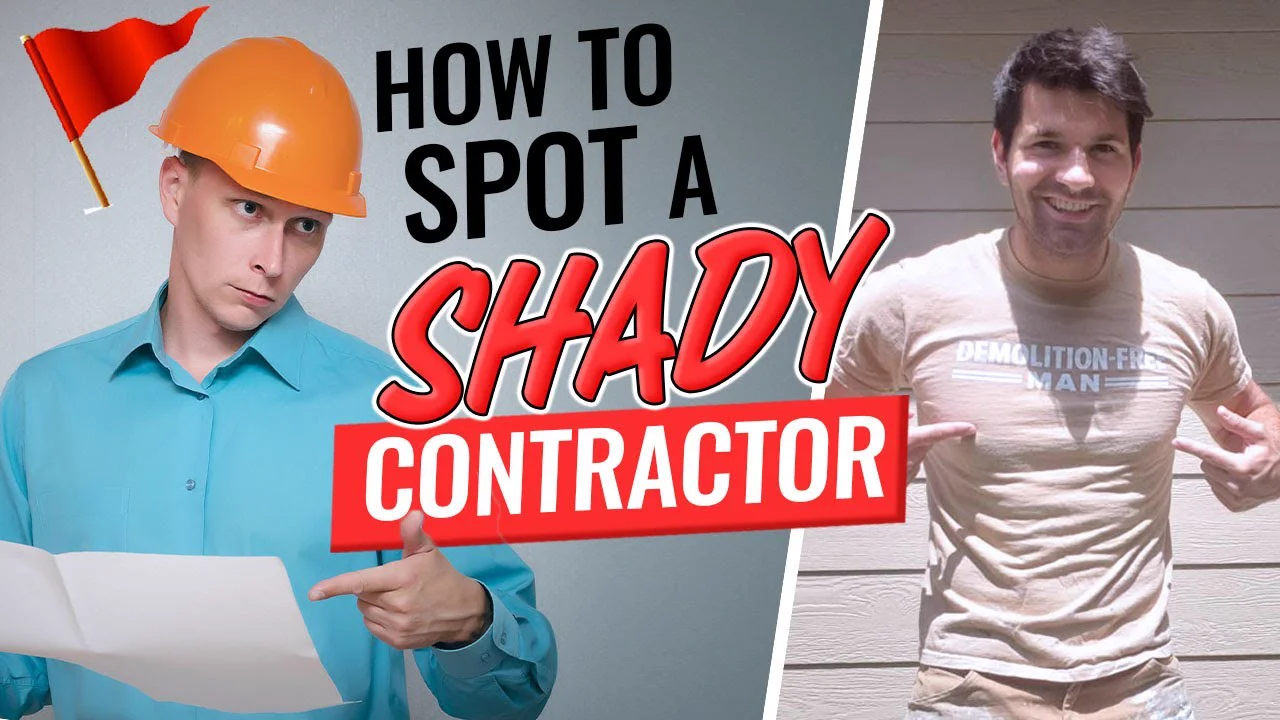
Millennial Mike's video is the simplest script you could write. The title promises five red flags, and the video gives you five red flags, in order, with a story or an explanation under each. It got 32,114 views on a channel that normally gets 1,044. There's no clever structure. The script just keeps the title's promise, one section at a time.
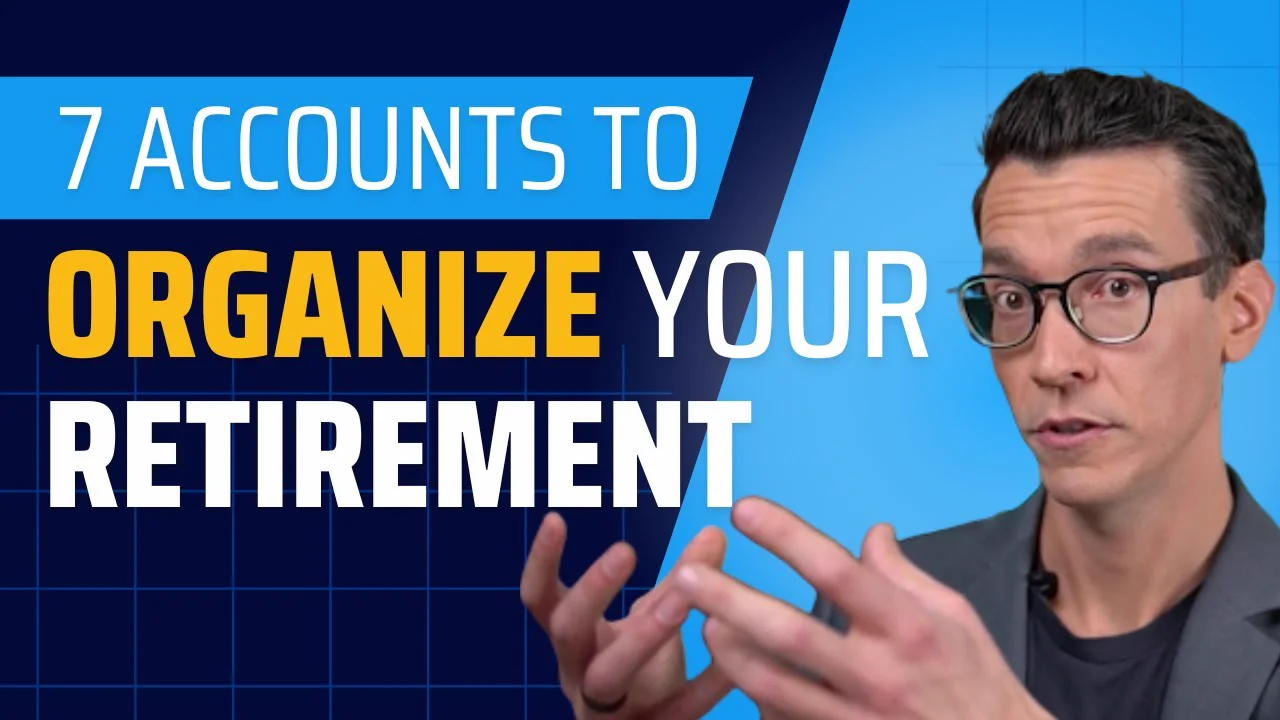
Streamline Financial's retirement video got 504,426 views, and it's a good model for any adviser. It covers all seven accounts quickly first, then goes back through them with a strategy for each, so the viewer gets the full list early and the depth later. The firm only comes up about three quarters of the way through, once the viewer has seen how complicated this gets. And the comments are a script plan for the next video: 18 comments asked for a video just on backdoor Roth conversions.
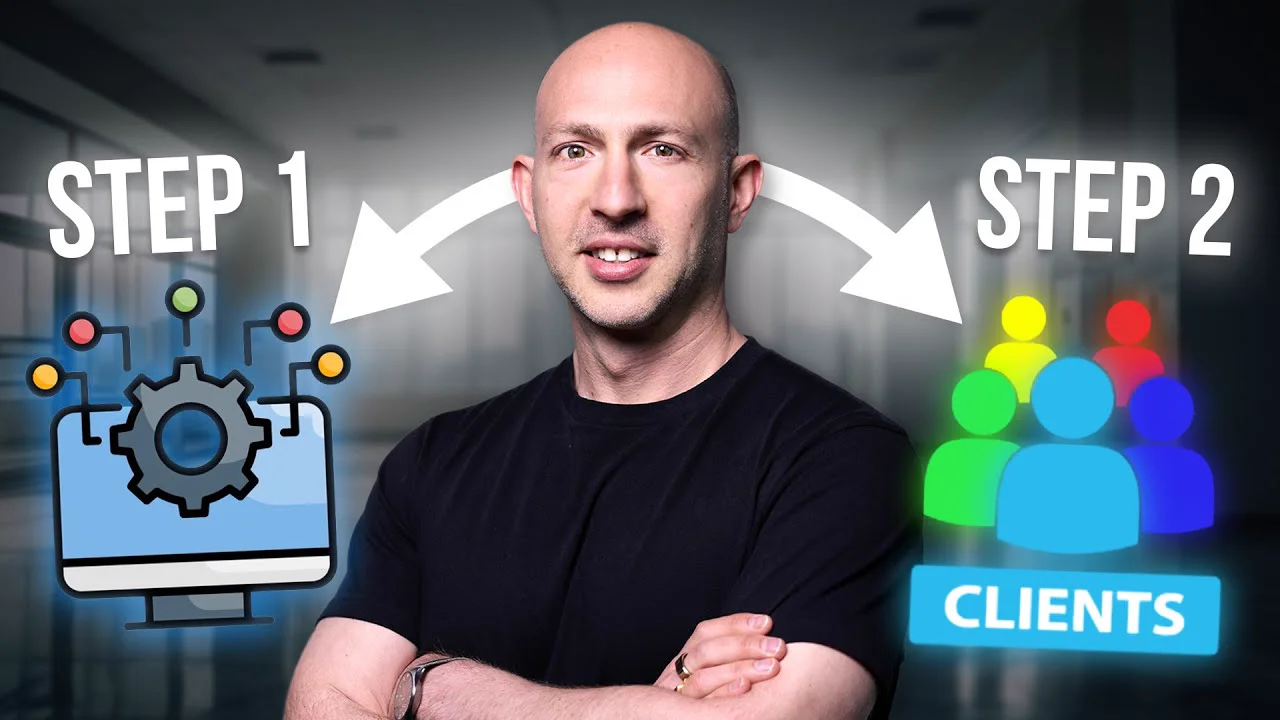
The Consulting Success video got 3,490 views on a channel that normally gets 280, and it does two things the template asks for. Its proof comes early: at 1:16 the host explains his 20-plus years of consulting and his coaching programme, before the first stage. And it ends with a recap of all five stages before the one link. If you sell a service, that order (credentials, the stages, the recap, then the ask) is easy to copy.
How long should a YouTube script be?
A YouTube script should be as long as the video needs to keep its promise, and no longer. Pick the video length first, write to it, then read the script aloud with a timer, because everyone speaks at a different pace.
The three outliers above run 11:27, 21:19 and 11:55. None of them is short, and none of them pads. Each section covers one point and moves on. When you're cutting, ask of every paragraph: does the viewer need this to get what the title promised? If not, it goes, however good it sounds.
PreFilm asks for the length before it writes: under 10 minutes, 10 to 15, 15 to 20 or over 20. You can also leave it, and it picks a length from your past videos. The example above was written for under 10 minutes.
Mistakes that make a script sound written
Most scripts fail on camera because they read like an essay. These are the mistakes that make viewers click away.
- Warming up before the hook. "Hi everyone, welcome back, today we're going to talk about…" uses up the 30 seconds that decide whether people stay. Start with the problem.
- Promising something vague. "Everything you need to know about pricing" isn't a promise. "Name the unit you should be charging on" is.
- Sounding like AI. Viewers spot the stock AI openers and filler phrases straight away. PreFilm's script writer checks every line for those patterns and rewrites them, and there's more in how to make AI text sound human in a YouTube script.
- Pitching in the first minute. Your offer only makes sense once the viewer has seen the problem it solves. All three outliers above ask late.
- Inventing proof. A rounded number or a client story you half remember will get picked apart in the comments. Leave a slot and check it.
- Writing sentences you'd never say. Read every line aloud. If you trip over it, rewrite it the way you'd explain it to a client across a table.
The opening deserves the most time of anything in the script. If you want more examples, YouTube hooks taken from outlier videos breaks down openers that kept people watching.
Start with an idea that has already worked, copy the template, and write the first 30 seconds word for word before anything else. If you'd rather start from a draft in your own voice, see how PreFilm writes scripts or compare the plans.
Stop guessing what to film.
PreFilm finds the videos your buyers already watch and writes the script in your voice. $1 for 7 days.
Find my winning videosQuestions
Questions.
How do you write a YouTube script?
Start from a video idea that has already worked for your audience, then write the hook and the promise word for word. Outline three to six sections that each do one job, add proof and the moment you mention your offer, and finish with one clear next step. Read it aloud and cut anything you wouldn't say.
Should I script my YouTube videos?
Yes, at least the opening and the close. Writing the first 30 seconds word for word stops you rambling where most viewers decide to leave. The middle can be full sentences or bullet points, depending on how comfortable you are on camera. Business videos need more scripting, because facts and numbers have to be right.
How long should a YouTube script be?
A YouTube script should be as long as the video needs to deliver its promise, and no longer. Decide the video length first, then read the draft aloud with a timer, since everyone speaks at a different pace. If a section doesn't move the viewer closer to what the title promised, cut it.
Is there a free YouTube script template?
Yes. The YouTube script template in this article is free to copy: a hook, the promise, the proof, three to five sections, the path to the sale and a close, with what to write in each. Paste it into a doc, fill in each part for your video, then read it aloud before you film.
What does a YouTube script look like?
A YouTube script looks like a document split into sections, with the words you'll say and notes on what goes on screen. Many creators add a heading for each section, B-roll notes in brackets and marked slots for numbers or stories they still need. Some use two columns, one for audio and one for visuals.
Can I use AI to write my YouTube script?
Yes, but check every fact before you film it. AI is fast at structure and first drafts, and slow to sound like you unless it has learned from your own videos. Ask it to leave a slot for any number or story it doesn't know, and remove the phrases that make viewers think a machine wrote it.