Guides · 10 min read
YouTube thumbnail ideas from 12 outlier videos
The best YouTube thumbnail ideas come from videos that have already beaten their own channel's normal in your niche. Below are 12 real ones from roofers, lawyers, dentists, financial planners and a coach, sorted into six patterns, with what each thumbnail shows and how far the video beat its channel.
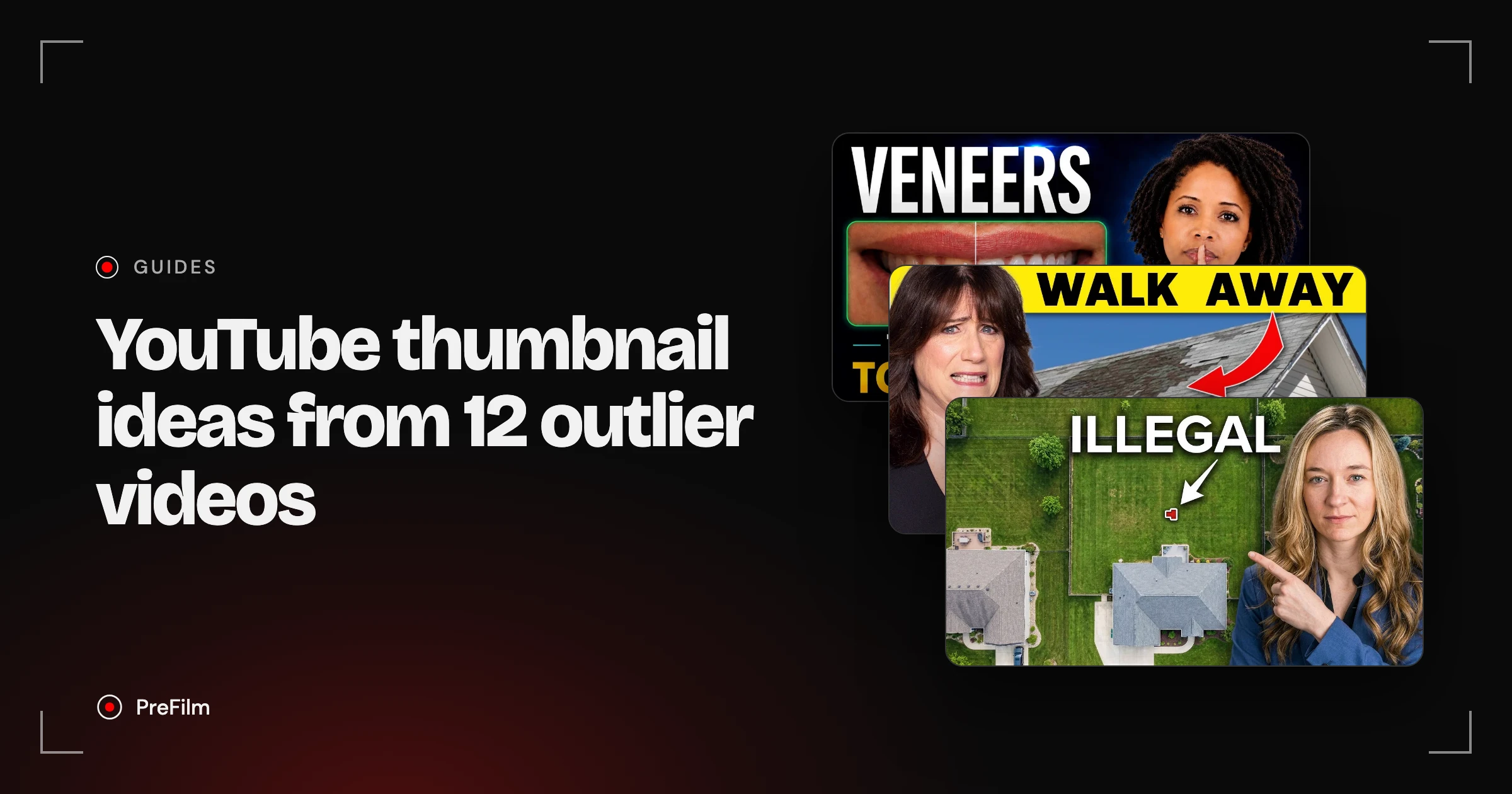
Most thumbnail advice is illustrated with gaming channels, MrBeast or templates from a design tool. That's fine if you want views. If you run a business, you want the right people to click, and I think your packaging is one of the most important things on YouTube. So every example here is a business video that pulled in far more viewers than usual, found with PreFilm, with the real multiple next to it.
What makes a good YouTube thumbnail?
A good YouTube thumbnail shows one clear idea, reads at phone size, and adds something the title doesn't say. It also has to match the video, because a thumbnail that tricks people into clicking gets them leaving in the first few seconds.
YouTube's own Thumbnail & title tips say the same in plainer words: keep it simple, make the image as large as possible because thumbnails show up differently across devices, and make sure the thumbnail reflects the video. It also says content for casual viewers can lean on universal emotions, and gives "a shocked face" as the example.
Every example below is an outlier. An outlier is a video that got far more views than its channel normally gets. Divide its views by the channel's normal and you get its multiple, so 10× means ten times what that channel's videos usually get.
| Pattern | Channel | Business | Multiple | Views |
|---|---|---|---|---|
| Face reacting | Jackie Baker | Home buying | 9.2× | 159,269 |
| Face reacting | The STRONG Roofer | Roofing | 17.2× | 50,345 |
| Before and after | Dr. Nancy Smiles | Dentistry | 12.2× | 10,645 |
| Before and after | Elisa Covington | Remodelling | 17.2× | 98,725 |
| The number | The Roof Lab | Roofing | 7.4× | 3,125 |
| The number | Nick Davis, CFP® | Financial planning | 6.1× | 297,401 |
| The object | The Roof Lab | Roofing | 15.0× | 6,326 |
| The object | FurnacePrices.ca | HVAC | 27.9× | 16,425 |
| Point at the problem | The Real Estate Lawyer | Real estate law | 15.3× | 801,664 |
| Text that finishes the title | Jason Moss | Coaching | 41.5× | 7,465 |
| Text that finishes the title | Rachael Camp CFP® | Financial planning | 8.5× | 486,230 |
| Text that repeats the title | Leeson & Leeson | Injury law | 29.9× | 3,617 |
One thing to keep in mind. The thumbnail you see today is the one on the video now. Creators change thumbnails, and some test several, so it may not be the one the video launched with. What the data does tell you is that this video, with this packaging, sits far above its channel's normal.
YouTube thumbnail ideas, pattern 1: a face reacting to the problem
A face reacting works when the reaction tells the viewer how to feel about the problem before they've read a word. In both examples below, the face says "this is bad" or "this is news".
Jackie Baker posted "10 DEALBREAKERS Found in Home Inspections". It got 159,269 views, 9.2× her channel's normal.
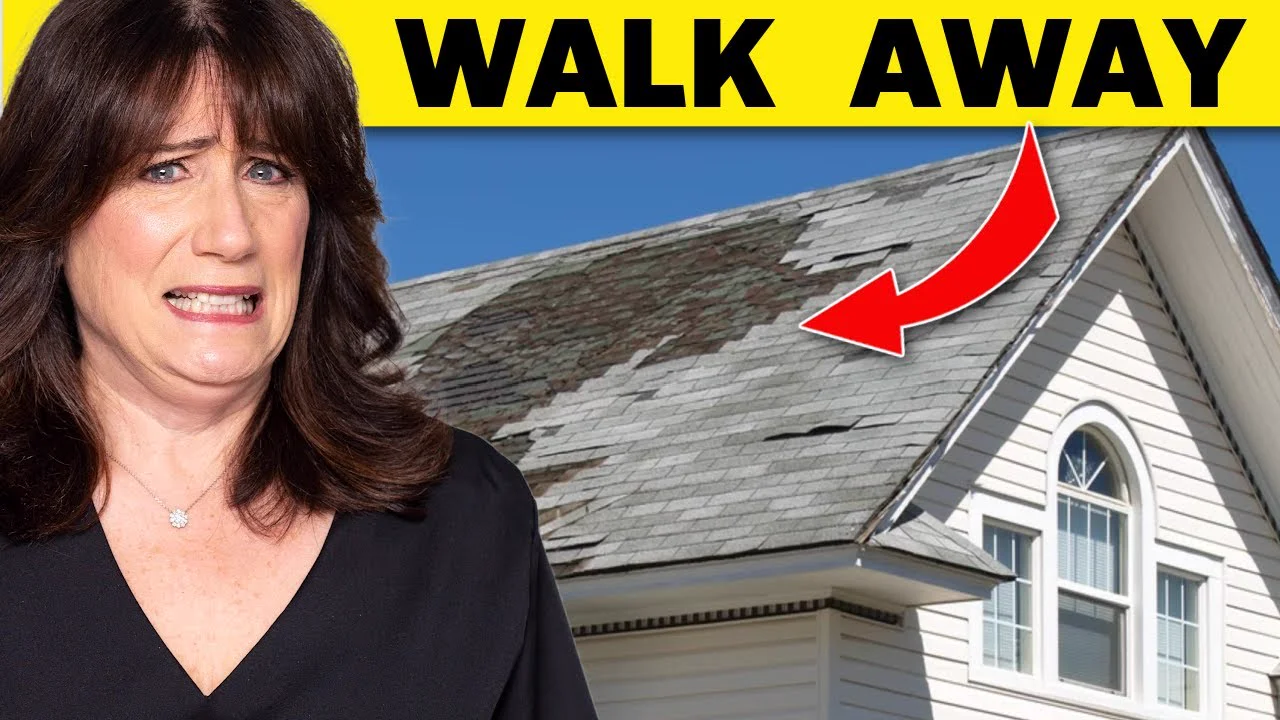
Look at what's in the frame. A grimace, a roof with patchy shingles, a red arrow on the damage, and two words: "Walk away". The title gives the number and the topic. The thumbnail gives the verdict.
The STRONG Roofer, Adam Bensman's channel for roofing business owners, does the same with news. "NEW Roof Insurance Rule Just Passed… This Could Be Bad for Everyone" got 50,345 views, 17.2× his normal.
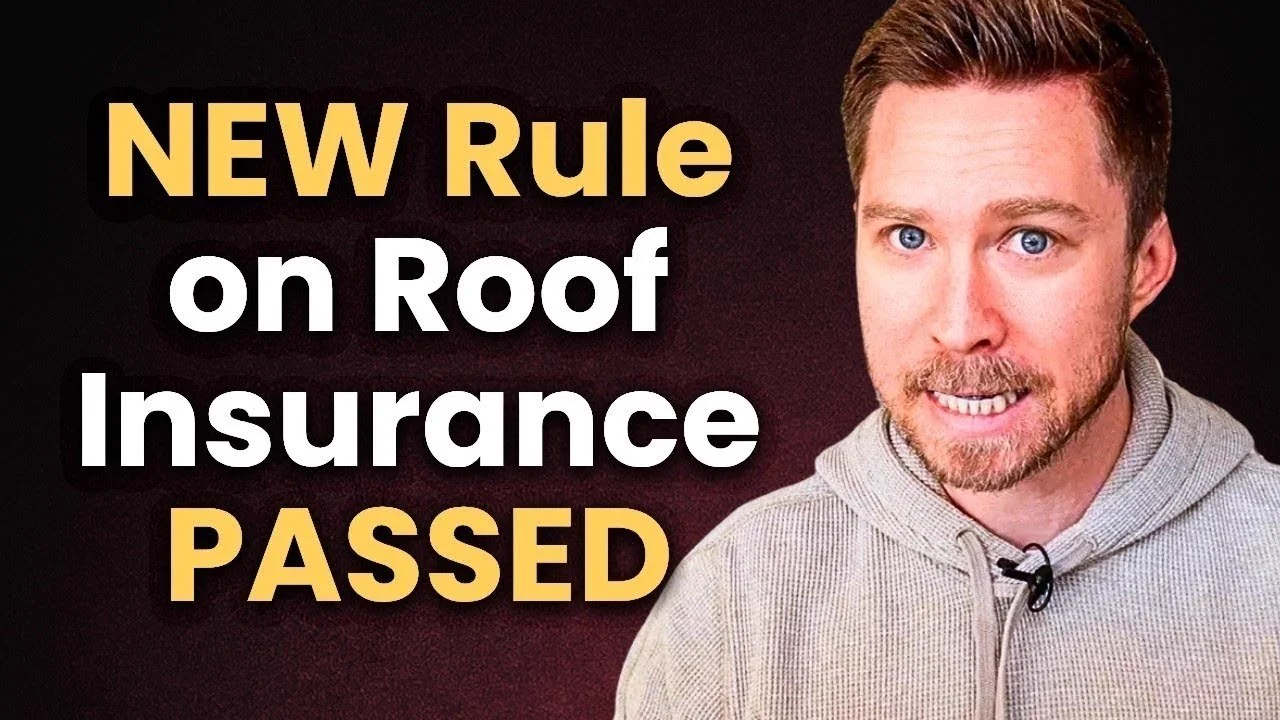
Wide eyes, clenched teeth and "NEW Rule on Roof Insurance PASSED". This pattern only works if you're happy to be on camera. If you're not, look at FurnacePrices.ca in pattern 4: no face at all, and 27.9× its channel's normal on 593 subscribers.
Find the videos your buyers already watch
Find my winning videosPattern 2: before and after
Before and after works for any business where the result is visible: teeth, kitchens, gardens, roofs. The viewer sees the outcome they're paying for in the first glance.
Dr. Nancy Smiles has 487 subscribers. Her video "Porcelain Veneers Explained: Materials, Risks, and the Secret to Success" got 10,645 views, 12.2× her channel's normal.
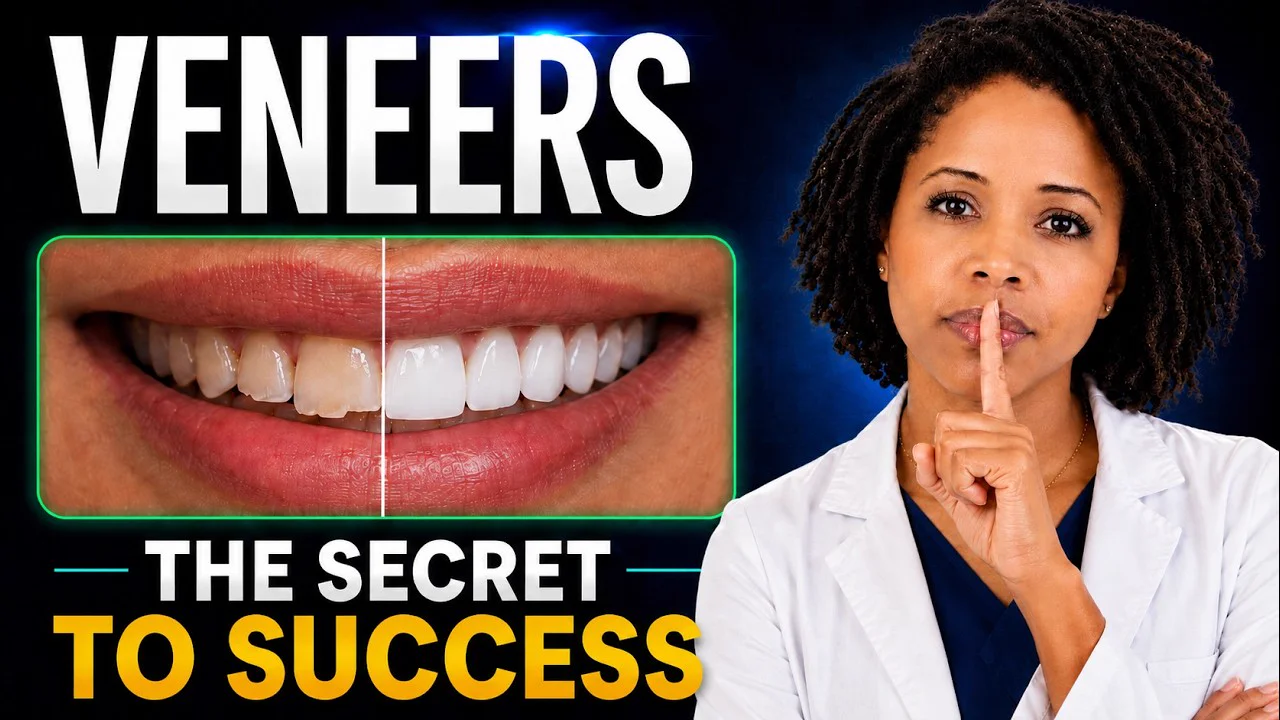
One smile, split down the middle by a thin line. Darker, uneven teeth on the left, white and even on the right. She's holding a finger to her lips next to "The secret to success", so there's a promise on top of the result.
Elisa Covington runs the same idea across a whole room. "How Much Does a Kitchen Remodel Cost & Kitchen Remodel Cost Saving Tips" got 98,725 views, 17.2× her normal.
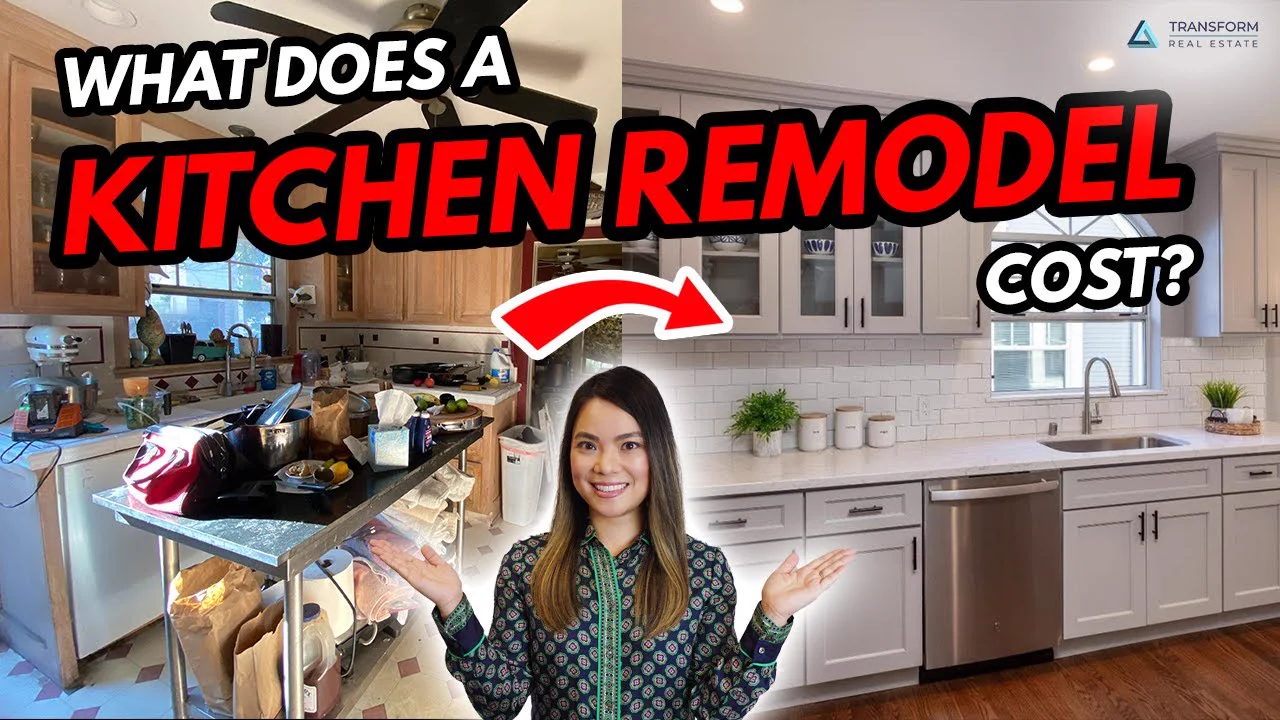
Cluttered, dated kitchen on the left. Finished white kitchen on the right. A red arrow from one to the other, and the question homeowners ask before they call a contractor: what does it cost?
Pattern 3: the number or the price
Put the number in the thumbnail when the number is the reason someone clicks. For most service businesses, that's the price.
The Roof Lab has 601 subscribers. "The TRUTH About ROOFING Prices in 2026!" got 3,125 views, 7.4× its normal.
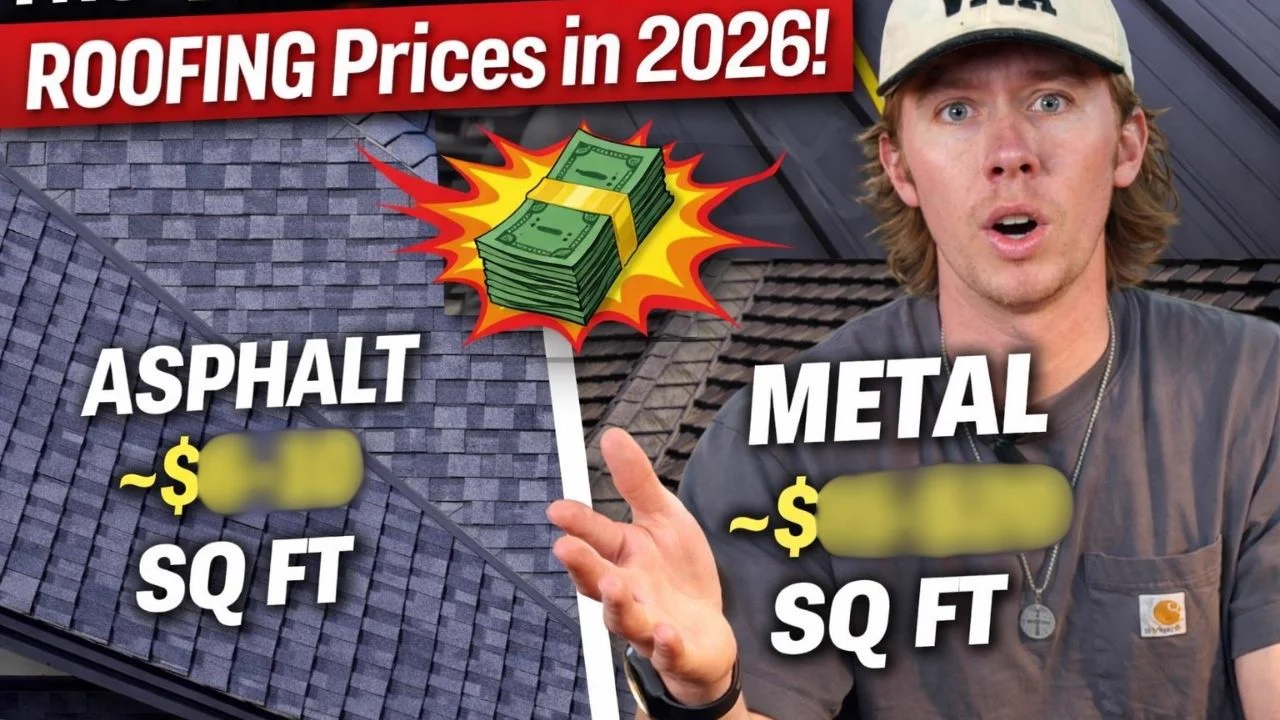
The roof is split in two: asphalt on one side, metal on the other, each with "~$" and a price per square foot that's been blurred out. The numbers are the reason to click, and you only get them by watching.
Nick Davis, CFP® shows the numbers as a picture instead. "How Much You Should Have Saved in Your 401k By Age? (Updated 2026)" got 297,401 views, 6.1× his normal.
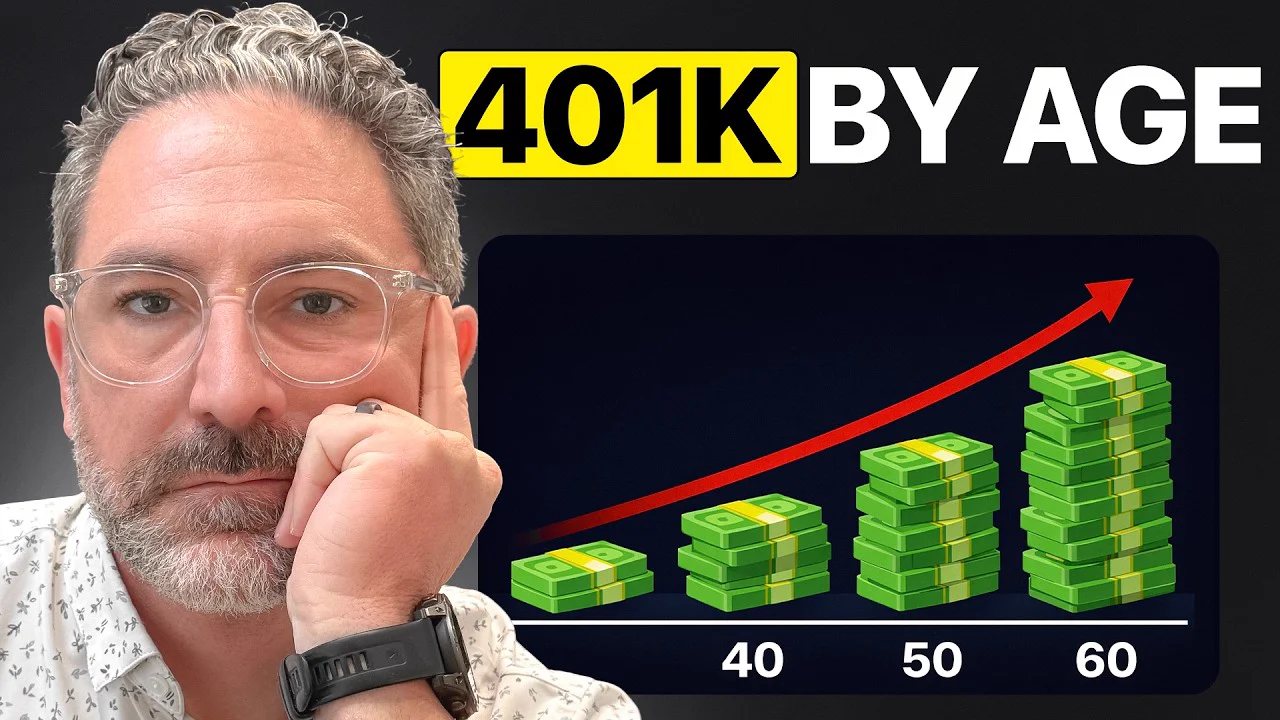
"401K BY AGE", three stacks of cash labelled 40, 50 and 60, and a red arrow going up. There's no figure on the stacks. The viewer works out which age is theirs and clicks to see the number.
Pattern 4: the object close-up
Show the object the video is about when your buyer would recognise it instantly: an estimate, a contract, a piece of equipment.
The Roof Lab shows up again here, with a second outlier. "5 RED FLAGS in a Roofing Estimate" (the full title carries on with "DON'T Sign Until You Check These") got 6,326 views, 15.0× the channel's normal.
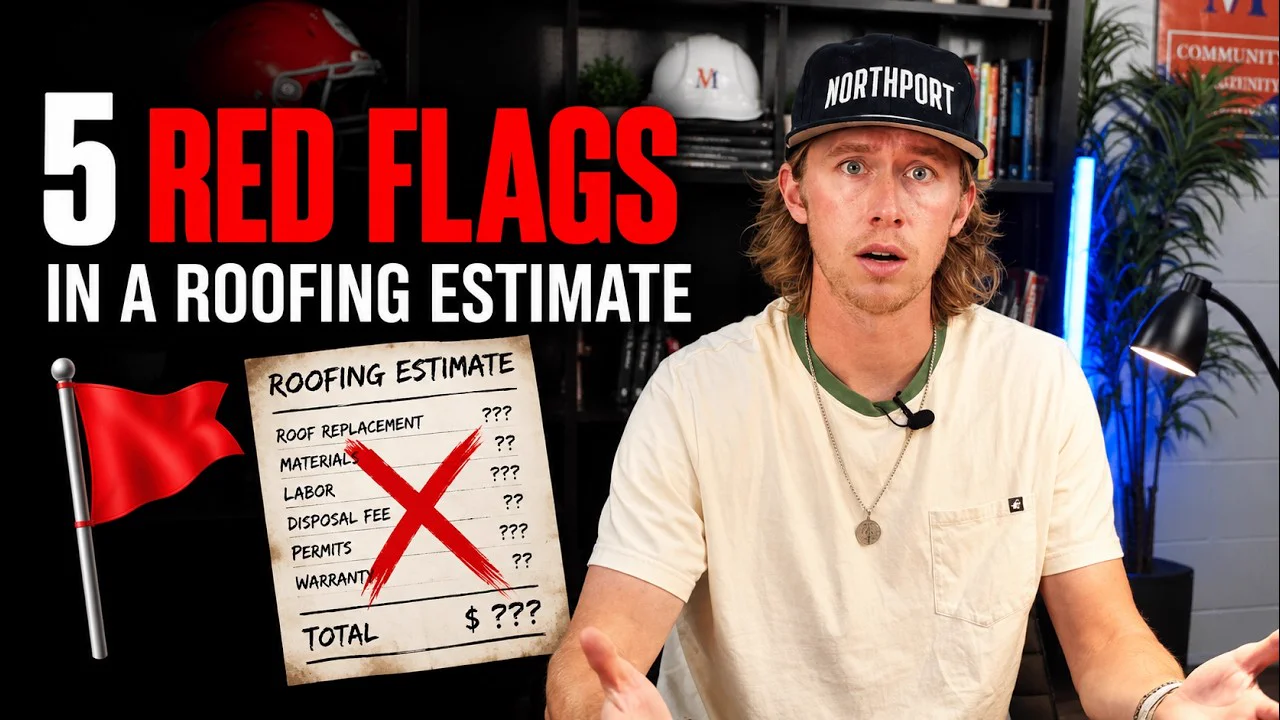
A roofing estimate fills the middle of the frame: roof replacement, materials, labour, disposal fee, permits, warranty, every price a question mark, a big red cross through it and "TOTAL $ ???" at the bottom. Anyone who's had a roof quoted has held that piece of paper. The red flag on the left matches the title.
FurnacePrices.ca has 593 subscribers. "Heat Pump vs Furnace | Which Is Better for Your Home?" got 16,425 views, 27.9× its normal.
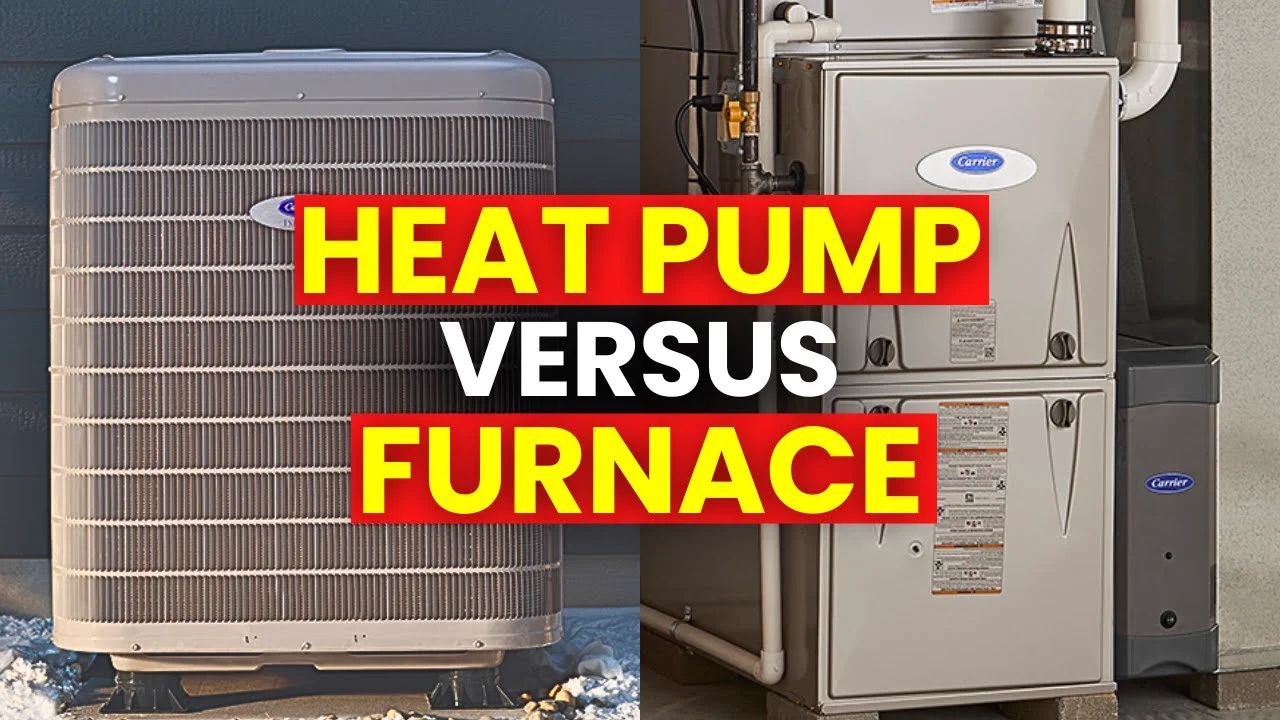
No face, no arrow. Just the two machines side by side with "HEAT PUMP VERSUS FURNACE" across the middle. If your buyer is choosing between two things, showing both is often enough.
Pattern 5: point at the problem
An arrow or a circle on one small detail makes the viewer want to know what it is. It works best when the detail is something they could have in their own house, contract or accounts.
The Real Estate Lawyer posted "NEVER Buy a Home Before Checking This (I'm a Lawyer)". It got 801,664 views, 15.3× the channel's normal.
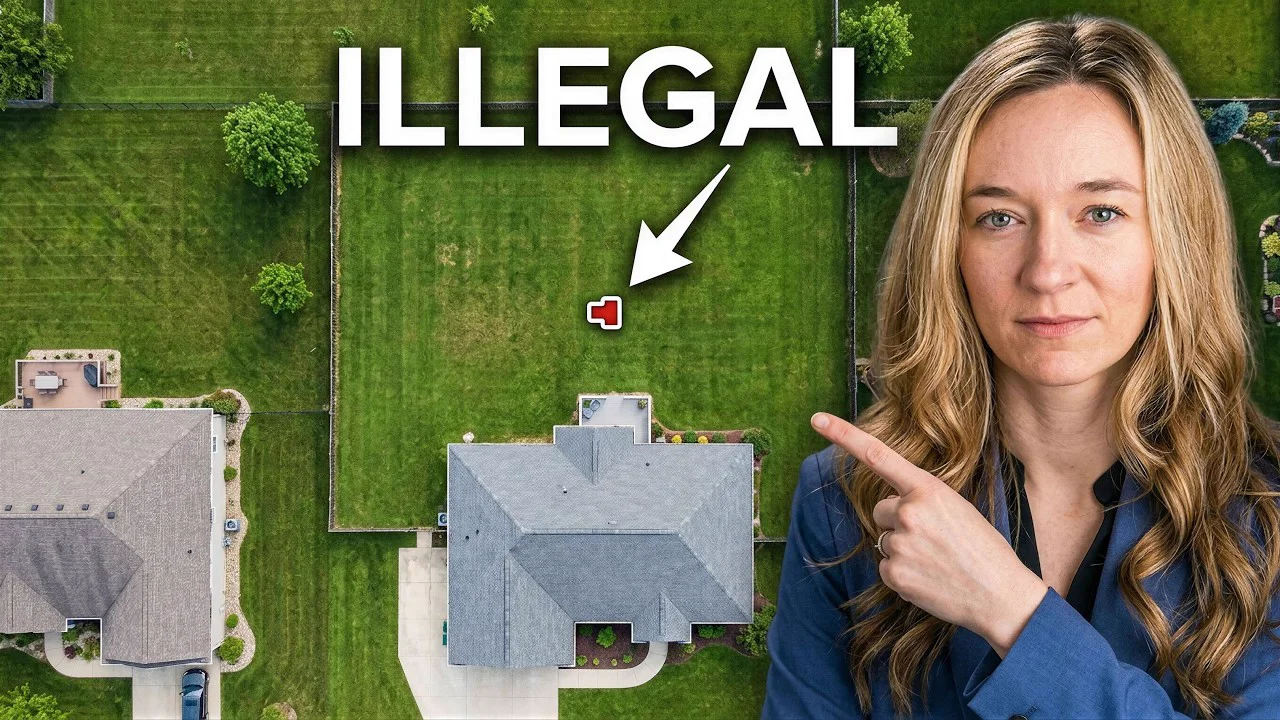
It's an aerial shot of a house and garden, with an arrow from the word "ILLEGAL" to a small red shape on the lawn, and she's pointing at it too. The title says "checking this" and the thumbnail shows where, without saying what. Notice Jackie Baker's thumbnail uses an arrow in the same way.
Check your thumbnail against your niche first
Roast my thumbnailPattern 6: text that finishes the title
The text on a thumbnail works best when it says the next thing after the title, not the same thing again. Think of the title and thumbnail as one sentence split in two.
Jason Moss has 4,270 subscribers. "How To Price Your Coaching Package In 6 Simple Steps" got 7,465 views, 41.5× his normal, the biggest multiple in this article.
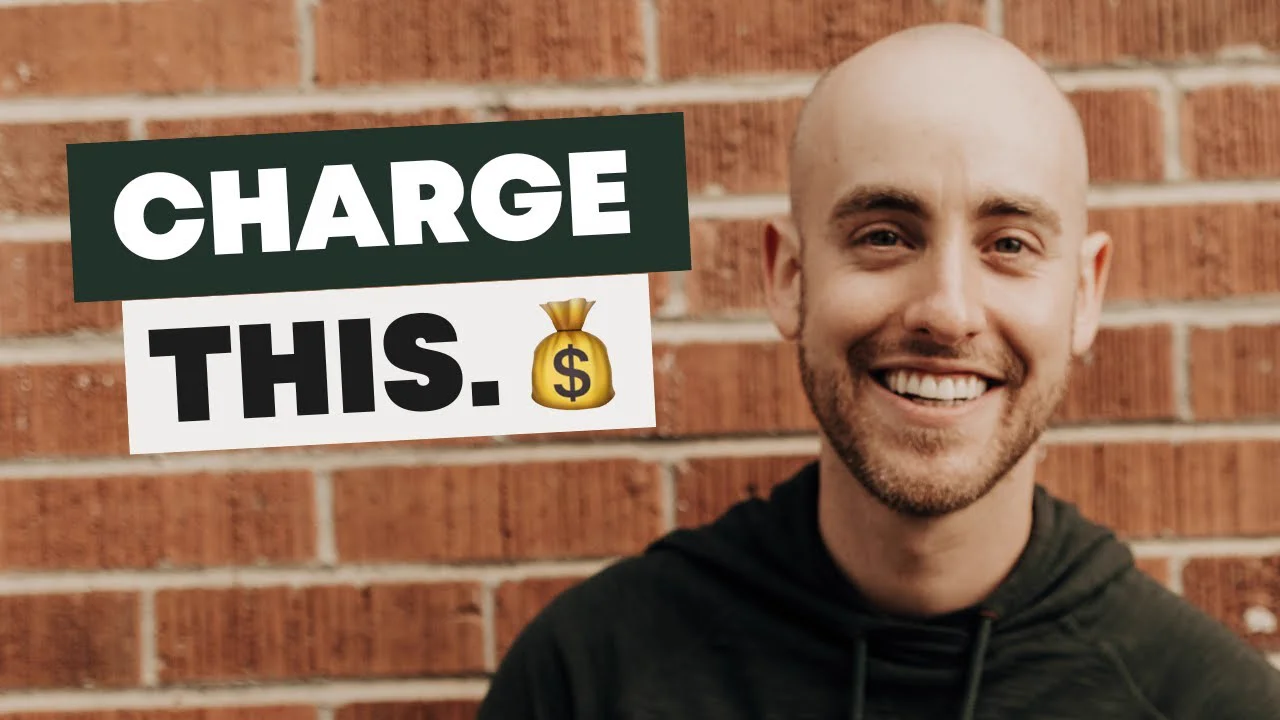
The title asks how to price a coaching package. The thumbnail says "Charge this." with a money bag. That's it: a smile, a brick wall and two words that sound like the answer.
Rachael Camp CFP® does it with a plan. "If You're 50, This Is the Retirement Plan I'd Use to Retire by 58" got 486,230 views, 8.5× her normal.
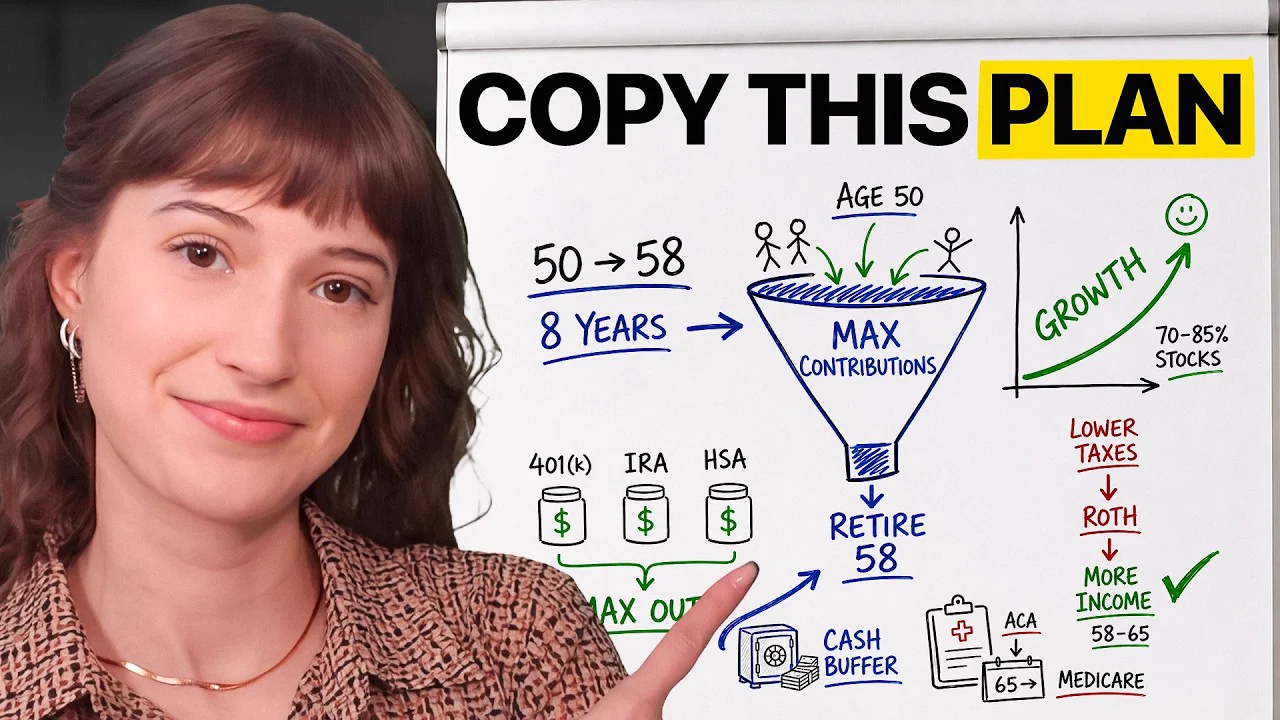
"COPY THIS PLAN" sits above a hand-drawn whiteboard: 50 to 58, eight years, max out the 401(k), IRA and HSA, retire at 58. The title promises a plan, and the thumbnail looks like one you could photograph and follow.
Now the honest counter-example. Leeson & Leeson Law Firm has 12 subscribers. "Car Accident Trial: What to Expect in Court (Step-by-Step Guide)" got 3,617 views, 29.9× its normal.
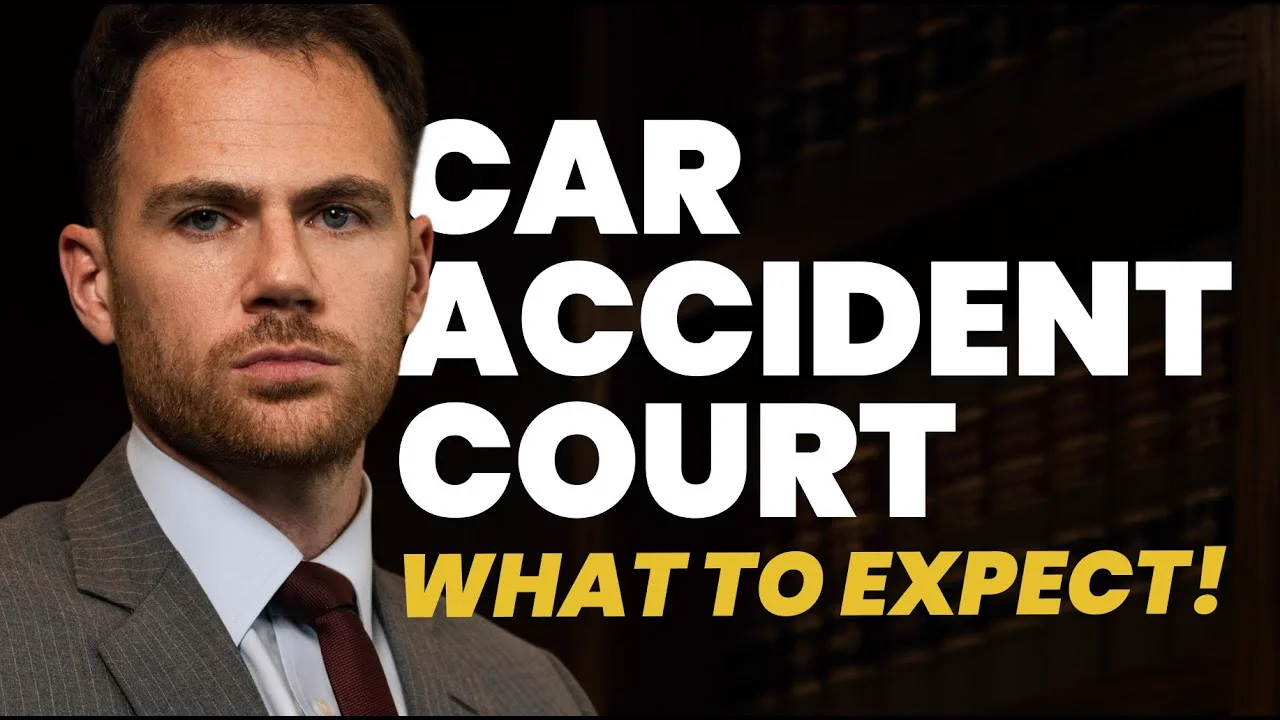
Its thumbnail text, "CAR ACCIDENT COURT WHAT TO EXPECT!", mostly repeats the title. It still beat its channel's normal by almost 30 times, so the thumbnail text can't be what set it apart. The title answers a question anyone facing a car accident trial would have. A thumbnail can't rescue a topic nobody wants, and a strong topic can carry a plain thumbnail. Pick the topic first; there's more on that in how to find YouTube video ideas that are already proven.
How to turn these YouTube thumbnail examples into your own
Borrow the pattern and make the design your own. Here's the process I'd follow for each video:
- Find the outliers in your niche. Look at the channels your buyers watch, work out each channel's normal from its last 10 to 20 long videos, and note any video at 3× or more. PreFilm's video ideas does this for you, and the PreFilm Chrome extension shows each video's multiple right on YouTube.
- Save the thumbnails you want to study. The free YouTube thumbnail downloader grabs the full-size image so you can put them side by side.
- Pick the pattern that fits your promise. A visible result suits before and after. A cost question suits the number. A warning suits a face or an arrow.
- Take photos during the shoot. YouTube's tips page suggests this so you have several options when you upload. Get your reaction, the object and the result on camera while you're there.
- Check it at phone size. Shrink it down. If you can't read the words or tell what the picture is, cut something.
- Check the title and thumbnail together. Roast, PreFilm's title and thumbnail checker, judges them against what's already winning in your niche and gives you a verdict, the reasons and stronger versions.
- Test it after you publish. Use A/B testing in YouTube Studio to try up to three thumbnails. YouTube picks the winner by watch time, not clicks, so a clickbait thumbnail that makes people leave early is unlikely to win.
Two practical rules from YouTube's custom thumbnail page: use a 16:9 image at least 640 pixels wide (YouTube lists 3840 by 2160 as the resolution), saved as a JPG or PNG, and your account needs to be verified before you can upload one. Check the thumbnails policy too, because thumbnails have their own rules on top of the video's.
Should you use an AI thumbnail generator?
To be honest, I wouldn't rely on one yet. When I tried the thumbnail generator in 1of10, it used AI credits, and the person in the thumbnails didn't really look like me. What I did like was the thumbnail previewer in 1of10's Chrome extension, which showed how a thumbnail would look on the YouTube homepage next to other videos. To me, that's a far more useful check than a generated image.
PreFilm takes a different route. It writes thumbnail briefs for your video ideas, so you or your designer know what to shoot and what words to put on it. You still make the thumbnail yourself, with your real face and your real results, which is what a buyer wants to see.
Whatever you use, the thumbnail and the opening have to keep the same promise. If the thumbnail says "Walk away", the first 30 seconds should say why. There's more on openings in YouTube hooks taken from outlier videos, and on diagnosing a video nobody clicks in how to get more views on YouTube.
Most of the thumbnails above come from businesses selling a service, and most of them are plain: a face, a result, a price, an estimate, an arrow or a few words. Find the outliers in your niche, borrow the pattern that fits your promise, and check it before you film. If you want that research done for you, see the plans.
Stop guessing what to film.
PreFilm finds the videos your buyers already watch and writes the script in your voice. $1 for 7 days.
Find my winning videosQuestions
Questions.
What makes a good YouTube thumbnail?
A good YouTube thumbnail shows one clear idea that still reads at phone size and adds something the title doesn't say. That's usually a face reacting, a result, a number or the object the video is about, plus a few words at most. It also has to match the video, or viewers leave and YouTube stops showing it.
What are good YouTube thumbnail ideas for a business channel?
The best YouTube thumbnail ideas for a business channel show the buyer's problem or the result they want. A damaged roof, a split before-and-after smile, a price per square foot or a crossed-out estimate all worked for real outlier videos. Look for videos beating their channel's normal in your niche and borrow the pattern, not the design.
Should I put text on my YouTube thumbnail?
Yes, if the text adds to the title rather than repeating it. Keep it to two to five words that someone can read on a phone in a second. Jason Moss's coaching video uses just "Charge this." next to a title about pricing a coaching package, and it got 41.5 times his channel's normal views.
Should I put my face on my YouTube thumbnail?
Put your face on a YouTube thumbnail when your reaction tells the viewer something, such as worry, surprise or a warning. YouTube's own tips say casual viewers respond to universal emotions like a shocked face. If your face would just be a headshot, show the result, the object or the problem instead.
What size should a YouTube thumbnail be?
A YouTube thumbnail should be 16:9, and YouTube's help page lists 3840 by 2160 pixels as the resolution, with a minimum width of 640 pixels. Use a JPG or PNG. Uploads from a computer can be up to 50 MB, and video thumbnails uploaded on mobile are limited to 2 MB.
How do I A/B test YouTube thumbnails?
Open the video in YouTube Studio on a computer and use A/B testing to upload up to three thumbnails, titles or both. YouTube shows each version to viewers and picks the winner by watch time, not clicks. You need advanced features turned on, and most tests finish within two weeks.
Can you change a YouTube thumbnail after posting?
Yes. Open the video's details in YouTube Studio and upload a new custom thumbnail at any time. YouTube itself recommends experimenting with updated thumbnails on older videos to make them more appealing to new viewers. If the topic was right but nobody clicked, a new thumbnail is the cheapest second chance a video can get.