Comparison · 9 min read
PreFilm vs Subscribr: scripts that sound like you, and sell
PreFilm vs Subscribr AI is the closest comparison I've written, because both write YouTube scripts in your own voice. Subscribr goes on to make the thumbnail and the finished video for you. PreFilm is built to get business owners more customers from YouTube for owners who film themselves: it starts from what you sell, finds proven ideas for it and writes the script with your offer built in.
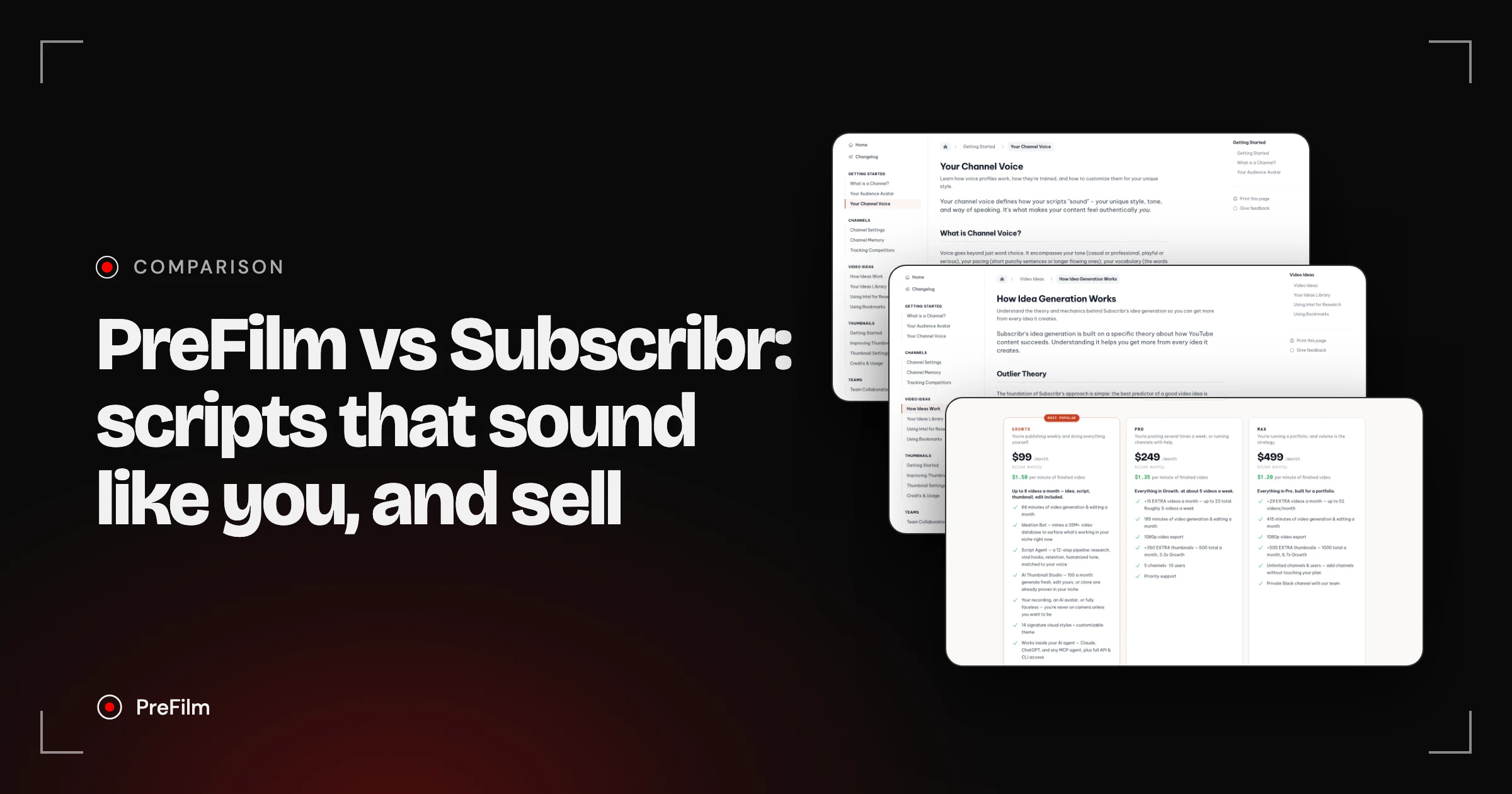
Subscribr runs the whole production line: it finds ideas from outliers, writes scripts in your voice, designs thumbnails and renders the finished video, faceless or from your recording. PreFilm does less, on purpose. It's built to get business owners more customers from YouTube, for owners who film themselves: it starts from what you sell, shows the proof behind every idea and writes the script in your voice with the moment to mention your offer. If you want one tool to produce the whole video, Subscribr fits. If YouTube has to bring in clients, PreFilm is built for that.
Choose PreFilm if…
- You film yourself and want YouTube to bring in customers for what you sell
- You want each script to build in the moment to mention your offer
- You want ideas picked for your offer, with how often each format has been done
- You want to try it for $1 for 7 days before paying for a month
Choose Subscribr if…
- You want ideas, scripts, thumbnails and finished videos from one subscription
- You run a faceless channel, or want an AI avatar instead of filming
- You want to start on a free plan and connect Claude without a card
- You publish several videos a week or run several channels with a team
Find the videos your buyers already watch
Find my winning videosPreFilm and Subscribr, compared
| Feature | PreFilm | Subscribr |
|---|---|---|
| Starts from what you sell | Yes | Not stated on their site |
| Outlier research | Yes | Yes |
| Evidence behind every idea | Yes | Every generated idea includes "the outlier score of the source video that inspired it", with the source video and its view count, per its help centre |
| Scripts in your own voice | Yes | Yes |
| Use it in Claude and ChatGPT | YouTube MCP for Claude and ChatGPT, included on every plan | Works inside Claude, ChatGPT and any MCP agent, plus REST API and CLI, on every plan including Free |
| Free plan | Not included$1 for 7 days on a monthly plan | Yes |
| Starting price | $49/mo (Creator) | $99/mo (Growth) |
Checked 3 November 2026 on Subscribr's own site.
I'm Henry Purchase, and I built PreFilm. I haven't tested Subscribr myself, so everything about it here comes from its own site and help centre, checked from the UAE on 3 Nov 2026. In my TubeMagic alternatives I ranked Subscribr first for scripts in your own voice and PreFilm fourth, because it only writes for business owners who film themselves. For them it does something Subscribr doesn't: it starts from what you sell. Nothing below changes that.
PreFilm vs Subscribr: where they really differ
The short answer: Subscribr wants to run your whole channel, and PreFilm helps a business you already run pick and write the videos its buyers watch.
Who it's built for. Subscribr's pricing page names "business owners, faceless creators, YouTubers and agencies", and its homepage promises to run "your entire YouTube channel in one platform", from ideas to the finished edit. It says every sample video on its homepage was made and published with Subscribr, start to finish. PreFilm is built for consultants, agencies, coaches, clinics, law firms and other service businesses, where one good video can be worth a client.
Where the work stops. Subscribr takes you all the way to an upload: idea, script, thumbnail, then a finished video from your recording, an AI avatar or fully faceless visuals. PreFilm stops at the script and assumes you're the one on camera.
How do PreFilm and Subscribr learn your voice?
Both learn from your own videos, which is why this comparison is close. The difference is in what they read and what you can tune.
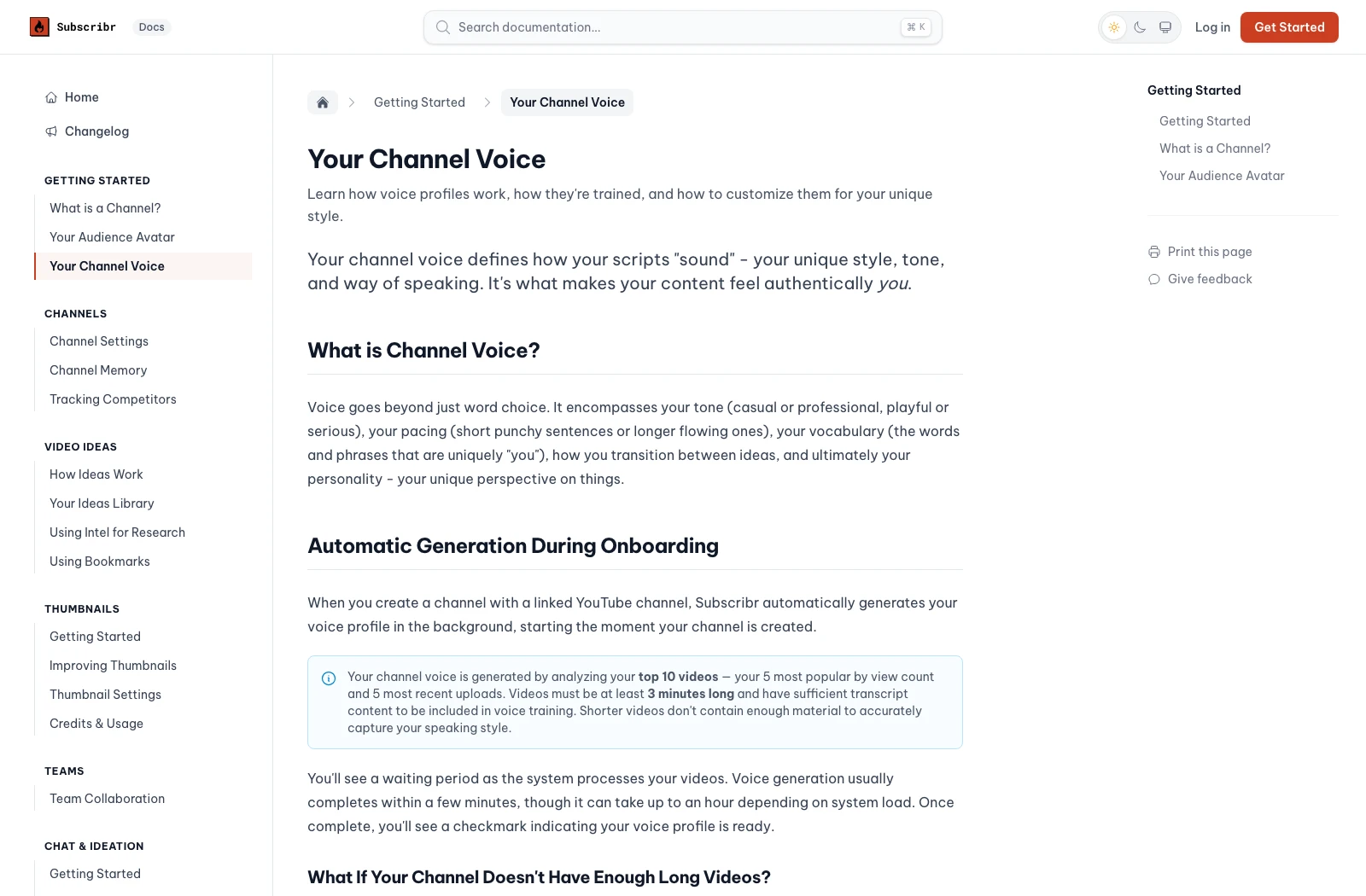
Subscribr's help page on your channel voice, checked on 3 Nov 2026, says the profile is built from your top 10 videos: your 5 most popular and your 5 most recent, each at least 3 minutes long. You can add writing samples, such as transcripts, blog posts or old scripts, and refine it in plain language ("use shorter sentences") or in an advanced mode with settings for your archetype, delivery and vocabulary. Its homepage sums it up as "Writes in your voice. Built from your scripts."
PreFilm's script writer reads up to 20 of your own transcripts: your phrases, your sentence length and the way you open a video. It keeps a list of the things you always say and the words you never say, and rewrites any line that sounds like AI before you see it. Subscribr has a similar step, which it calls humanising the tone.
Two more differences matter to me. PreFilm can ask you 5 to 8 short questions first, so the script uses your stories and numbers. And anything it can't ground gets a slot like [YOUR NUMBER], with every unchecked claim listed at the end. When you're a business owner on camera, people are buying you, so a wrong number is worse than a gap. My guide to making AI text sound human covers the rest of the edit.
Where does your offer go in the script?
This is the biggest difference for me. PreFilm reads your website during setup, learns what you sell and who buys it, and every script includes the moment to mention your offer, placed where the evidence says it sells.
Subscribr's setup builds an audience profile from your top 5 videos by views, plus the voice above. Its help page advice for business channels is sensible: put one clear call to action after you've delivered value, and answer the questions prospects ask before buying. But I found nothing on its site that reads what you sell. As a business owner, I don't care about how many views or subscribers I have. I care about making money from YouTube, through booked calls and sales, so that's the part I'd want built in.
Do both start ideas from outliers?
Yes. An outlier is a video that got far more views than its channel normally gets, and both tools turn outliers into ideas with the source video attached.
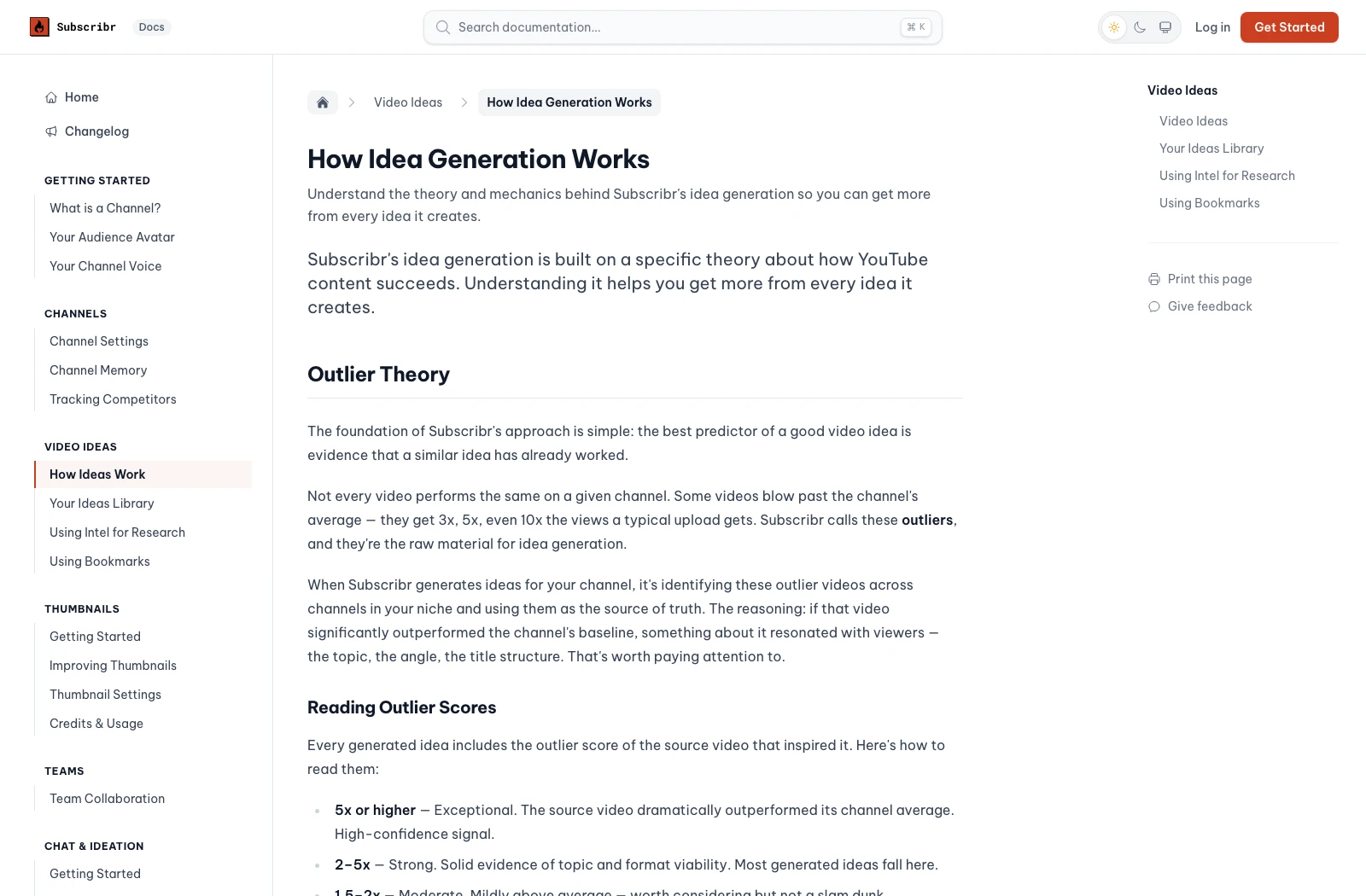
Subscribr's help page on how idea generation works, checked on 3 Nov 2026, says every idea includes the source video, its view count and its outlier score, and that it looks into neighbouring niches on purpose to find formats your niche hasn't worn out. It also explains the method plainly: borrow the hook, not the topic.
PreFilm's video ideas show the same kind of proof: the video each idea came from and how far it beat that channel's normal. They also show when the format first appeared and how many times it's been done since, and PreFilm reads the comments under those videos and the searches your buyers make. That count matters to me, because a format that's been copied over and over in your niche is usually too late to copy again.
Get a script that knows what you sell
Find my winning videosThumbnails, finished videos and Claude
Subscribr goes much further on production. Its AI Thumbnail Studio works from 157 proven formats, and its video generator turns a script into a finished video with voiceover, B-roll and captions, or edits your own recording. PreFilm doesn't make thumbnails or videos.
Both work inside Claude and ChatGPT. Subscribr's MCP page lists 25 tools and says connecting an agent is free on every plan, including the free workspace, while generations still spend credits. PreFilm's YouTube MCP is on every plan too. From Claude, I ask it what to film next, break down a video or write a script, and it knows my offer while it does it. I use it every day.
Who should pick Subscribr
Subscribr is the right pick if you want one subscription to produce the whole video. That suits faceless channels, creators who'd rather use an AI avatar than film, and teams publishing several videos a week across several channels. It's also the cheaper way to try an MCP, because its free plan includes it.
Who should pick PreFilm
PreFilm suits business owners who film themselves and want their channel to bring in customers. That's the job I used YouTube for at my last company: every video was picked from search demand and proven formats before I filmed it, and YouTube became a six-figure revenue engine for the business.
PreFilm works best once you've published a few videos, because that's what it learns your voice from. If you're brand new, start with the free tools, the blog and my guide on how to write a YouTube script.
What PreFilm and Subscribr cost
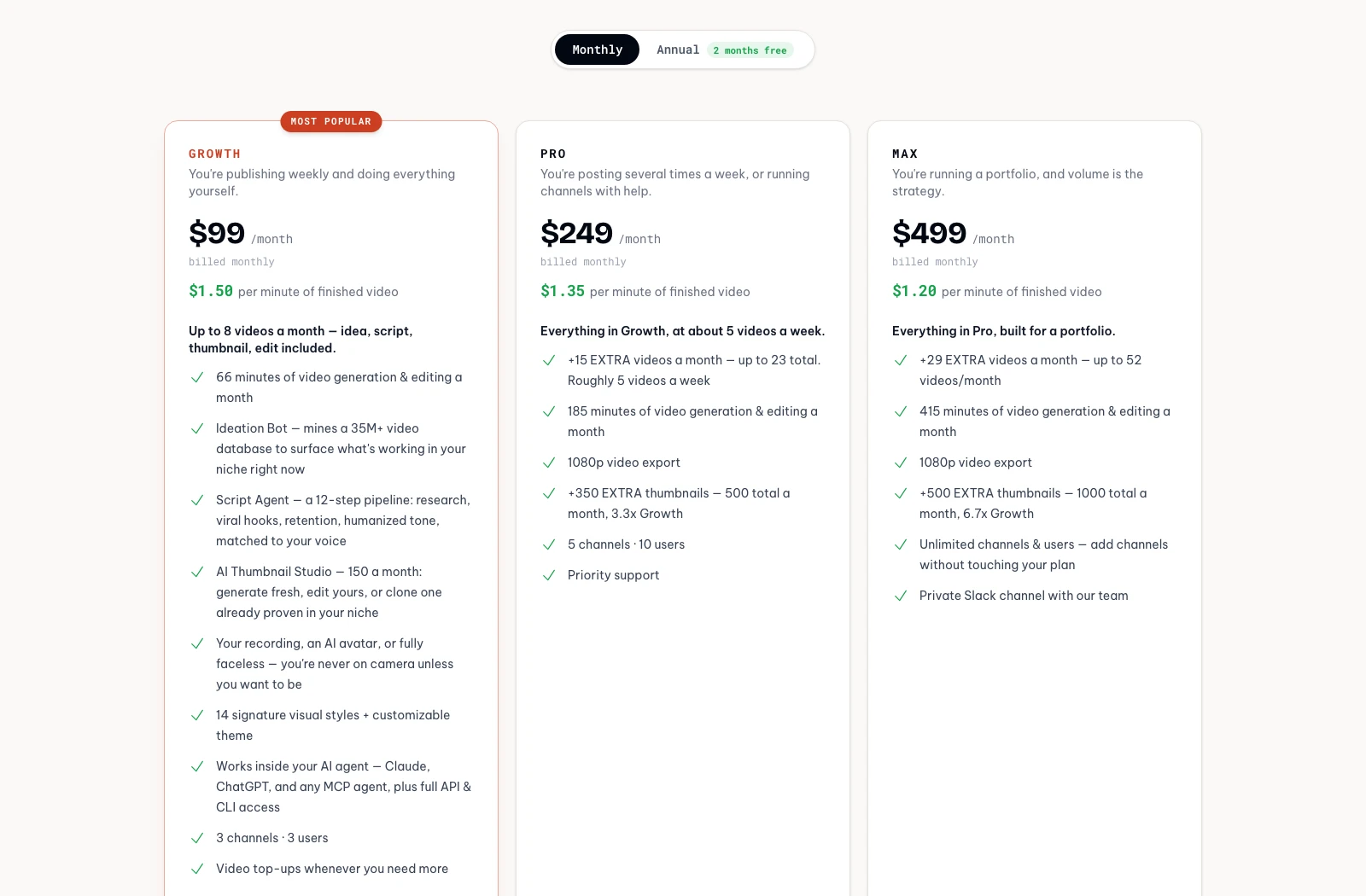
Subscribr has a free plan and three paid plans, in US dollars. These prices come from its pricing page, checked from the UAE on 3 Nov 2026, and its FAQ says every price on its site is in US dollars. On monthly billing, finished video costs $1.50 a minute on Growth, $1.35 on Pro and $1.20 on Max, and annual billing drops those to $1.25, $1.12 and $1.00. PreFilm's prices are on PreFilm's pricing page.
| What you get | PreFilm | Subscribr |
|---|---|---|
| Free option | No free plan; monthly plans start with $1 for 7 days | Free plan with no card: one channel, idea batches and intel searches, no scripts |
| Entry plan | Creator: $49 a month, or $408 a year | Growth: $99 a month, up to 8 videos a month |
| Higher plans | Pro: $119 a month, up to 10 channels | Pro: $249 a month. Max: $499 a month |
| Annual billing | $408 a year on Creator, with no trial | Two months less, shown as lower per-minute video rates |
| Scripts | 40 credits a script, from 2,000 credits a month on Creator | 60 script credits a month on Growth; 5 credits is about a ten-minute script |
| How it learns your voice | Up to 20 of your transcripts | Your top 10 videos, plus writing samples |
| Your offer in the script | Built into every script | Not stated on its site |
| Thumbnails and finished videos | No | Yes, faceless, AI avatar or your recording |
| Claude and ChatGPT | YouTube MCP on every plan | MCP on every plan, including Free |
One thing to know before you pay: Subscribr's FAQ says all purchases are final, with no refunds, though you can cancel at any time and keep access to the end of the period. PreFilm has a 30-day money-back guarantee on your first payment, and its $1 week includes 400 credits, so you can see a script in your voice before a full month.
Can you use PreFilm and Subscribr together?
You can. Subscribr's FAQ says you can save a script written elsewhere into it for free and send it through its thumbnail and video pipeline. So a business owner could write the script in PreFilm, with the offer built in, and use Subscribr to edit the recording.
Most people won't need both. If you're still choosing a script writer, my TubeMagic alternatives compare seven of them, and my TubeLab alternatives cover the research side, Subscribr included.
Stop guessing what to film.
PreFilm finds the videos your buyers already watch and writes the script in your voice. $1 for 7 days.
Find my winning videosQuestions
Questions.
PreFilm vs Subscribr: which writes more like you?
Both write in your voice, from different inputs. Subscribr builds a voice profile from your top 10 videos and lets you refine it with writing samples and plain-language feedback. PreFilm reads up to 20 of your own transcripts, keeps a list of phrases you say and never say, and leaves a slot for any number it can't ground.
How much does Subscribr cost?
Subscribr has a free plan, then Growth at $99 a month, Pro at $249 a month and Max at $499 a month, in US dollars. Annual billing costs two months less. Its FAQ says all purchases are final, so there are no refunds. PreFilm has a 30-day money-back guarantee on your first payment.
Is Subscribr AI free?
Partly. Subscribr's free plan gives you one channel, three idea batches a month and ten intel searches, plus its MCP for Claude and ChatGPT, with no card. Scripts, thumbnails and finished videos all need a paid plan, so you can't test its script writer for free.
Is Subscribr good for business channels?
It can be. Its pricing page names business owners first, and its help centre has advice for business channels. Its setup learns your audience and voice from your videos, though, and nothing on its site reads what you sell. PreFilm is built to turn your channel into customers, so that's the part it starts from.
PreFilm vs Subscribr: which is better for a business channel?
PreFilm is the better fit if you film yourself and want customers, because it's built to bring in customers: it starts from your offer and builds the moment to mention it into each script. Subscribr is the better fit if you want the whole video produced for you, including thumbnails, editing, AI avatars or faceless videos, from one subscription.