Comparison · 8 min read
PreFilm vs TubeLab: easier views, or more customers?
PreFilm vs TubeLab comes down to what you want YouTube to do for you. TubeLab is a niche and outlier research tool built to get creators views, and a lot of it is aimed at finding niches for new and faceless channels. PreFilm is built to get business owners more customers from YouTube: it starts from what you sell, shows the proof behind every idea and writes the script in your voice.
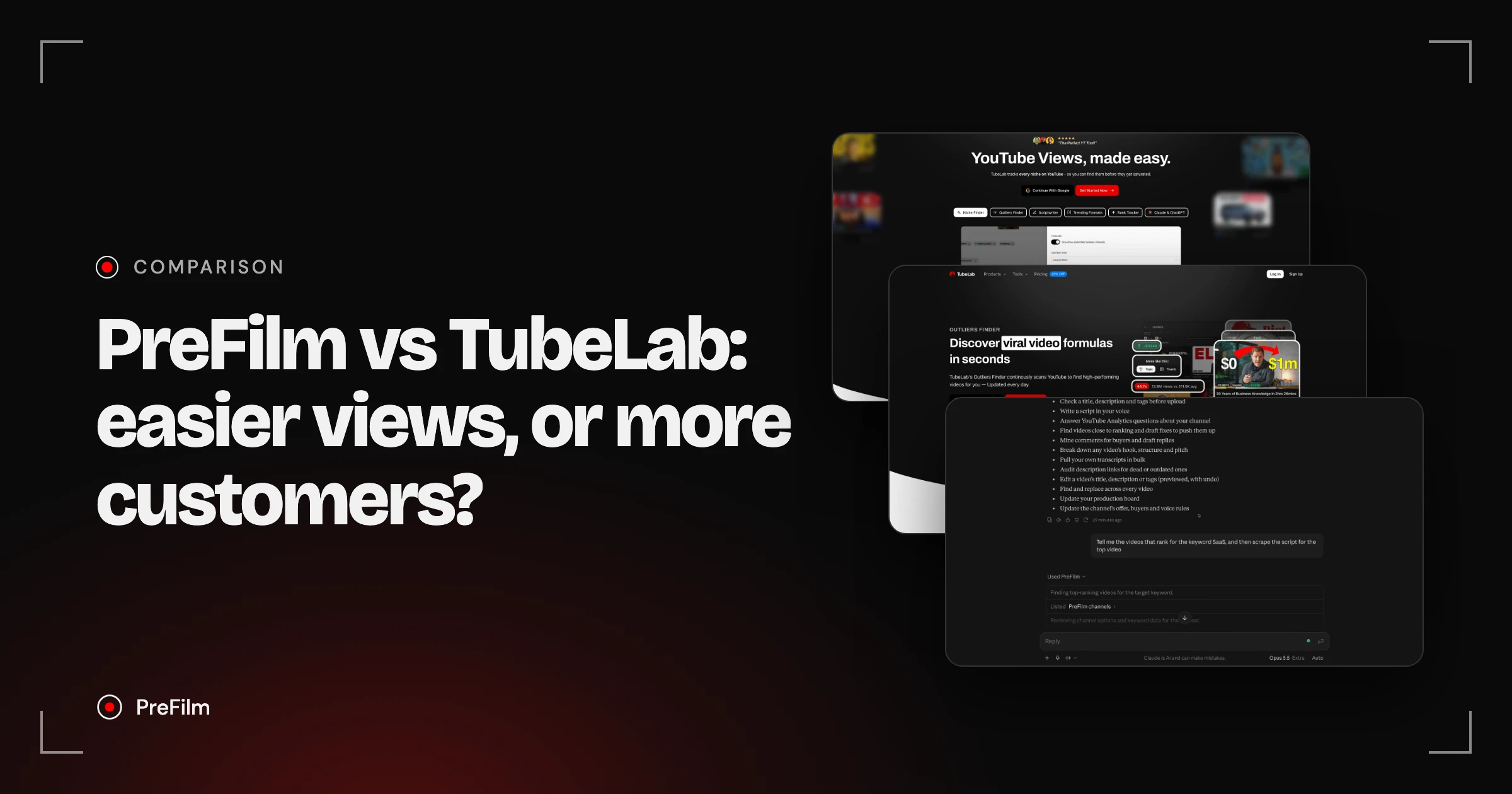
TubeLab is a niche and outlier research tool built for views, with a channel setup that studies your channel and your competitors, a feed of new viral videos from small channels and an MCP on every plan. Its scripts and reports need Pro. PreFilm is built to get business owners more customers from YouTube: it starts from what you sell, hands you ideas with the evidence behind them, then writes the script in your voice. If you want niches and fresh outliers for views, TubeLab covers that. If YouTube has to bring in customers, PreFilm is built for that.
Choose PreFilm if…
- Your channel exists to bring in customers for what you sell
- You want ideas picked for your offer, not niches and outliers to sort through yourself
- You want to know how many times a format has been done before you copy it
- You want scripts in your voice without moving up to a higher plan
Choose TubeLab if…
- You want to find an unsaturated niche, or you run a faceless channel
- You want a feed of new viral videos from small channels
- You want rank tracking and AI avatar videos in the same tool
- You're happy to adapt outliers to your business yourself
Find the videos your buyers already watch
Find my winning videosPreFilm and TubeLab, compared
| Feature | PreFilm | TubeLab |
|---|---|---|
| Starts from what you sell | Yes | Not stated on their site |
| Outlier research | Yes | Yes |
| Evidence behind every idea | Yes | Ideas are generated "based on outliers", per its pricing FAQ |
| Scripts in your own voice | Yes | Yes |
| Use it in Claude and ChatGPT | YouTube MCP for Claude and ChatGPT, included on every plan | YouTube Data MCP for Claude, ChatGPT and any MCP client, included on every plan (Starter, Pro, Team) |
| Free plan | Not included$1 for 7 days on a monthly plan | Not included |
| Starting price | $49/mo (Creator) | $29/mo (Starter), or $24/mo billed yearly; prices vary by location |
Checked 3 November 2026 on TubeLab's own site.
PreFilm vs TubeLab: where they really differ
Both tools are built on outliers. An outlier is a video that got far more views than its channel normally gets. TubeLab says it analyses each channel's last 100 videos to find them. The difference is what each tool does with them.
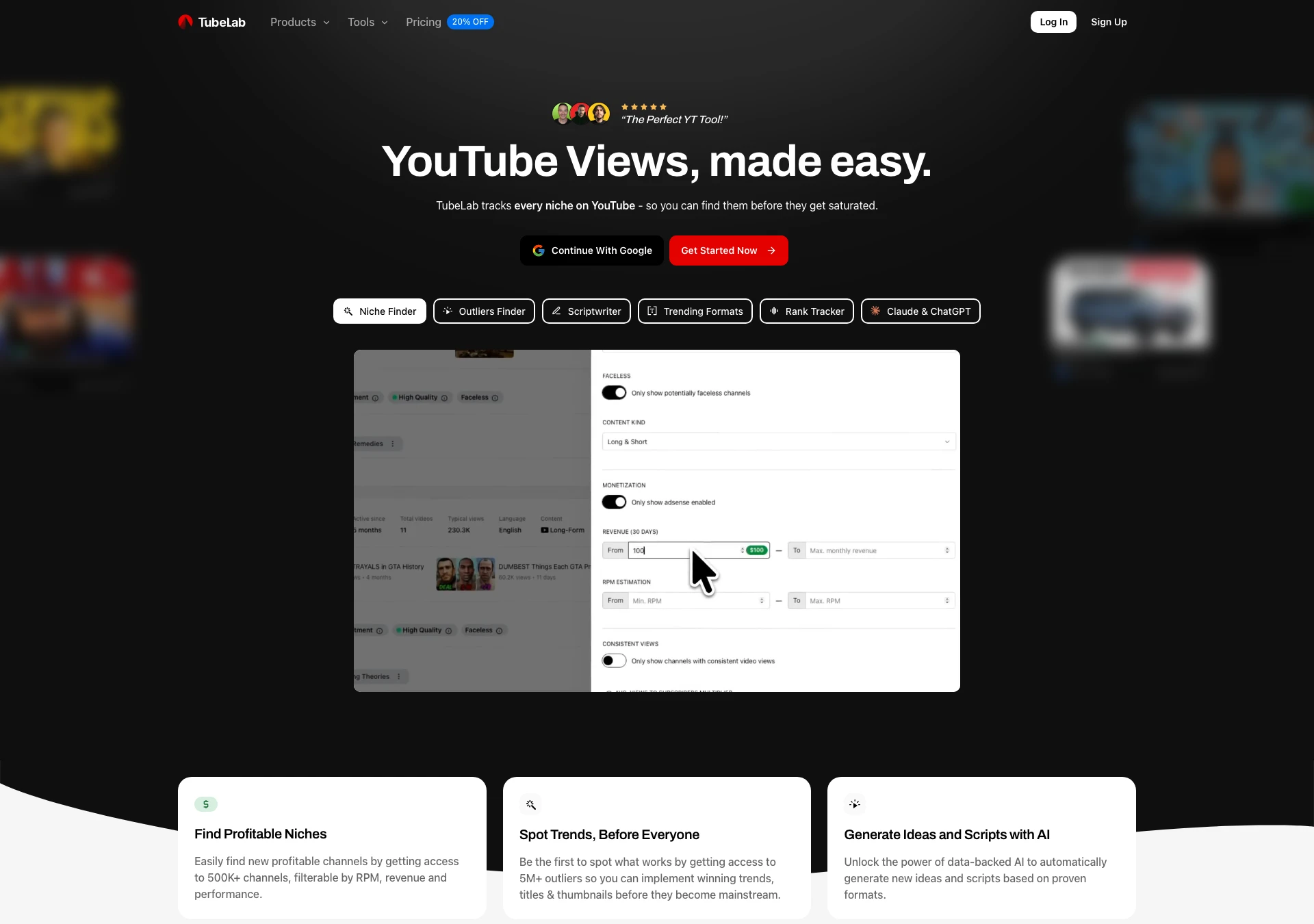
What they start from. TubeLab's homepage headline (checked on 2 Nov 2026) is "YouTube Views, made easy." Its Niche Finder tracks channels you can filter by RPM, revenue, monetisation and faceless potential, so you can find a niche before it gets saturated. That's very useful if you're picking a niche to make money from views. If you already have a business, you've already got your niche. PreFilm starts from your channel plus what you sell, then looks for the videos your buyers already watch, reads the comments under them and the searches your buyers make, and turns that into video ideas for your offer.
Understanding your channel. This is where TubeLab does well. When you set it up, it fetches your channel, gets to know your content, asks for your competitors and asks you to tell it more about the channel. Then it finds keywords and angles. 1of10 doesn't do that, and I found it makes TubeLab's recommendations better. PreFilm goes one step further: its onboarding asks what you sell and who buys it, and reads your website.
The proof on each idea. TubeLab's FAQ says each AI ideation generates 10 ideas based on outliers, for 1 credit. Every PreFilm idea shows the video it came from, how far it beat that channel's normal, when the format first appeared and how many times it's been done since. That last number matters to me, because a format that's been copied over and over in your niche is usually too late to copy again.
Scripts. TubeLab's Scriptwriter researches the topic and says it learns your voice from your own videos. You can set up that voice on Starter, but writing scripts needs Pro, and its calculator shows 50 TubeLab credits for a 1,600-word script on the default model. PreFilm's script writer reads up to 20 of your own transcripts, writes in your phrasing and builds in a moment to mention what you sell, on every plan.
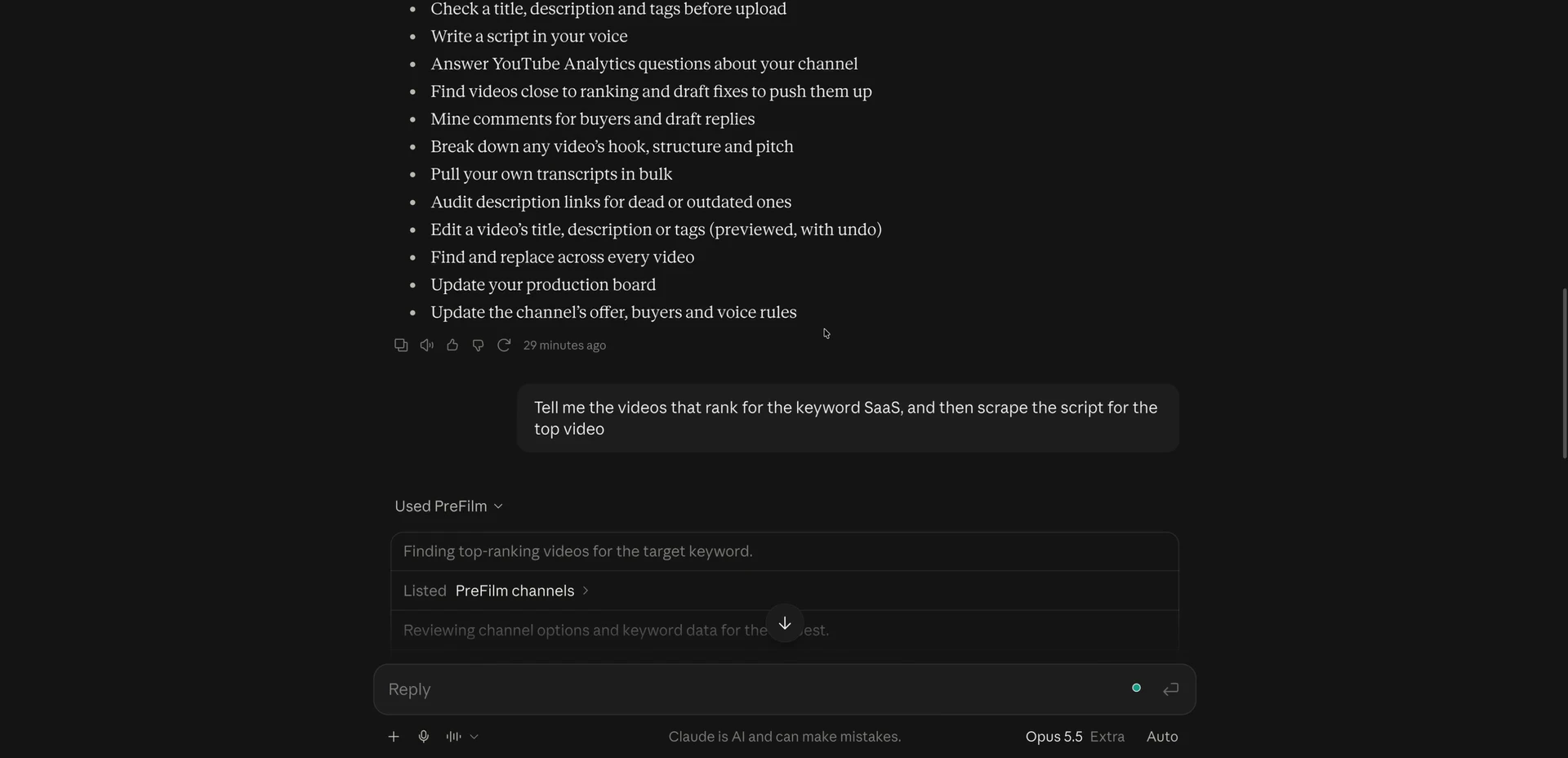
Claude and ChatGPT. Both have an MCP (Model Context Protocol) server, which lets an AI assistant use the tool directly in the chat. TubeLab's YouTube MCP can search channels and outliers, pull transcripts and read comments, and it's on every plan. PreFilm's YouTube MCP is on every plan too, and because it knows your offer, I can ask it what to film next, write a script or manage my channel from Claude. I use it every day.
The extras. TubeLab also has a Rank Tracker for your positions in YouTube search, and TubeAvatar, a desktop app that makes AI avatar videos from a script. PreFilm doesn't do either. It has a Chrome extension instead, which I cover below.
What I like about TubeLab, and what I don't
I tested TubeLab on my own channel for my video on the best vidIQ alternatives for business owners, and I ranked it third, behind PreFilm and 1of10. It's still a great vidIQ alternative.
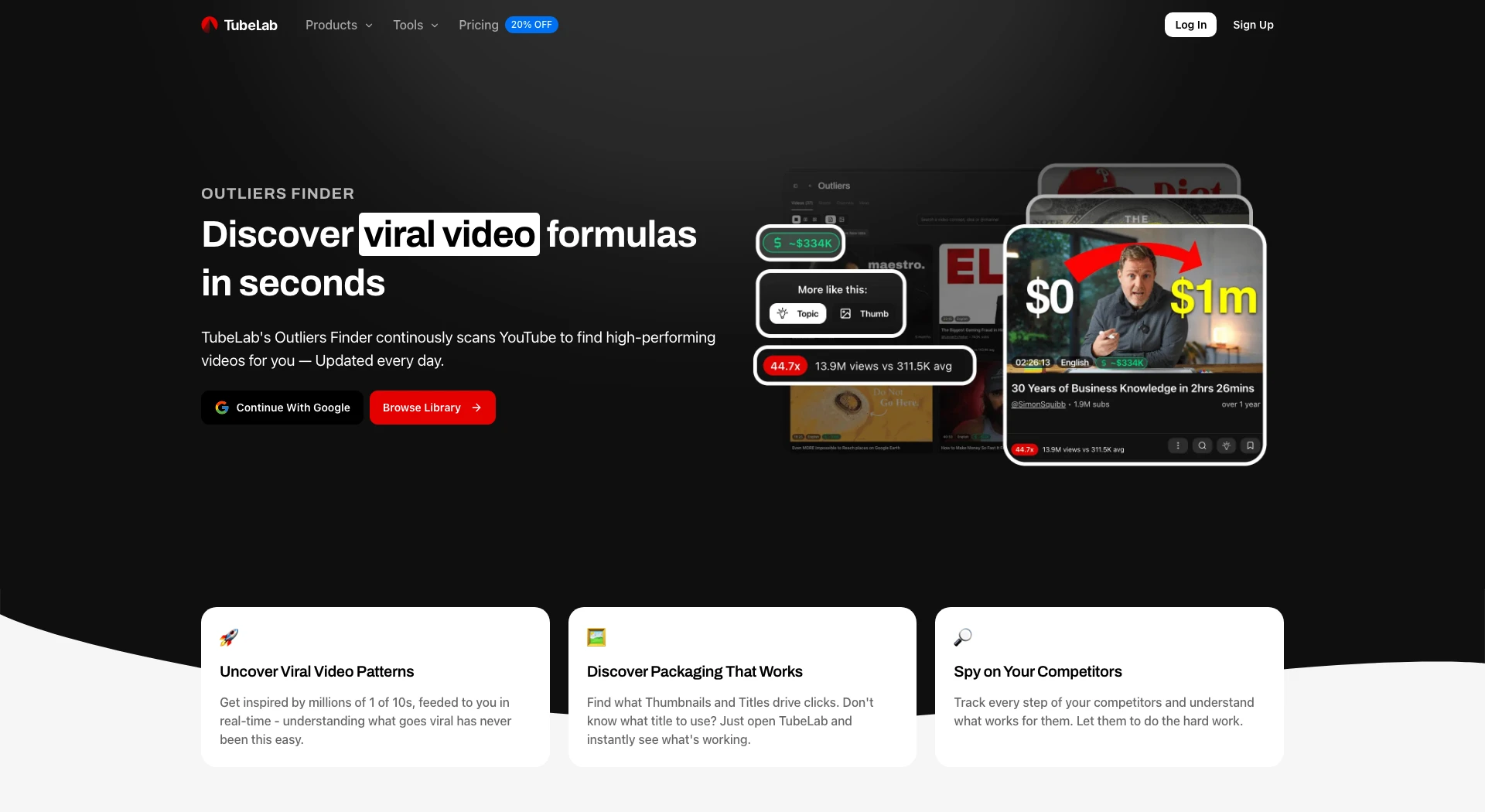
What I like. The channel setup, for the reasons above. As a business owner, if I'm paying for software, I want to know it understands my business. A tool that recommends football ideas for a business channel is useless to me. I also like its list of "New viral videos from small channels". An outlier from two years ago may have been rinsed over and over, so a new format from a small channel is often the better bet. And the MCP is included on its cheapest plan. Its Outliers Finder page (checked on 2 Nov 2026) shows each outlier's multiplier against the channel's average views.
What I don't like. The ideas on the account home. In my opinion, "these ideas aren't that great". Its trending videos in my niche included one of my own videos, which was nice to see but doesn't help me grow. Others had nothing to do with my channel, like a hypercar shopping video. The Niche Finder isn't relevant to most businesses either. It's for faceless channels, or for people trying to earn purely from views.
The bigger catch is the paywall. I was on a paid plan, and the trend report still wanted me to pay more, while the script writer said "Upgrade required". Realistically, the features you'll want are on Pro, so budget for Pro if you pick TubeLab.
Get ideas built around what you sell
Find my winning videosTubeLab pricing vs PreFilm pricing
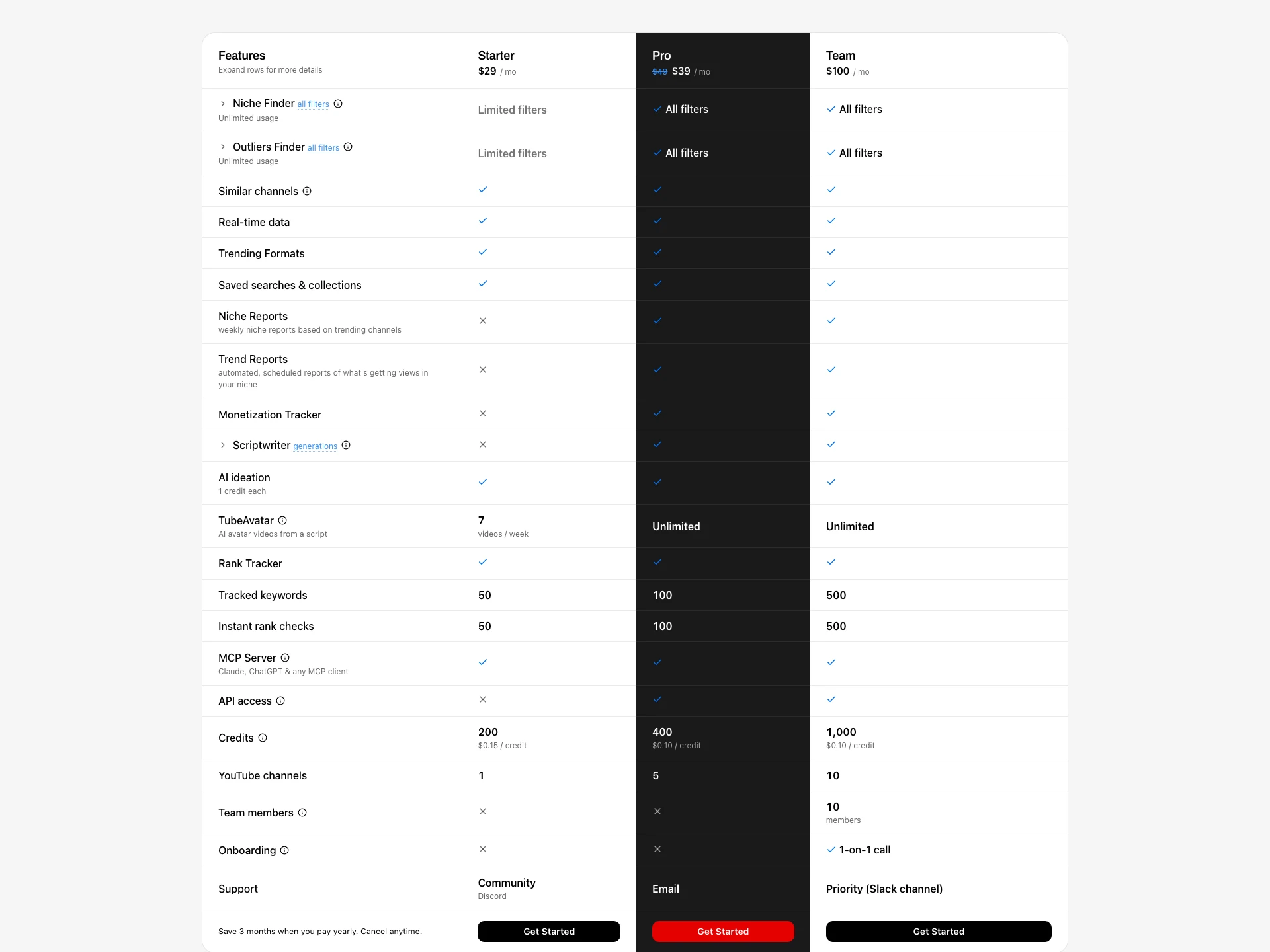
TubeLab's Starter plan is $29 a month on its US pricing, and its prices vary by location. When I recorded my video, TubeLab's pricing page showed me the plan with the MCP at €30 a month, which I guessed was around $35. Here are the plans side by side, from TubeLab's pricing page (in US dollars when checked from the UAE on 2 Nov 2026) and PreFilm's pricing page.
| PreFilm | TubeLab | |
|---|---|---|
| Free plan | No, monthly plans start with $1 for 7 days | No, and its FAQ says there's no free trial |
| Entry plan | Creator: $49 a month, or $408 a year | Starter: $29 a month, or $24 a month billed yearly |
| Higher plan | Pro: $119 a month, or $999.60 a year, up to 10 channels | Pro: $39 a month (shown as 20% off its full price), or $29 a month billed yearly, 5 channels |
| Monthly allowance on the entry plan | 2,000 credits | 200 TubeLab credits, 1 channel |
| Scripts in your voice | On every plan | Pro and Team |
| Claude and ChatGPT | YouTube MCP on every plan | MCP on every plan, Starter included |
Above Pro, TubeLab's Team plan is $100 a month, or $80 billed yearly, with 1,000 TubeLab credits, 10 channels and up to 10 team members. Both tools run on credits, so the plan price is only part of the cost. On TubeLab, an idea request costs 1 credit, a trend report 25, a script about 50 on the default model, and MCP searches 2 to 5. PreFilm's $1 week includes 400 credits, and annual plans are paid for the year with no trial.
Who each one is for
TubeLab suits creators chasing views: people picking a niche, faceless channels, and anyone who wants a steady feed of fresh outliers and rank tracking. TubeLab itself describes Starter as for beginners exploring their first niche. If you're a business owner with some YouTube experience and you're happy to pay for Pro, its setup does a good job of learning your channel.
PreFilm suits business owners whose channel has to bring in customers: consultants, agencies, coaches, clinics, law firms and other service businesses. That's the job I used YouTube for at my last company. Every video was picked from search demand and proven formats before I filmed it, and YouTube became a six-figure revenue engine for the business. PreFilm works best once you've published a few videos. If you're brand new, start with the free tools and the blog.
There's a wider comparison in the best vidIQ alternatives for business owners, and my full ranking is in the best YouTube tools for business owners.
Can you use PreFilm and TubeLab together?
Yes. They overlap on outliers, but the rest fits together. A sensible setup is TubeLab for spotting new viral videos from small channels and tracking where your videos rank, with PreFilm deciding which videos to film for your offer and writing the scripts. Both have an MCP, so you could connect them to the same Claude or ChatGPT.
If you want outlier numbers on YouTube itself, the PreFilm outlier badge, PreFilm's Chrome extension, shows how far every long-form video beat its channel's normal as you browse.
Stop guessing what to film.
PreFilm finds the videos your buyers already watch and writes the script in your voice. $1 for 7 days.
Find my winning videosQuestions
Questions.
Is TubeLab worth it for business owners?
It can be, if you're willing to pay for Pro. TubeLab's channel setup learns your channel and competitors, and its feed of new viral videos from small channels is useful. But it's built for views and niches, and the Scriptwriter and reports start on Pro. I rank it third for business owners, behind PreFilm and 1of10.
Does TubeLab have a free plan or free trial?
No. TubeLab's pricing page lists Starter, Pro and Team, with no free plan, and its FAQ says there's no free trial for the Niche Finder, so niches don't get saturated. It does have free tools on its site. PreFilm has no free plan either; its monthly plans start with $1 for 7 days, including 400 credits.
How does TubeLab pricing compare with PreFilm?
TubeLab's US pricing shows Starter at $29 a month, Pro at $39 and Team at $100, or $24, $29 and $80 a month billed yearly, and prices vary by location. PreFilm's Creator plan is $49 a month or $408 a year, and Pro is $119 a month. Both run on monthly credits.
Does TubeLab work with Claude and ChatGPT?
Yes. TubeLab's YouTube MCP connects Claude, ChatGPT, Codex, Cursor and other MCP clients, and its pricing page includes it on every plan, Starter included. Search tools spend 2 to 5 credits a call, while transcripts and comments are free. PreFilm's YouTube MCP is included on every PreFilm plan too, built around your offer.
PreFilm vs TubeLab: which is better for a business channel?
PreFilm is the better fit when your channel has to bring in customers, because that's what it's built for: it starts from your offer and shows the proof behind every idea. TubeLab is the better fit when you want niches, fresh outliers from small channels and rank tracking, and will adapt them to your business yourself.