Review · 9 min read
TubeBuddy review 2026 for business channels
TubeBuddy is still worth it in 2026 if you already know what to film and want help with the work around each video: tags, descriptions, thumbnail tests and bulk edits, all inside YouTube. It's less convincing on its cheaper plan, and it won't tell a business which videos will bring in customers.
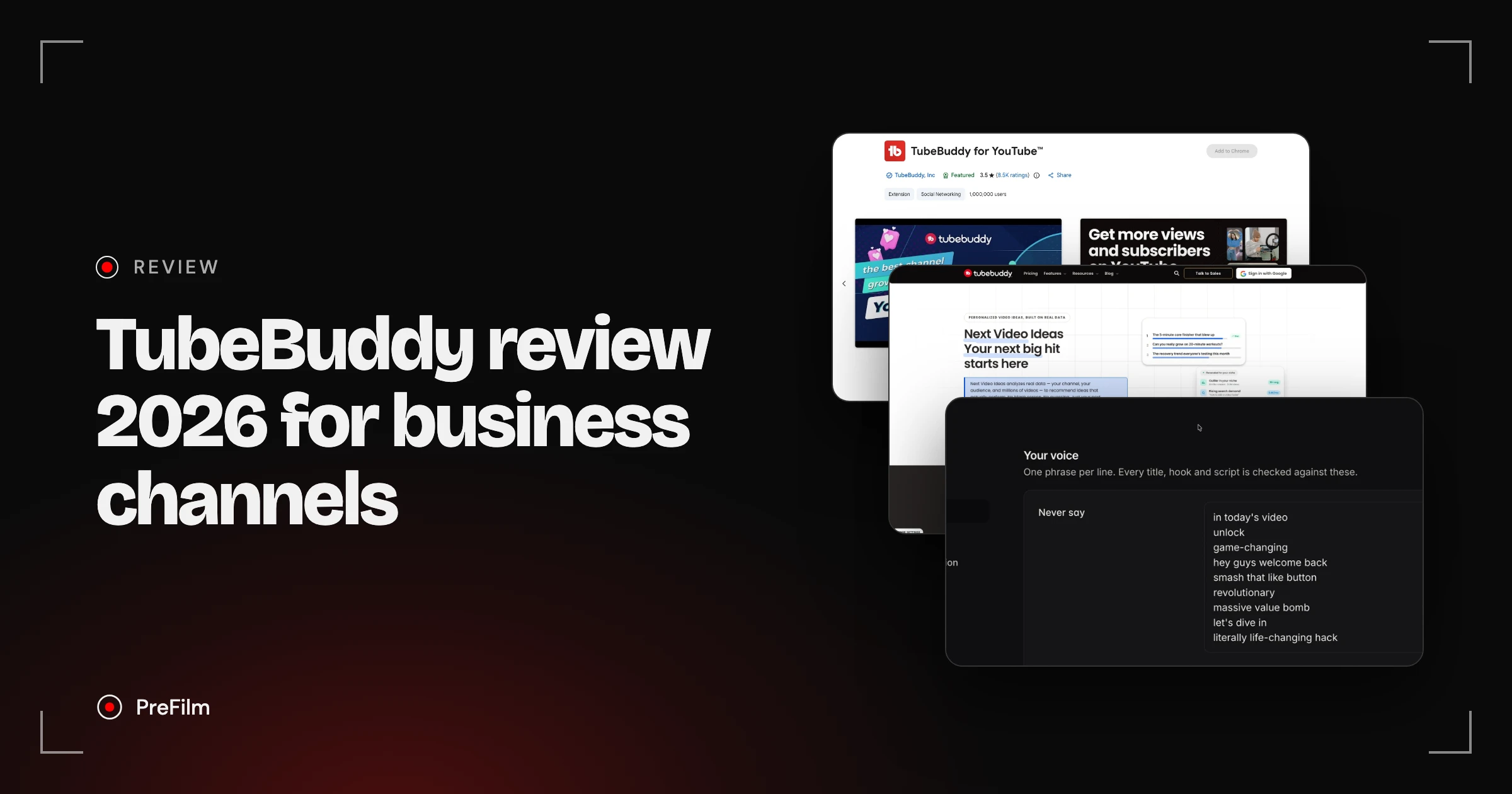
That's the short version of my TubeBuddy review. I'm Henry Purchase, and I use YouTube to get leads and booked sales calls, not views. TubeBuddy wasn't one of the tools I tested in my YouTube tool videos, so this review sticks to what TubeBuddy publishes itself: its site, its pricing page and its Chrome Web Store listing, all checked on 2 November 2026. I also built PreFilm, which comes up near the end, so weigh that part with it in mind.
What is TubeBuddy?
TubeBuddy is a YouTube SEO and channel management toolkit. It runs mostly as a browser extension that adds its tools to YouTube and YouTube Studio, with a free plan and paid licences for creators. Its homepage promises more views and subscribers, which tells you who it's built for.
It's one of the oldest tools in this space, and it has new owners. In February 2026, TubeBuddy announced it had been acquired by GameSquare, a Nasdaq-listed media and gaming company. Its message to users said licences weren't changing and the extension is "not going anywhere", and that any future price change would come with plenty of notice.
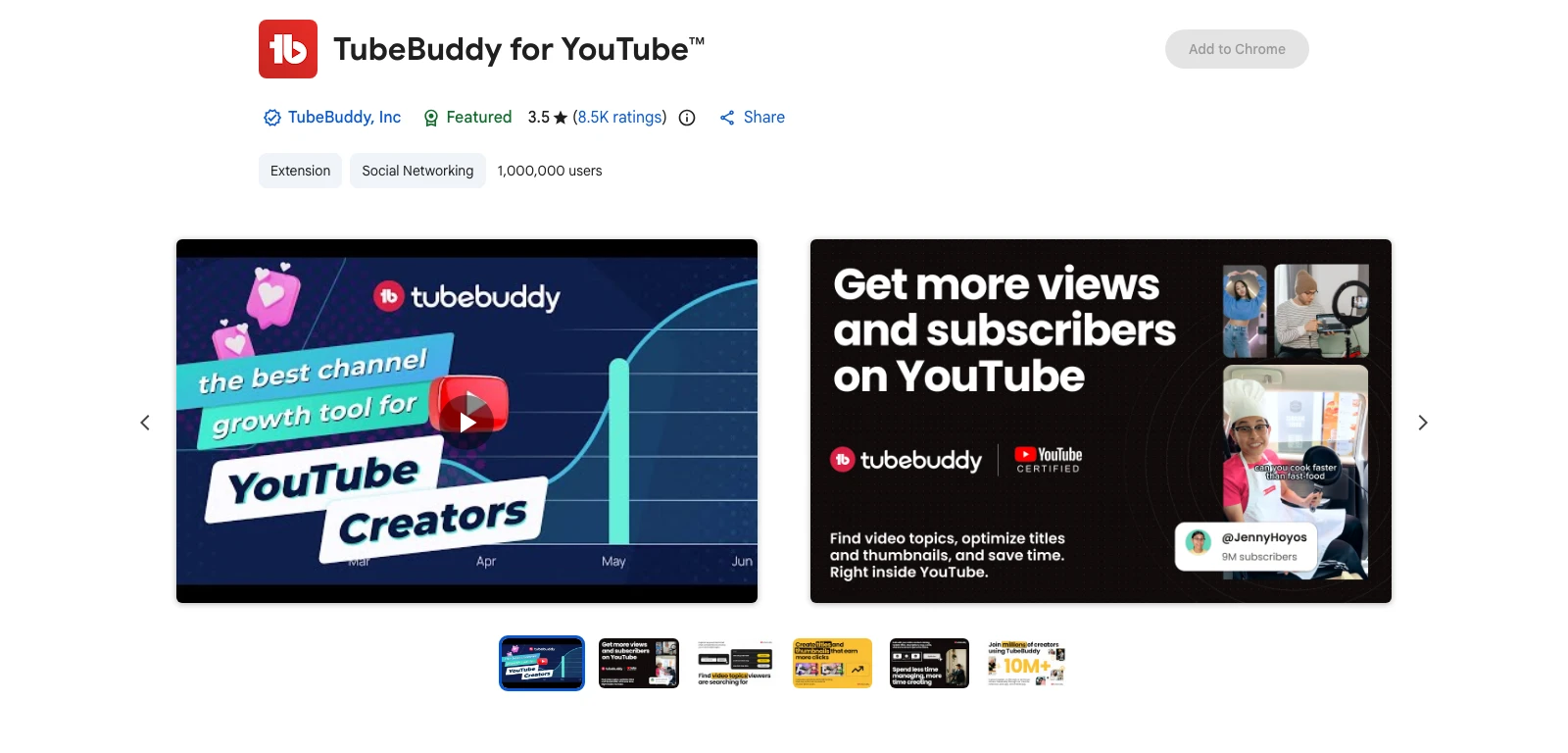
The TubeBuddy for YouTube extension listed 1,000,000 users when I checked on 2 November 2026, from a verified publisher with a Featured badge. Its rating there was 3.5 stars from 8.5K ratings, which is lower than the 4.8 on TubeBuddy's own homepage. That gap is worth knowing about before you read any glowing TubeBuddy reviews.
TubeBuddy review: what it does in 2026
TubeBuddy does six main jobs, and most of them happen after you've decided what to film. These are the parts that matter if you're deciding whether to pay:
- SEO and keyword research. SEO Studio scores your title, tags and description against a target keyword as you write them, and Keyword Explorer shows search volume and competition. The free plan gets limited access to Keyword Explorer.
- A/B tests. TubeBuddy's A/B Testing rotates a thumbnail, title, description or tags on a live video. It only declares a winner at 95% statistical significance, after each version has had at least 500 impressions.
- Bulk tools. Bulk Find, Replace & Append changes titles and descriptions across your whole channel at once. There are bulk editors for end screens, cards and thumbnail overlays too.
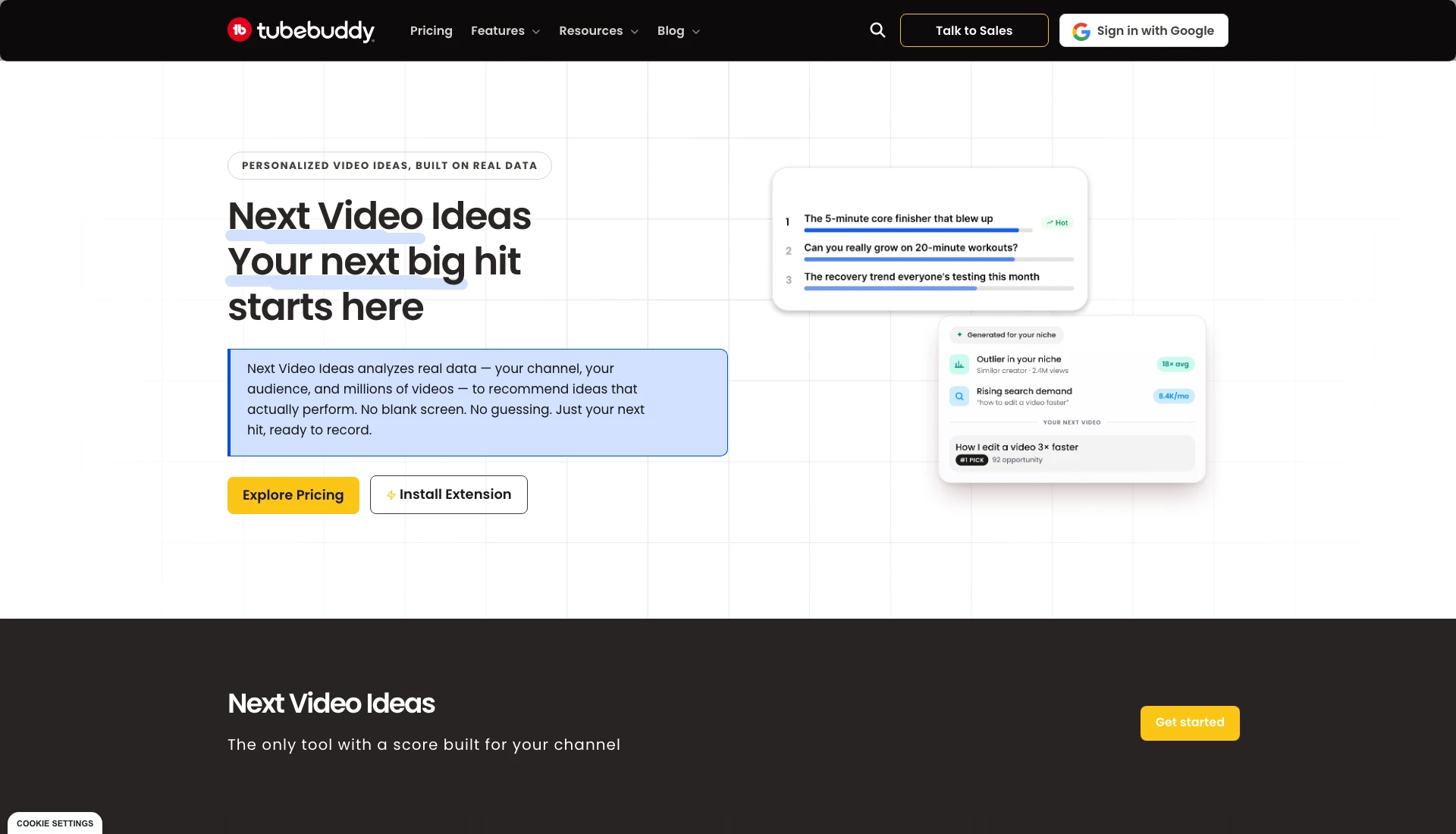
- Video ideas. Next Video Ideas reads your videos, your comments and your niche, weighs them against millions of other videos, and scores each idea for your channel. TubeBuddy says it's on every plan, and when I checked its page on 2 November 2026, the example idea card cited an outlier in your niche and rising search demand.
- Analytics and competitors. Channelytics tracks any channel's views, subscribers and 30-day growth, and Legend adds Competitor Upload Alerts and a Competitor Scorecard.
- AI and packaging. A thumbnail generator and a limited thumbnail analyser on every paid plan, plus a Title Generator on Legend.
On top of that there's a long list of smaller productivity tools: canned replies to comments, default upload profiles, card and end screen templates, a chapter editor and scheduled publishing.
Find the videos your buyers already watch
Find my winning videosWhat TubeBuddy does well
TubeBuddy is strongest at the repetitive work of running a channel, and that's where its best features sit.
It works where you already work. Because most of TubeBuddy lives in the extension, you don't switch tabs to score a title or check a tag. If you upload every week, that saves real time.
The A/B tests go further than YouTube's. YouTube now has its own free A/B testing in YouTube Studio for up to three titles, three thumbnails or both, on a computer. YouTube picks its winner by watch time. TubeBuddy measures click-through rate, and it can also test descriptions and tags, which YouTube's tool can't. On Legend there's no monthly cap on tests, with up to 10 running at once.
Bulk edits save hours. If you rebrand or change your booking link, find and replace across every description is one job instead of a weekend. That's genuinely useful for a business with a back catalogue full of old offers.
The ideas tool has caught up. Next Video Ideas looks at your comments and your niche as well as keyword volume, and its page says it shows the data behind each idea. That's a real step on from the tag tools TubeBuddy was known for.
Where TubeBuddy falls short
TubeBuddy's weak points are mostly about which plan you're on and who it's built for.
Pro is thin. A/B tests, the Title Generator, competitor alerts, the Competitor Scorecard, scheduled publishing and Bulk Find, Replace & Append are all Legend features. Pro gets the SEO tools, analytics and templates. If you're buying TubeBuddy for testing or bulk edits, you're buying Legend.
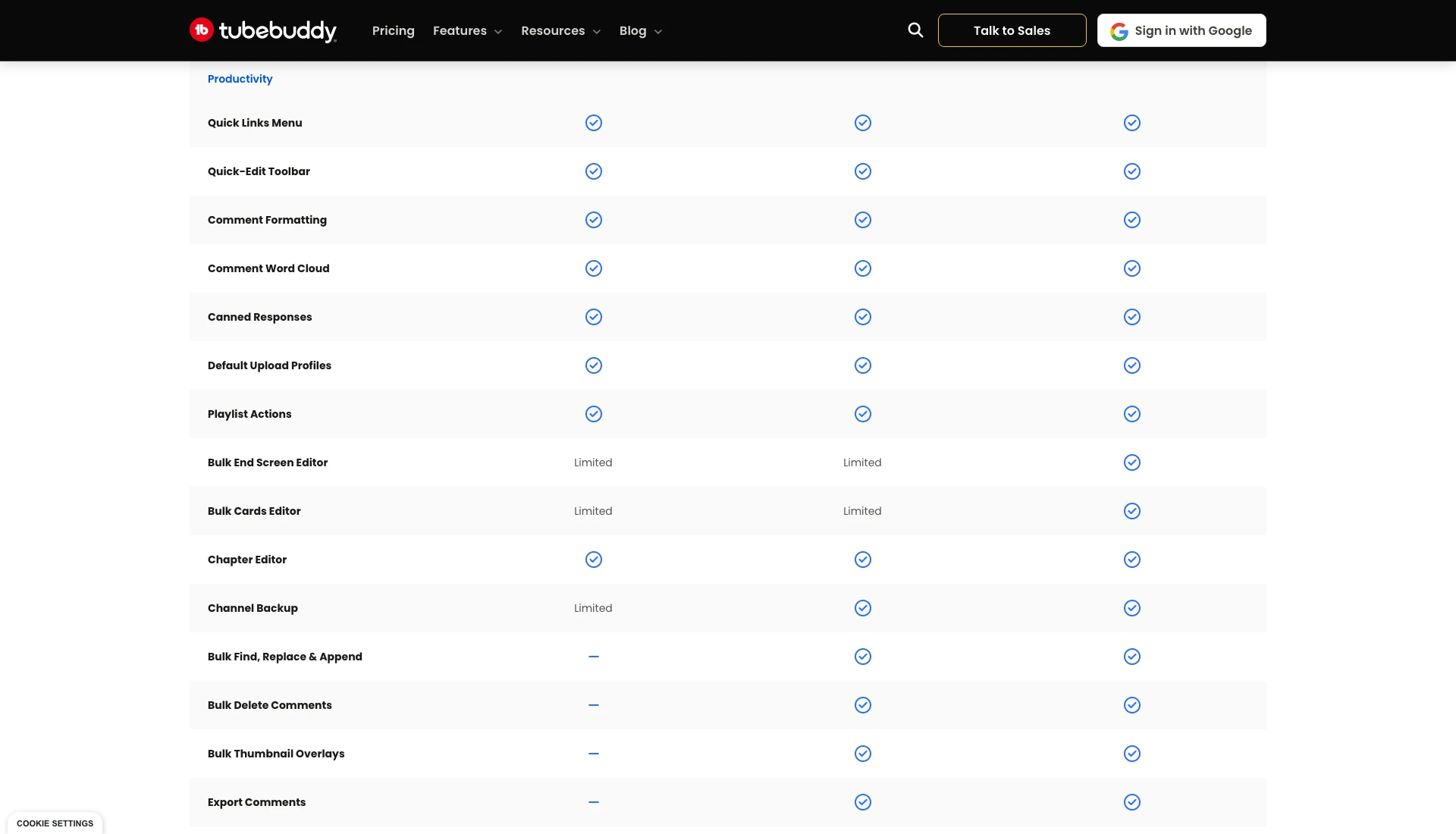
Some bulk tools are capped, even on Legend. TubeBuddy's plan table, when I checked on 2 November 2026, limits the Bulk End Screen Editor and Bulk Cards Editor to two uses a year on Pro and five on Legend. Only Enterprise is unlimited.
You can't see one price. TubeBuddy shows each visitor a price for their location, so any figure you read in another review may not be what you'd pay.
It doesn't write scripts or work in Claude or ChatGPT. I found no script writer and no MCP anywhere on TubeBuddy's site. If you plan videos in an AI chat, that matters.
It's built for views, not your offer. Like most YouTube tools, TubeBuddy judges a video by search volume, clicks and views. It doesn't know what you sell, so it can't tell you whether a video will bring in a buyer.
How much does TubeBuddy cost in 2026?
TubeBuddy's prices vary by location, so check TubeBuddy's pricing page from where you are. What doesn't change by location is the plan structure:
| Plan | Who it's for | What you get |
|---|---|---|
| Free | Anyone | Limited access to tools such as Keyword Explorer |
| Pro | Individual creators | SEO and keyword tools, analytics, thumbnail generator, templates, limited bulk editors |
| Legend | Individual creators | Everything in Pro, plus A/B tests, Title Generator, competitor tools, scheduled publishing, bulk find and replace |
| Enterprise | Businesses and teams | Every tool, unlimited, priced through sales |
A few details from the pricing page, which I checked from the UAE on 2 November 2026, are worth knowing. Prices are charged in US dollars. Paying yearly saves about 20%. Each licence covers one YouTube channel. Channels under 1,000 subscribers can use the RisingStarBuddy coupon for 50% off Pro. TubeBuddy has a 30-day refund policy, and if you cancel, your channel drops back to the free plan when the paid period ends. PreFilm has a 30-day money-back guarantee on your first payment.
The fine print matters more if you run a business. TubeBuddy says its creator licences aren't available to businesses, which it defines, at its discretion, as meeting any one of these:
- more than one YouTube channel on TubeBuddy
- 50,000 or more YouTube subscribers
- three or more channel managers
- 50 or more employees
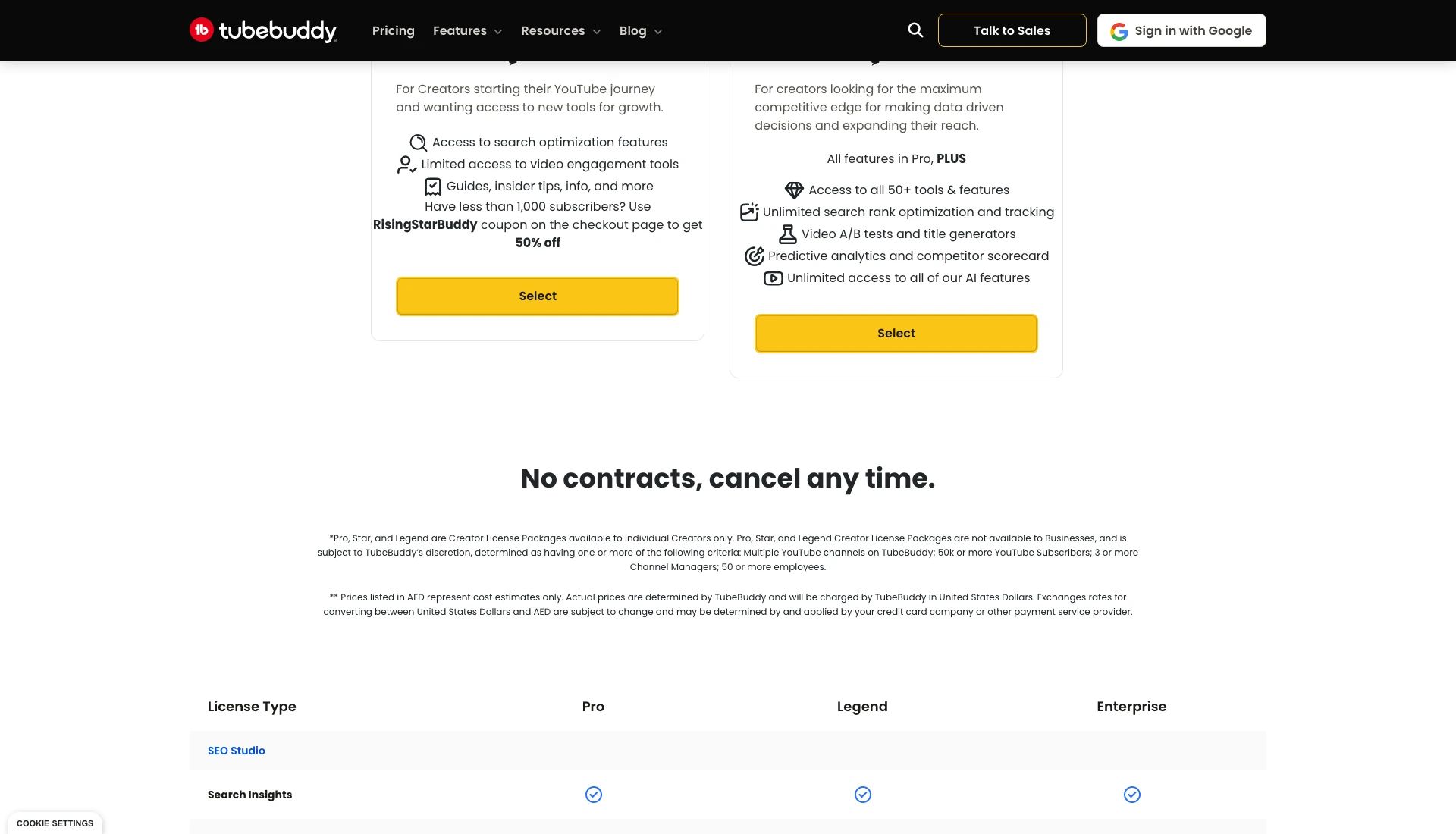
Businesses that meet any of those go to TubeBuddy Enterprise. A one-channel consultancy under all four can usually buy Pro or Legend, but TubeBuddy keeps the final say.
See which videos bring customers in your niche
Find my winning videosIs TubeBuddy worth it for a business channel?
TubeBuddy is worth it for a business channel when you already know which videos to make and want each one better optimised, tested and easier to manage. It won't help much with the harder question of what to film.
Here's who I think it suits:
- Channels with a big back catalogue. Bulk find and replace pays for itself the first time you change a link across 200 descriptions.
- People who test thumbnails seriously. Testing tags and descriptions and measuring clicks goes beyond YouTube's free tool.
- Creators who upload every week. The time saved in SEO Studio and the upload templates adds up.
- Small channels watching costs. The free plan costs nothing, and RisingStarBuddy halves Pro under 1,000 subscribers.
It suits you less if you only need basic title and thumbnail tests (YouTube's free A/B testing covers that), if your business crosses TubeBuddy's definition and doesn't want an Enterprise conversation, or if you want help deciding what to film for your offer.
That last one is the bit I care about. I don't care how many views or subscribers I have. I care about making money from YouTube, and at my last company, every video was chosen from search demand and proven formats before filming. YouTube became a six-figure revenue engine for that business. A tag score wouldn't have told me which videos to make.
What to use if you need customers, not just optimisation
If your channel has to bring in customers, start from what you sell and work out which videos your buyers already watch. That's why I built PreFilm, so take my bias into account.
PreFilm is built to get business owners more customers from YouTube, and it starts by finding outliers in and around your niche. An outlier is a video that got far more views than its channel normally gets, and it's stronger proof than a keyword score because real people already chose to watch it. When I searched "estate planning attorney" with PreFilm's outlier search, it found 12 videos that beat their channel's normal by 2× or more. One was "Estate Planning 101 | The Proper Way to Structure Your Estate Plan" from The Retirement Nerds: 504,374 views, 8.7× that channel's normal.
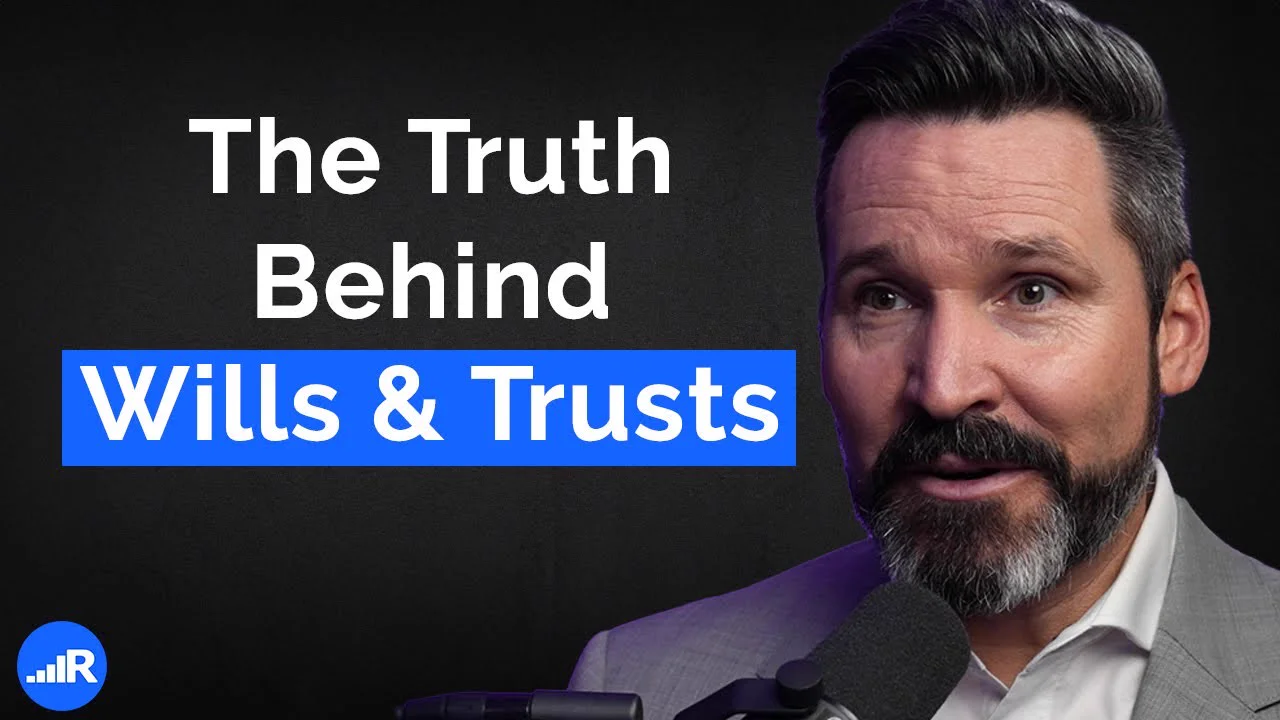
For a law firm, that's a format people in your market have already proven they'll watch. PreFilm turns finds like that into video ideas for your offer, and every idea shows the video it came from, how far it beat its channel's normal, when the format first appeared and how many times it's been done since.
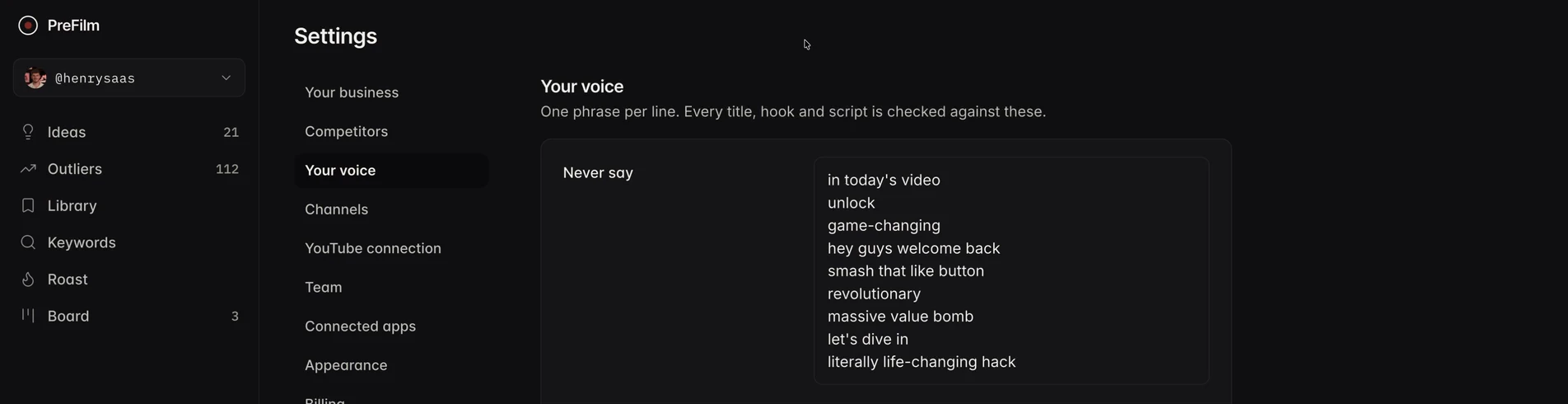
Then the script writer writes it from up to 20 of your own transcripts, checked against phrases you'd never say and ones you always do. That's the part TubeBuddy doesn't cover at all.
PreFilm isn't perfect either. It's new, and I do most of my own work through the MCP rather than the dashboard. There's no free plan: monthly plans start with $1 for 7 days, then $49 a month, as listed on PreFilm's pricing page. It also works best once you've published a few videos. If you're brand new to YouTube, start with the free tools and the guides on the blog.
The two don't compete much. PreFilm decides what to film and writes the script, and TubeBuddy can handle tags, tests and bulk edits once the video's up. There's a full head-to-head in PreFilm vs TubeBuddy.
TubeBuddy alternatives worth comparing
The tool most people weigh TubeBuddy against is vidIQ, which is stronger on research and ideas and weaker on bulk editing. I've put the two side by side in vidIQ vs TubeBuddy.
If you're looking at the wider market, my list of the best vidIQ alternatives for business owners covers the outlier tools I'd pick for a business channel. And if you'd rather stay inside YouTube, I compared the main extensions in the best YouTube Chrome extension for every job.
My verdict: TubeBuddy is a solid toolkit for optimising and managing the videos you make, and Legend is where most of its value sits. Try the free plan first, check the business fine print, and decide what to film for your offer before you start optimising it.
Stop guessing what to film.
PreFilm finds the videos your buyers already watch and writes the script in your voice. $1 for 7 days.
Find my winning videosQuestions
Questions.
Is TubeBuddy worth it?
TubeBuddy is still worth it if you already know what to film and want help with tags, descriptions, thumbnail tests and bulk edits inside YouTube. Most of that sits on Legend, so Pro alone is thin. Start on the free plan, and only upgrade once you're using its tools every week.
What is TubeBuddy used for?
TubeBuddy is used to optimise and manage a YouTube channel. Creators use its browser extension for keyword research, scoring titles, tags and descriptions, A/B testing thumbnails and titles, bulk editing descriptions, cards and end screens, scheduling updates and checking analytics on their own and competitors' channels, mostly without leaving YouTube.
How much does TubeBuddy cost?
TubeBuddy's prices vary by location. It has a free plan, two paid creator plans called Pro and Legend, billed monthly or yearly with about 20% off yearly, and Enterprise, which is priced through its sales team. It offers a 30-day refund policy. PreFilm has a 30-day money-back guarantee on your first payment.
Is TubeBuddy safe to use?
TubeBuddy is a long-running extension from a verified publisher on the Chrome Web Store, and its listing declares your data isn't sold to third parties outside approved uses. You sign in with your Google account, so you can see or remove its access to your channel at any time from your Google Account's third-party connections.
TubeBuddy Pro vs Legend: what's the difference?
Legend includes everything in Pro, plus A/B tests, the Title Generator, Competitor Upload Alerts, a Competitor Scorecard for up to 10 channels, scheduled publishing and the bulk find and replace tools. Pro covers the SEO and keyword tools, analytics, templates and a limited channel backup. Both are licences for one channel.
Is there a TubeBuddy coupon code?
Yes, TubeBuddy's own pricing page offers one. Channels with fewer than 1,000 subscribers can use the RisingStarBuddy coupon at checkout to get 50% off, an offer shown on the Pro plan's card. Larger channels pay the location-based price shown on the pricing page, with about 20% off for paying yearly.
What do TubeBuddy reviews say?
TubeBuddy's ratings depend on where you look. Its homepage shows 4.8 from 10K+ reviews, while its Chrome Web Store listing showed 3.5 stars from 8.5K ratings on 2 November 2026. Read the recent extension reviews before paying, because they reflect how the extension works with today's YouTube.