Review · 9 min read
vidIQ review 2026 for business channels
vidIQ is one of the best YouTube tools you can buy for analytics and outlier research, and I ranked it second in my own test of growth tools. But it's built to get you views and subscribers, not customers. So for a business channel, it's worth paying for only if you'll judge its ideas against what you sell yourself.
That's the short version of my vidIQ review. I'm Henry Purchase, and I use YouTube to get leads and booked sales calls for my business, not to chase subscribers. I tested vidIQ on my second channel while recording a video on the best YouTube growth tools, and every screenshot below comes from that recording. I also built PreFilm, which I mention as an alternative near the end, so weigh that part with it in mind. Every price and feature here was checked on vidIQ's own site on 2 November 2026.
What is vidIQ?
vidIQ is a YouTube growth toolkit for creators: keyword research, outlier videos, daily video ideas, AI title and thumbnail help, an AI chat coach and a browser extension that adds its own data to YouTube and YouTube Studio. Its own promise, front and centre on vidIQ's homepage, is to get more views and subscribers on YouTube.
That promise tells you who it's built for. Views and subscribers don't necessarily translate into business, and if you're a consultant, an agency or a clinic, what you need from YouTube is the right people watching, not the most people.
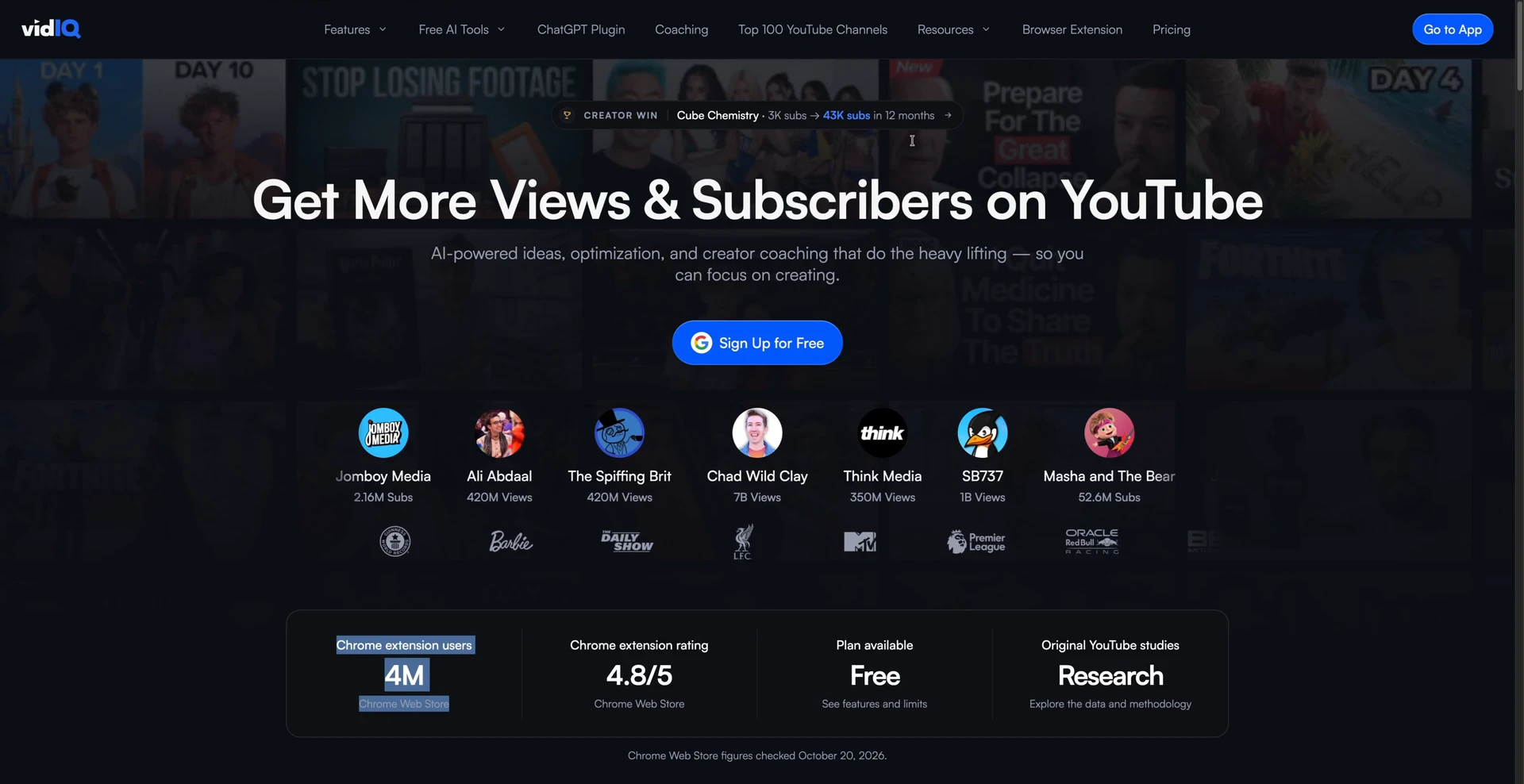
What vidIQ has going for it is scale. Its extension, vidIQ Vision for YouTube, lists 4,000,000 users on the Chrome Web Store.
vidIQ review: what it does in 2026
These are the parts of vidIQ that matter most if you're deciding whether to pay for it. I checked each one on vidIQ's site and used most of them on my own channel:
- The browser extension. The vidIQ extension works in Chrome, Firefox and Edge. It adds stats and SEO scores to YouTube, and extra analytics tabs and an upload optimiser inside YouTube Studio.
- Research and outliers. An outlier is a video that got far more views than its channel normally gets. vidIQ's Outliers search scores videos against each channel's usual baseline, with filters for views per hour, channel size, publish date and length. The Free plan shows up to six videos per search.
- Daily Ideas. Daily Ideas gives you up to 50 video ideas a day, depending on your plan, each with a view prediction from Low to Very High. vidIQ is clear that these are relative rankings, not guarantees.
- The AI Coach. A chat that reads your channel's numbers and tells you what to do next. vidIQ's AI YouTube Coach page says it works best if you've uploaded at least two videos in the last 60 days.
- vidIQ MCP. vidIQ MCP connects your vidIQ account to Claude, ChatGPT and other AI tools. It's on every plan, including Free, and the tool calls spend your AI credits.
On top of that there's a script writer, clipping for Shorts, thumbnail tools, Instagram tools and paid 1-on-1 coaching. It's a big toolkit.
Find the videos your buyers already watch
Find my winning videosWhat I like about vidIQ
Four things stood out when I used it, and they're the reasons I put vidIQ second on my list, ahead of 1of10.
The analytics inside YouTube Studio. This is where vidIQ is strongest. When you open YouTube Studio with the extension installed, vidIQ adds its own tabs and far more detailed analytics about your channel. I think the analytics YouTube Studio gives you on its own are quite poor, and there are things I want to know that I just can't get from YouTube. For data inside YouTube that you can use to make decisions, vidIQ is the best tool on the market. It even shows engaged views, which I'd never seen anywhere until vidIQ did it.
Outlier research that was actually relevant. The Research page is a little hidden, but it's the part I like most. It suggests keywords, then finds outlier videos for them, and the ones it found for me were very, very relevant to what I do. Click a video and you get its outlier score, views per hour and engagement, plus quick actions. If I want to remix a title specifically for my channel, it does that in one click.
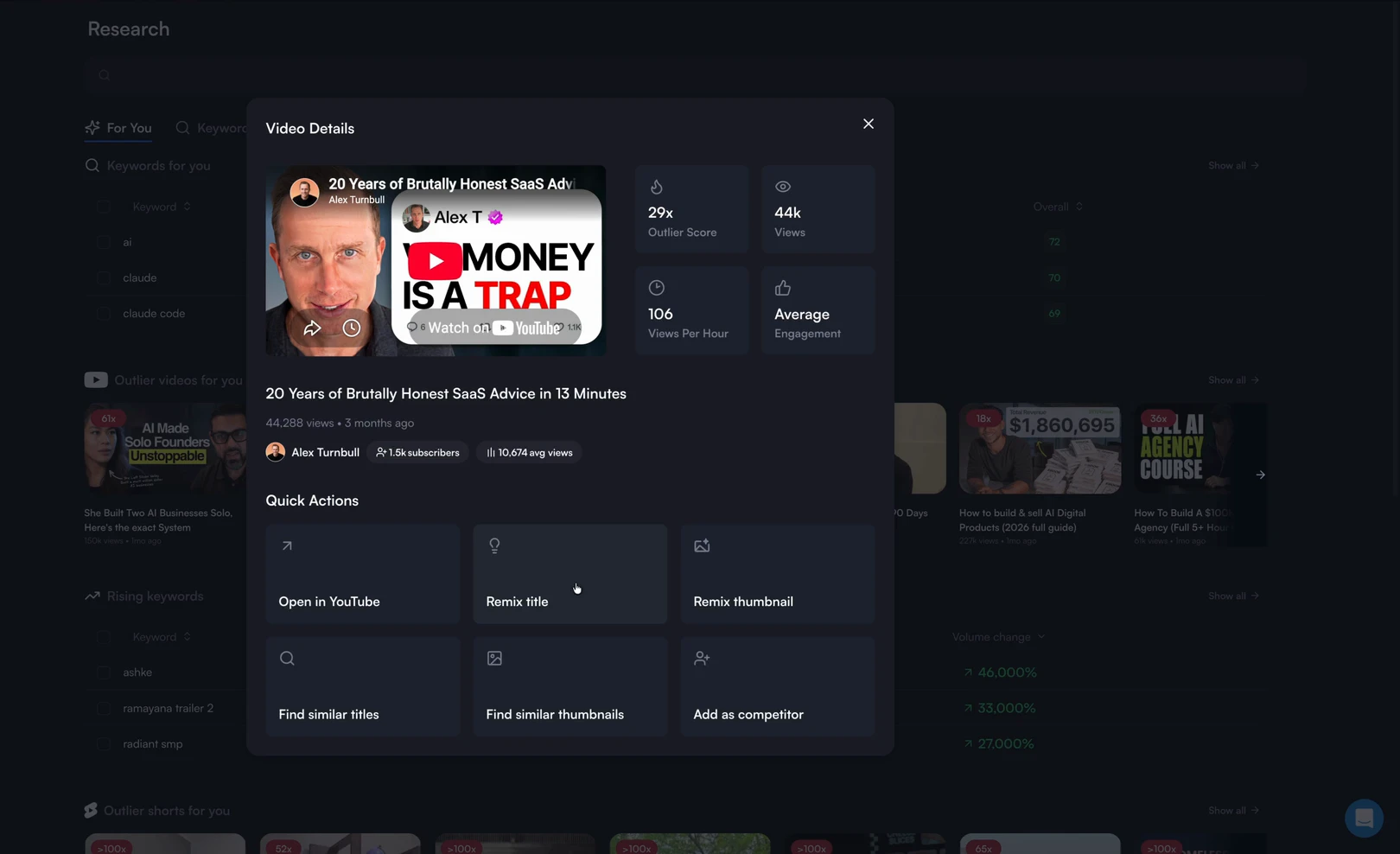
You can tell they've really thought through the workflow, from finding an outlier to turning it into a winning video for your own channel.
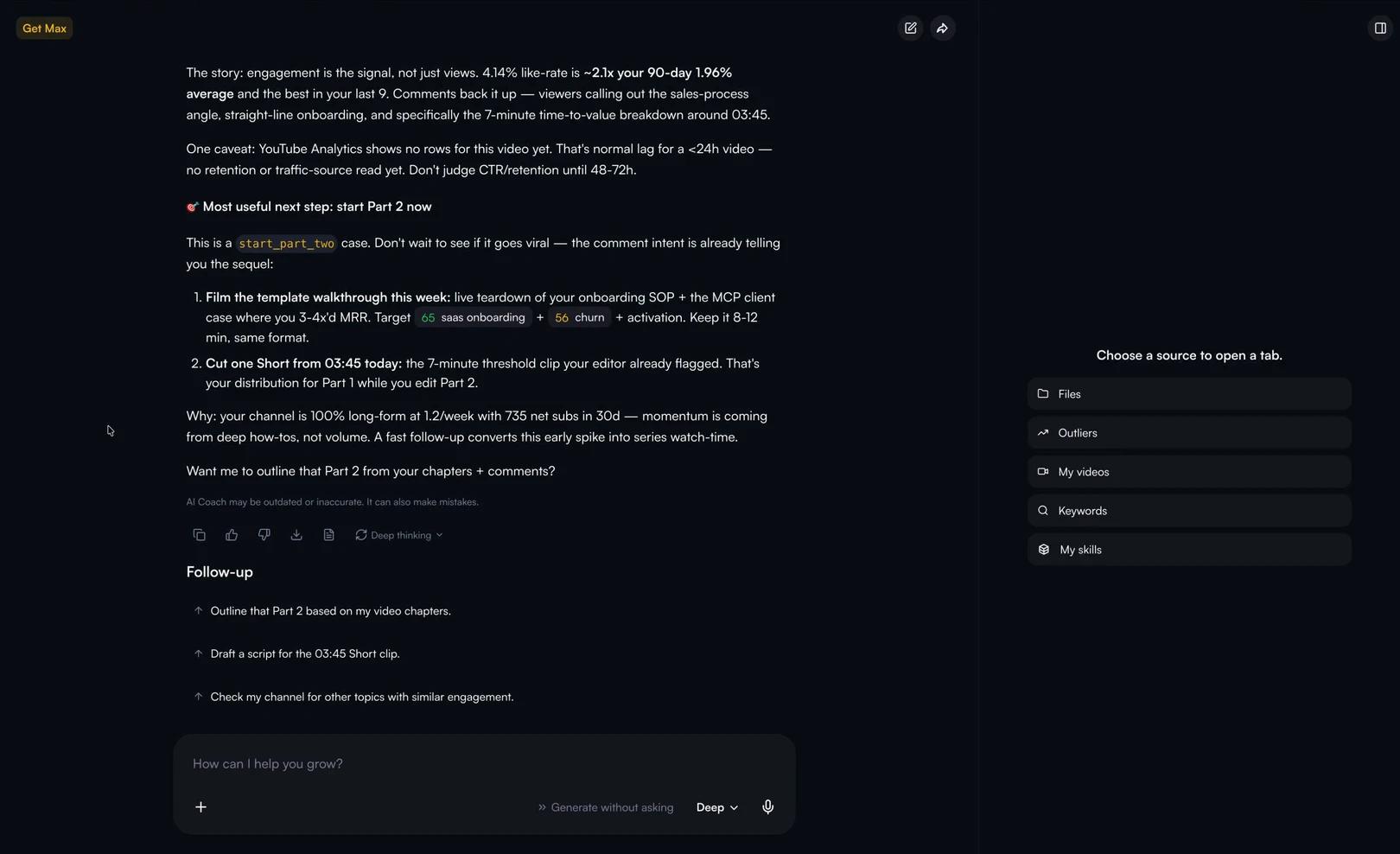
The chat. vidIQ is pushing you more and more towards its chat, the AI Coach. I asked it about my latest upload and what I should be doing next. I think our workflows are moving towards chat rather than static dashboards, which is a big reason vidIQ made my list.
How it judges a new video. Before answering, the AI Coach compared my upload with the median of my recent videos at the same age, read the comments and then framed the next recommended step: start Part 2 now, while the first video was still climbing. It's using data that vidIQ has access to and you don't, and that's genuinely useful when you're trying to work out whether a video is doing well or just looks busy.
What I don't like about vidIQ
Three things hold vidIQ back for a business owner, and the first one matters most.
It doesn't understand your offer. vidIQ is great at handing you video ideas, but it doesn't know what you sell or who buys it. So the question I keep asking is whether those ideas will actually lead to new business, and I'm not 100% sure they will. That's the part vidIQ could improve on to move up my rankings. If you use it, you have to be the filter: check every idea against your offer before you film it.
The AI credits add up. vidIQ starts cheaper than PreFilm, but a lot of it runs on AI credits, including the AI tools and the MCP. The MCP is on the Free plan, which sounds generous, but if you use it a lot you can run out of credits and quickly rack up a bill. vidIQ's own MCP page says most research tools cost five credits a call, and one prompt can trigger several calls. On the Free plan's 150 AI credits, that's about 30 research calls a month.
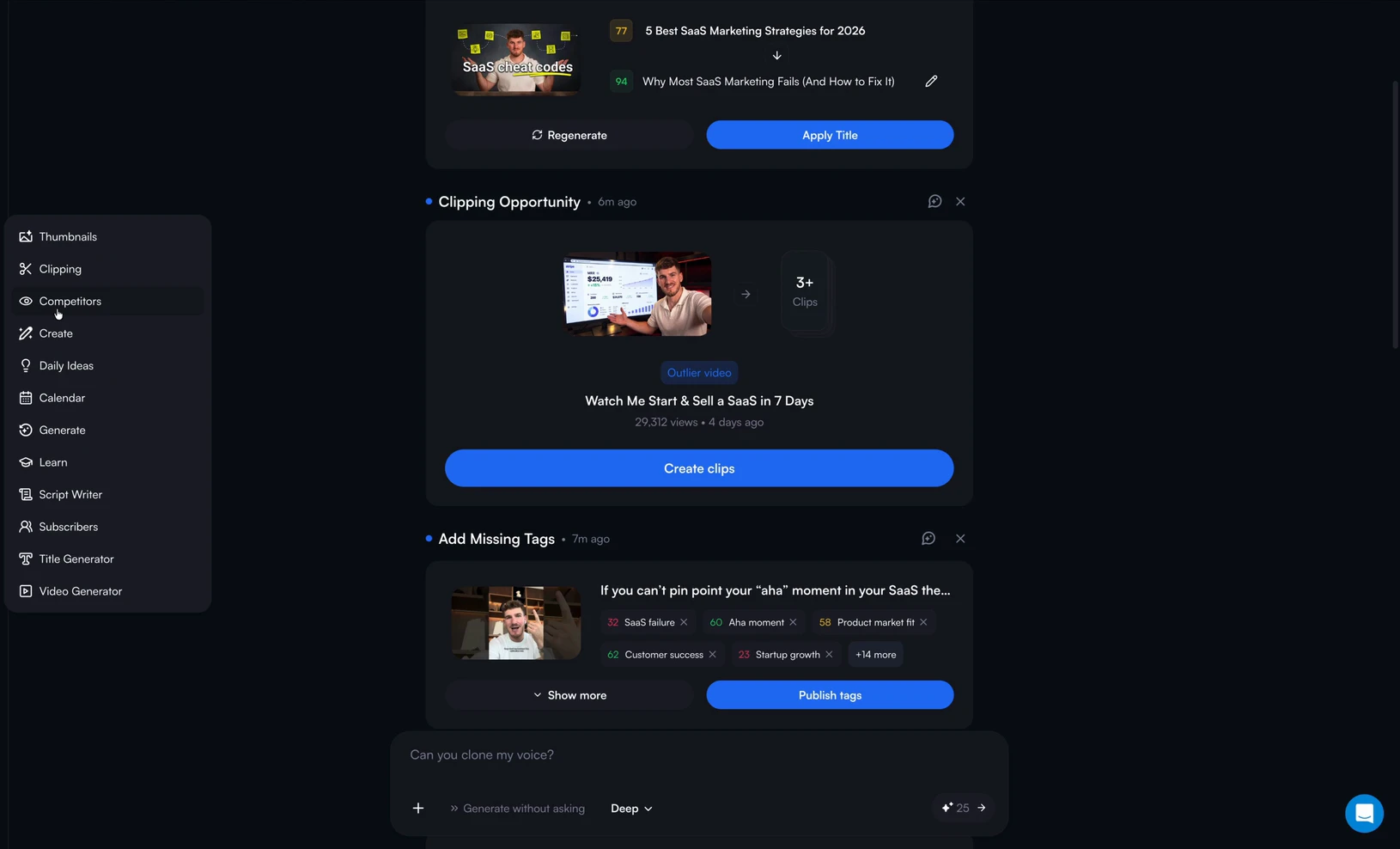
It's a little complicated to get around. There's a lot in vidIQ, and the parts I liked most weren't the first things I saw. The Research page took some finding, and plenty of tools sit under a More menu.
Get ideas built around what you sell
Find my winning videosHow much is vidIQ in 2026?
vidIQ has a Free plan and two paid plans for individual creators, Boost and MAX, plus Enterprise for teams. These are the US list prices on vidIQ's plans page, which notes that local pricing may vary and the final price is shown at checkout:
| Plan | Monthly | Yearly | AI credits a month | Worth knowing |
|---|---|---|---|---|
| Free | $0 | $0 | 150 | AI Coach tips and vidIQ MCP included |
| Boost | $19 | $199 | 2,000 (2,500 and 3,000 tiers available) | Unlimited trends research, AI Coach with deep thinking |
| MAX | $49 | $468 | 6,000 (8,000 and 10,000 tiers available) | Up to 3x AI Coach conversations, Shorts clipping |
| Enterprise | On request | On request | Varies | For brands, agencies and more than 3 channels |
There's also a Boost plus Coaching plan with 1-on-1 coaching, priced on request.
So is vidIQ cheaper than PreFilm? Only at the bottom. Free and Boost are cheaper than anything PreFilm offers. But vidIQ MAX costs the same each month as PreFilm's Creator plan at $49, and both run on credits, so the plan price is only part of the cost. PreFilm's plans are on the pricing page, and I compared the two in more detail in PreFilm vs vidIQ.
Is vidIQ worth it for a business channel?
vidIQ is worth it for a business channel when you want sharper analytics and faster outlier research, and you're willing to do the business thinking yourself. It isn't built to bring you customers, so it won't tell you which videos your buyers watch.
Here's who I think it suits:
- Creators who measure views and subscribers. That's exactly what vidIQ is built for, and it does it well.
- People newer to YouTube. In my growth tools video, vidIQ was the one I pointed you to if you don't have much YouTube experience yet.
- Business owners who know their offer. If you already know what your buyers want, vidIQ's analytics and Research page will make you faster.
- Anyone who wants better numbers in YouTube Studio. The extension alone is worth trying, and the Free plan costs nothing.
- People who'd rather start free. You can stay on the Free plan for as long as you like and only upgrade once you hit its limits.
It suits you less if you want a tool to tell you what to film for your offer, or if you'll lean heavily on the AI Coach and MCP and don't want to watch your credits. If you're weighing it against its oldest rival, I put the two side by side in vidIQ vs TubeBuddy, and the extension is compared with others in the best YouTube Chrome extension for every job.
What to use instead if you want customers, not views
If what you need from YouTube is customers, use a tool that starts from what you sell. That's why I built PreFilm, and it's the one I ranked above vidIQ, so take my bias into account.
PreFilm is built to get business owners more customers from YouTube. It reads your website, what you sell and who buys it, plus up to 20 of your past transcripts, and then looks for outlier videos in and around your niche that your buyers would watch. Every one of its video ideas shows the video it came from and how far that video beat its channel's normal.
Here's the difference in practice. When I searched "bookkeeping for small business owners" with PreFilm's outlier search, two of the top results were Bookkeeping for Business | Free Excel Template from Brian Turgeon, at 29.3x his channel's normal with 67,335 views, and AI Bookkeeping for Small Business: What Works and What Doesn't in 2026 from Jay Aldebert | Profit By Design, at 25.7x on a channel with 657 subscribers. Both are outliers. But a free spreadsheet pulls in people who want to do their own books, and a bookkeeping firm wants the owner who's deciding whether to hand them off. A tool that knows your offer can tell those two apart. A tool built for views can't.
PreFilm isn't perfect either. It's new, and I do most of my own work through the MCP rather than the dashboard. It isn't the cheapest option: monthly plans start with $1 for 7 days, then $49 a month. It also works best once you've published a few videos. If you're brand new to YouTube, start with the free tools and the guides on the blog first.
For the full list, including 1of10 and TubeLab, read the best vidIQ alternatives for business owners, or see how vidIQ ranks against the rest in the best YouTube tools for business owners.
My verdict: vidIQ is a very good tool that's aimed at a different goal from yours if you run a business. Use it for the analytics and the outlier research, keep an eye on your credits, and make sure every idea it gives you points back at what you sell.
Stop guessing what to film.
PreFilm finds the videos your buyers already watch and writes the script in your voice. $1 for 7 days.
Find my winning videosQuestions
Questions.
Is vidIQ worth it?
vidIQ is worth it for a business channel if you want better analytics inside YouTube Studio and fast outlier research, and you're happy to judge its ideas against your offer yourself. It doesn't know what you sell. Start on the Free plan and only upgrade once you're using it every week.
What is vidIQ used for?
vidIQ is used to grow a YouTube channel's views and subscribers. Creators use it for keyword research, outlier videos, daily video ideas, title and thumbnail help, and detailed analytics inside YouTube Studio through its browser extension. It also has an AI Coach chat and an MCP for Claude and ChatGPT.
Does vidIQ have an MCP for Claude and ChatGPT?
Yes. vidIQ MCP connects your account to Claude, ChatGPT and other AI tools that support MCP, and it's included on every plan, including Free. Tool calls spend the AI credits in your plan, and vidIQ says most research tools cost five credits a call, so heavy use runs your balance down.
How much is vidIQ a month?
vidIQ is free on its Free plan, which includes 150 AI credits a month. Boost is $19 a month or $199 a year with 2,000 AI credits, and MAX is $49 a month or $468 a year with 6,000. Those are US list prices, and vidIQ says local pricing may vary.
Is vidIQ good for beginners?
vidIQ is a reasonable place for beginners to start because the Free plan costs nothing and the extension shows how other videos perform. Expect it to take time to learn, because there are a lot of tools. If you haven't published many videos yet, free tools and guides will teach you more.
vidIQ AI: what does the AI Coach actually do?
vidIQ's AI Coach is a chat that reads your channel's data and suggests what to do next. When I asked about a new upload, it compared the video with my last uploads at the same age, read the comments and recommended a follow-up video. MAX gives you up to three times the AI Coach conversations.