Guides · 13 min read
YouTube channel management for agencies
YouTube channel management is the ongoing work of running a channel: deciding what each video should be, getting it scripted, filmed and packaged, publishing it and reporting what it did. For an agency running ten client channels, most of that work repeats. The research doesn't, because every client is a different niche with different buyers.
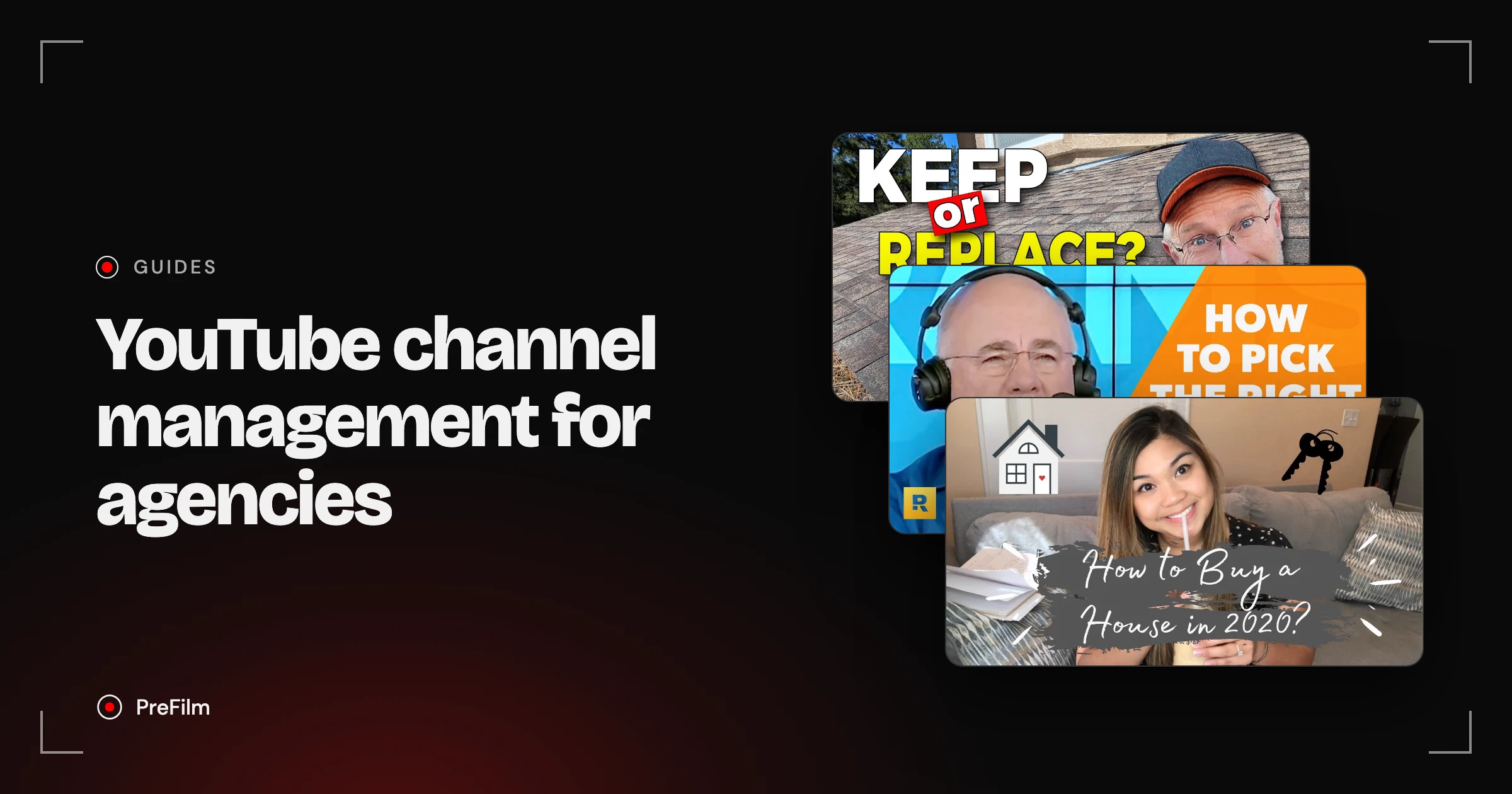
I've been on the other side of this. I once paid a YouTube agency about $5K a month for four videos, so I know what a client expects for that money. This guide is the workflow I'd want an agency to run, with real outliers for four example clients: a roofing company, a financial adviser, a med spa and a real estate agent. None of them are PreFilm customers. The videos and numbers are real.
What is YouTube channel management?
YouTube channel management is everything that happens around a channel's videos, from picking the topic to reporting the result. Filming is only one part of it. On a business channel, the research and the reporting are the parts that decide whether YouTube brings in customers.
Here's what the job covers, and what a client actually sees of each part:
| Job | What it involves | What the client sees |
|---|---|---|
| Research | Finding topics their buyers search for and formats that have already worked | A list of video ideas with the reason behind each |
| Content plan | Picking the month's videos and the order they go out | A calendar to approve |
| Scripts | Writing or outlining each video in the client's voice | A script to read before filming |
| Production | Filming, editing, graphics | Finished videos |
| Packaging | Titles, thumbnails, descriptions, end screens | The video's first impression |
| Publishing | Uploading, scheduling, playlists, comments | A channel that looks kept up to date |
| Reporting | Views, watch time, click-through rate, and enquiries | A monthly report |
Most YouTube channel management guides spend their time on publishing tools and posting schedules. Those are the easiest jobs to systemise. The research row is the one that gets harder with every client you add.
What does a YouTube agency do for its clients?
A YouTube agency runs some or all of a client's channel for a monthly fee. Some agencies only edit. Some run the whole thing, from research to reporting, and the client just turns up to film.
YouTube channel management services usually come in three shapes:
- Editing and publishing. The client sends raw footage, the agency edits, writes the title and description, and uploads. Cheapest, but the client still has to decide what to film.
- Strategy and scripts. The agency researches topics, plans the month and writes scripts. The client films, often on a phone.
- Done for you. Research, scripts, filming days, editing, packaging, publishing and reporting.
When I paid an agency about $5K a month for four videos, that worked out at over $1,000 a video. At that price, the topic of each video matters more than anything else the agency does. A beautifully edited video on a topic nobody searches for is still a costly guess.
So the honest answer to "should I use a YouTube agency or do it in-house?" is about where the hours go. If your team can film and edit but can't work out what to film, buy the research and scripts. If you know exactly what to say but hate editing, buy the editing.
Find the videos your buyers already watch
Find my winning videosHow do you get access to a client's channel?
You get access through channel permissions in YouTube Studio. The client stays the Owner, invites your agency's Google Account with a role, and can change or remove it at any time. Nobody shares a password.
These are the roles YouTube Help lists, and how I'd use them with clients:
| Role | What it can do | Give it to |
|---|---|---|
| Owner | Everything, including deleting the channel and managing permissions | The client, always |
| Manager | Everything except deleting the channel, including adding other people | The account lead at an agency running the whole channel |
| Editor | Upload, edit and publish, but not delete published videos or manage permissions | Editors and channel managers |
| Editor (Limited) | Same as Editor, without revenue data | Freelancers who don't need to see earnings |
| Subtitle Editor | Subtitles only | Translators |
| Viewer / Viewer (Limited) | See channel data without editing | The client's sales or marketing lead, for reports |
To add a manager to a YouTube channel, the client goes to Settings, then Permissions in YouTube Studio, clicks Invite and picks a role. Two things catch agencies out. Invites expire after 30 days, so chase them in the first week. And older channels may still sit on a Brand Account. YouTube now says you should use channel permissions to manage access, and marks Brand Account roles as not recommended, so move the client over before you invite anyone.
You don't need any access at all for research. A client's niche, its competitors and their outliers are all public. That means you can do the research before the contract is signed, which gives you real videos to pitch with instead of a generic deck.
The YouTube channel management workflow, step by step
The workflow that holds up across ten clients is the same seven steps for each one, run on a monthly cycle. Only the research changes from client to client.
- Onboard the client around their sales. Find out what they sell, who buys it, what a customer is worth and what counts as a lead. A roofing company and a financial adviser can both want "more views", but one needs a phone call about a roof and the other needs a booked review meeting.
- Research their niche. Find the questions their buyers ask before buying, then check which of those topics have already beaten their channel's normal on YouTube. More on this below, because it's the step that changes most from client to client.
- Plan the month. Pick the videos, the order and the filming day. Send it to the client for approval.
- Write scripts in their voice. Use their phrases and their stories, then leave gaps for anything only they can say.
- Package each video. Title, thumbnail, description, end screen and the call to action.
- Publish and look after comments. Reply to buyer questions fast. Those comments are your next video ideas.
- Report what turned into business. Views, watch time and click-through rate, plus enquiries and booked calls.
If you're running this for a channel that's only just starting, how to grow a YouTube channel covers the first months in more detail.
How do you research a different niche for every client?
You research each niche by starting from what that client's buyers want to know, then checking which of those topics have already worked on YouTube. An outlier is a video that got far more views than its channel normally gets. Because the channel was the same size as always, an outlier shows the topic pulled in those viewers.
Here's what that looks like for four example clients. Every video below is a real result from PreFilm's outlier search, with the multiple it measured against each channel's normal.
Example client: a roofing company. A search for roof replacement turned up Homestead Roofing, a roofer in Colorado Springs, with "Is It Time To Replace Your Roof? 7 Signs Your Roofer Is Right!". It got 17,137 views, 14.9× the channel's normal of 1,154.
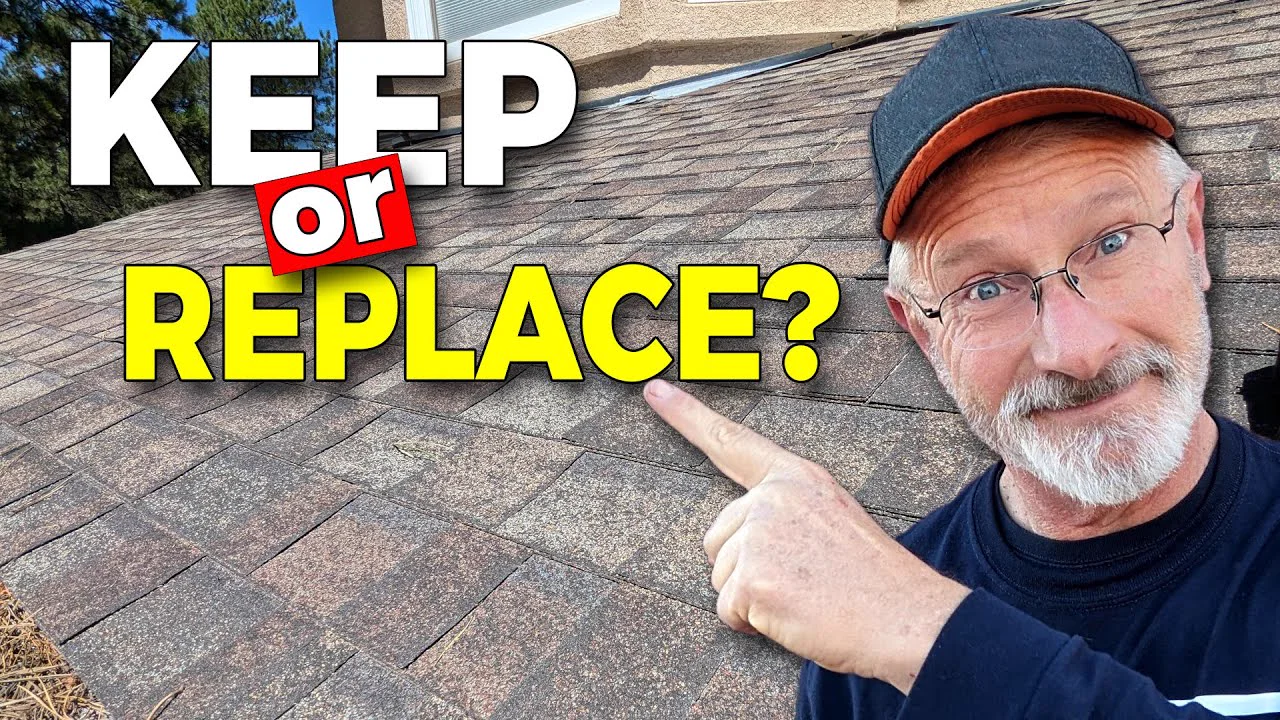
The hook goes straight at the buyer's doubt: "how can you trust a roofer to tell you if you need a new roof when he makes his money by replacing roofs". Then it walks through seven signs, from roof age to hail damage. That's a homeowner in the middle of a decision, learning from the company that might do the job. Bigfoot Windows & Roofing in Miami shows the same idea works on a tiny channel: its "Roof Replacement Process Explained" did 5.0× its normal, on a channel with 283 subscribers.
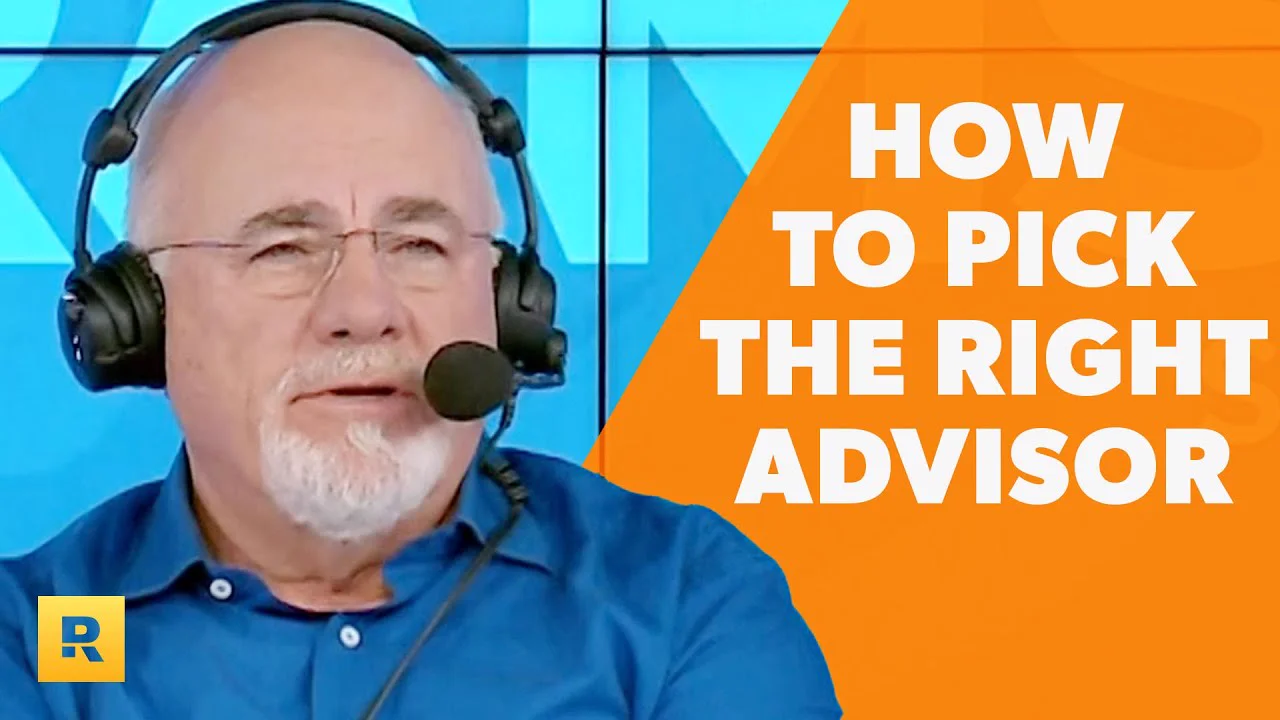
Example client: a financial adviser. This is where niche research goes wrong if you just sort by multiple. A search for financial advisor videos put "Financial Advisor Career - What They DON'T Tell You" from Advisor Growth with Dave Zoller at the top, at 41.3×. It's a strong video, made for people who are or want to be advisers. A client who wants new investors doesn't want that audience.
The buyer's video came second. Ramsey Everyday Millionaires posted "This Is How You Pick The Right Financial Advisor", which got 78,289 views at 20.5× its normal. The Ramsey Show Highlights did 5.5× with "When Should I Hire a Financial Advisor?". Both answer the exact question a future client asks before booking a meeting.
Example client: a med spa. The obvious searches here mostly turn up videos for people in the trade. A search for med spa put Dr. Jason Hall's "Are Med Spas Really Profitable?" top at 35.2×, and another top result was about opening a med spa. A search for Botox videos from injectors returned only training videos, led by Dr Tim Pearce's "How to prepare Botox for injection" at 27.3×.
The buyer's video took a more specific search. Trikwan Aesthetics, a clinic channel fronted by two doctors, posted "Things you must know before you get lip filler", which got 22,444 views at 3.6× its normal. The multiple is smaller, but the viewer is someone thinking about booking a treatment, and the description asks them to book a consultation.

Example client: a real estate agent. Gabby Magsino, a New Jersey realtor with 503 subscribers, posted "HOW TO BUY A HOUSE | Home Buying Process Explained". It got 7,663 views, 42.9× her channel's normal of 179. More on what happened in her comments in the reporting section.
Here's the research for all four in one place:
| Example client | Buyer video worth copying | Multiple | Peer video to skip |
|---|---|---|---|
| Roofing company | 7 signs your roofer is right (Homestead Roofing) | 14.9× | DIY shingle installs (38.3×) |
| Financial adviser | How to pick the right financial advisor (Ramsey Everyday Millionaires) | 20.5× | An advisor's career (41.3×) |
| Med spa | Things you must know before you get lip filler (Trikwan Aesthetics) | 3.6× | Med spa profits (35.2×), Botox training (27.3×) |
| Real estate agent | How to buy a house, step by step (Gabby Magsino) | 42.9× | None in the top results |
Two rules came out of these searches. First, always check who the video is for, because the top multiple in a professional niche is often a video for other professionals. Second, check how often a format has been done. When you find an outlier, that outlier may already have been copied 20 times, so a newer format usually has more room left in it.
See what each client's buyers already watch
Find my clients' outliersMonthly content plans and scripts in each client's voice
A monthly plan for a business client works best as a mix: one or two videos answering buying questions, one built on a proven outlier format, and one on a topic their buyers search for. Four videos a month is what I paid my agency for.
Keep the plan short enough that the client actually approves it. For each video, send the working title, the buyer question it answers, the outlier or search behind it, and the call to action. "Roof replacement signs, based on a 14.9× outlier from a Colorado roofer, ends with a call to book an inspection" gets approved in a minute. "Video 3: roofing tips" doesn't. There's more on building the plan itself in YouTube content strategy for founders.
Scripts are where ten clients start to sound the same. Each client has phrases they always use, words they'd never say, and stories only they can tell. Write those down at onboarding and keep them with the client's file. Then leave clearly marked gaps in each script for anything you can't know, like a real job they did last month or a real number from their business. Never fill those gaps yourself. An invented client story is the fastest way to lose an account.
PreFilm's script writer does this part for you: it learns each channel's voice from up to 20 of its own transcripts, and leaves a slot for any story or number it can't ground in the client's videos.
Titles and thumbnails for each client
Titles and thumbnails decide whether the right people click, so check them against what's already working in that client's niche, not against your own taste. A title that works for a med spa would look odd on a financial adviser's channel.
For each video, write three or four title options that say the buyer's question in the buyer's words. Homestead Roofing's "Is It Time To Replace Your Roof?" is the question a homeowner is already asking. Then use YouTube's A/B testing to test up to three titles and thumbnails once the video is live.
Before filming, Roast, PreFilm's title and thumbnail checker, can judge a title against what's working in the client's niche. That's useful when a client insists on a title you think is weak: you can show them why with real videos, not opinion.
What should a YouTube agency report to clients?
A YouTube agency should report the numbers that lead to customers: enquiries, booked calls and clicks to the client's site, alongside views, watch time and click-through rate. A business client is paying for customers. Views only matter if the right people are behind them.
Gabby Magsino's video shows why. It did 42.9× her normal, and PreFilm's breakdown read 31 of its comments. Three viewers asked how to contact her ("Hi Gabby, how do I contact you?"). Four asked if she covered their area ("Do you cover warren county?"). Four more asked what buying a home would cost in total. Those are leads. Yet the video never pitches, and the description only asks people to subscribe and follow.

A views-only report would call that video a win and move on. A report built on leads would spot the questions, add a contact link to the description, reply to every one of those comments, and plan a "what does it cost to buy a home in New Jersey" video for next month.
So each monthly report should cover:
- Enquiries and booked calls from YouTube. Ask the client to add "Where did you hear about us?" to their forms and first calls. This is the number they care about most.
- Buyer questions in the comments. Count them, reply to them, and turn the repeated ones into next month's plan.
- Traffic sources. The reach report in YouTube Studio shows whether views came from search, suggested videos or browse. Search viewers usually have a specific problem.
- Clicks to the client's site. Use a tracked link in each description.
- Watch time and click-through rate. Useful for fixing packaging and openings, but never the headline.
Give the client's marketing lead the Viewer role so they can check the numbers themselves. If you're choosing software for this part, which YouTube analytics tool is worth paying for compares the options.
Where PreFilm fits in YouTube channel management services
PreFilm covers the research and scripting part of YouTube channel management, for each client separately. The Pro plan covers up to 10 channels, with 6,000 credits a month shared across all of them, so you can spend more on the clients who need it that month.
For each client, you paste their channel and say what they sell. PreFilm finds video ideas from outliers in and around their niche, shows the evidence behind each one, and writes scripts in that client's own voice. It doesn't need access to the client's YouTube account for any of that. With PreFilm's YouTube MCP, you can name the client's channel in Claude or ChatGPT and it works on that one.
To be honest about the limits: it's new, and I do most of my own work through the MCP rather than the dashboard. It also works best once a channel has published a few videos. For a client starting from zero, use the free tools and the blog first. You can compare the plans to see what each one includes.
The agencies that keep clients are the ones that can show which videos brought in work. Research each niche from its buyers' questions, skip the peer videos, write in the client's voice and report enquiries next to views. If you want the research done for each client, see how PreFilm works for agencies.
Stop guessing what to film.
PreFilm finds the videos your buyers already watch and writes the script in your voice. $1 for 7 days.
Find my winning videosQuestions
Questions.
What is YouTube channel management?
YouTube channel management is the ongoing work of running a channel. It covers choosing what each video should be, scripting, filming and editing, titles and thumbnails, publishing, replying to comments and reporting results. A business can do it in-house, hire a channel manager, or pay an agency to run some or all of it.
What does a YouTube channel manager do?
A YouTube channel manager decides what the channel films and makes sure it gets published well. That means researching topics, planning the month, briefing scripts and edits, writing titles and descriptions, scheduling uploads, moderating comments and reporting what worked. For a business channel, the report should include enquiries and customers, not only views.
How much does YouTube channel management cost?
YouTube channel management costs anything from your own time to several thousand dollars a month, depending on how much of the work you hand over. I paid a YouTube agency about $5K a month for four videos. Research and scripting tools cost far less, but someone still has to film and edit.
How do I add a manager to my YouTube channel?
You add a manager in YouTube Studio under Settings, then Permissions. Click Invite, enter their email address, pick a role such as Manager or Editor, and send the invite. The invite expires after 30 days. If your channel still uses a Brand Account, YouTube asks you to move to channel permissions first.
Do I need to give an agency my YouTube password?
No. Channel permissions let an agency work on your channel from its own Google Account, so you never share a password. You stay the Owner, and you can change their role or remove access at any time. Give the lowest role that lets them do the job.
Can AI manage a YouTube channel?
AI can do a lot of the research and writing, but not the whole job. It can find videos beating their channel's normal, read comments, draft scripts and suggest titles. Someone still has to film, check the facts, make judgement calls about the client's brand and talk to the client about results.