Comparison · 11 min read
The YouTube analytics tool worth paying for
Which YouTube analytics tool is worth paying for depends on the question you're asking. For your own channel, start with YouTube Studio's analytics: they're free and they're the only real numbers. Pay for a tool only to fill a gap, such as vidIQ for deeper analytics inside Studio, or an outlier tool for competitor research.
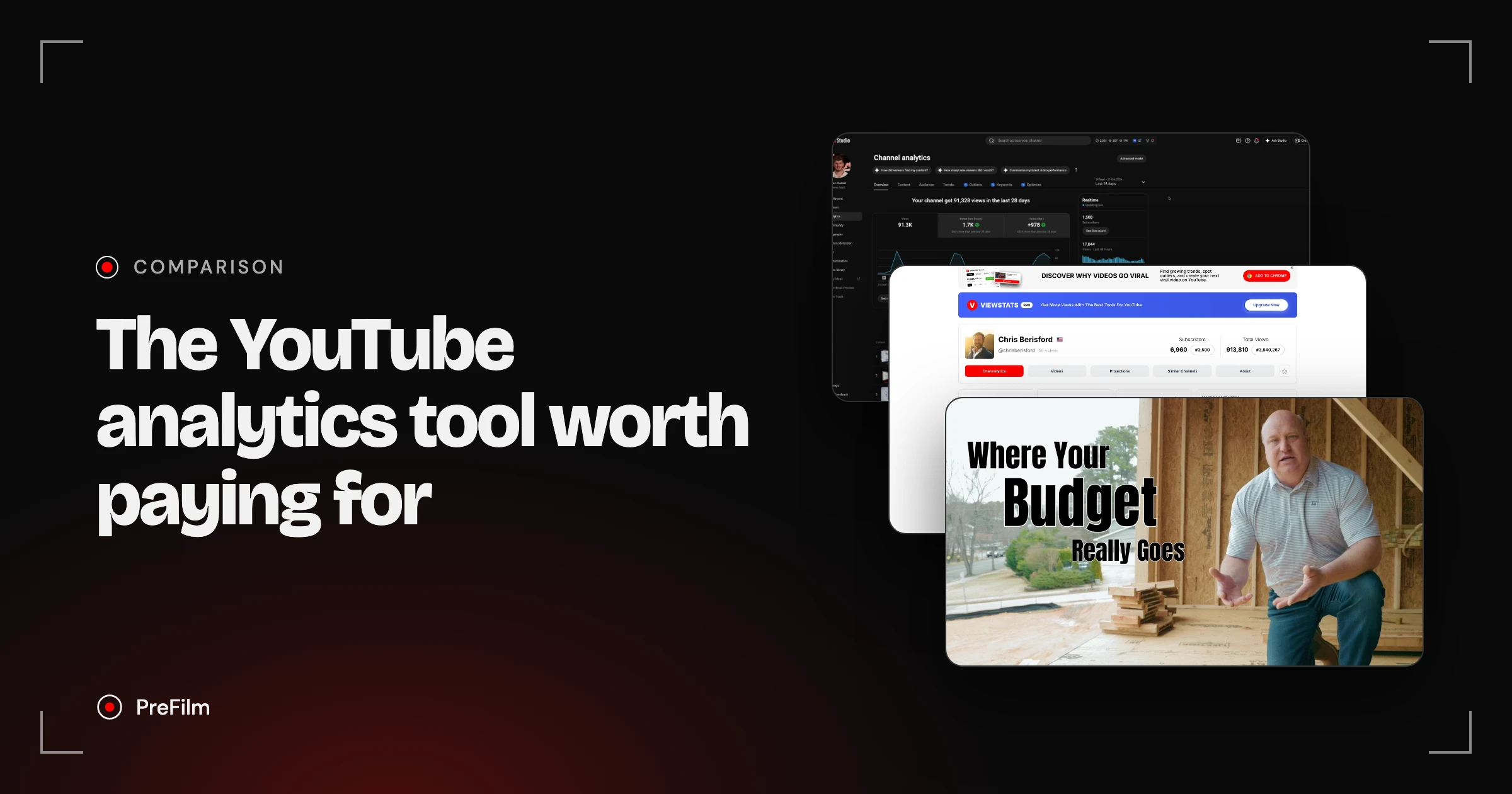
Most "best YouTube analytics tools" lists are written by the companies selling one, and they lump social media suites in with YouTube tools. This one splits the tools by the job they do. I'm Henry Purchase. I use YouTube to get leads and booked calls for my business, and I tested most of these on my second channel while recording a video on the best YouTube growth tools. I also built PreFilm, which isn't an analytics dashboard, and I'll say exactly where it fits and where it doesn't. Every price below was checked on each tool's own site on 2 November 2026.
What does YouTube Studio analytics give you for free?
YouTube Studio analytics gives you every real number about your own channel, for free. YouTube Analytics lives inside YouTube Studio and covers views, watch time, subscribers, impressions, click-through rate, audience retention, traffic sources and, if you're in the YouTube Partner Program, revenue.
It's split into tabs, and each one answers a different question:
- Overview: how the channel or a video is doing, including a comparison with your typical performance and why views are higher or lower than usual.
- Content: how viewers find and watch your videos, Shorts and live streams.
- Reach (per video): impressions, click-through rate and where views came from.
- Engagement (per video): watch time, average view duration and engaged views.
- Audience: who watches, plus reports such as Channels that your audience watches over the last 28 days.
- Trends: what viewers across YouTube are searching for.
There's also Advanced mode, where you can compare videos or date ranges side by side, filter by things like location and subscription status, group videos together and export up to 500 rows.
No paid tool can replace this, because no paid tool can see your watch time, retention or revenue unless you connect it to your channel. So whatever you buy, it sits on top of Studio.
What YouTube Studio can't tell you
YouTube Studio only shows your own channel, and it doesn't tell you what to do next. That's the honest gap every paid YouTube analytics tool is trying to fill.
To be honest, I think the analytics YouTube Studio gives you on its own are "quite poor". There are things I want to know that I just can't get from YouTube. In practice, three gaps matter for a business:
- Other channels' numbers. Studio won't show you a competitor's views over time, or which of their videos took off. "Channels that your audience watches" names them, but that's where it stops.
- What counts as good in your niche. Studio compares a video with your typical performance, but it won't tell you whether a video is beating a competitor's normal, or which formats are working in your niche right now.
- What to film next. Studio tells you what happened. It doesn't turn that into a decision.
The tools below each fill one of those gaps. None fills all three.
Find the videos your buyers already watch
Find my winning videosThe best YouTube analytics tools, side by side
These are the tools that come up again and again on lists of the best YouTube analytics tools, plus the outlier tools business owners actually use for competitor research. Prices are the lowest paid plan on each tool's own site.
| Tool | What it measures | Whose channel | Free plan | Paid from | Best for |
|---|---|---|---|---|---|
| YouTube Studio | Your real views, watch time, retention, traffic, revenue | Yours only | Yes, it's free | Free | Everyone, first |
| vidIQ | Extra analytics in Studio, outliers, keywords, AI Coach | Yours, plus research on others | Yes | $19/mo (US list price) | Deeper analytics inside Studio |
| ViewStats | Public stats, estimated revenue, projections; outliers on Pro | Any tracked channel | Yes | Varies by location | Checking other channels' numbers |
| Social Blade | Public stats, growth history, estimated earnings | Any tracked channel | Yes | $5.99/mo | Long-run growth history |
| TubeBuddy | Competitor Scorecard, A/B tests, SEO tools | Yours, plus competitors | Yes | Varies by location | A/B tests and bulk channel work |
| 1of10 | Outlier scores, competitor tracking | Any channel | Yes | $19/mo | Outlier research |
| OutlierKit | Outliers and competitors for expert channels | Any channel | No, a credit trial | $49/mo | Coaches, consultants, experts |
| PreFilm | Outliers your buyers watch, what each video sells | Any channel | No, $1 for 7 days | $49/mo | Business owners researching competitors |
Only YouTube Studio, vidIQ and TubeBuddy work on your own channel. The rest are about everyone else's.
vidIQ: the YouTube analytics tool I'd pay for inside Studio
vidIQ is the paid YouTube analytics tool I'd pick for your own channel, because it adds the data Studio leaves out without making you leave Studio. In my growth tools video I called it "definitely the best tool on the market" for data inside YouTube that you can use to make decisions.
Install the vidIQ extension (it works in Chrome, Firefox and Edge) and open your channel analytics. On my second channel, next to YouTube's own Overview, Content, Audience and Trends tabs, you get vidIQ's Outliers, Keywords and Optimize tabs, plus more detailed analytics about the channel.
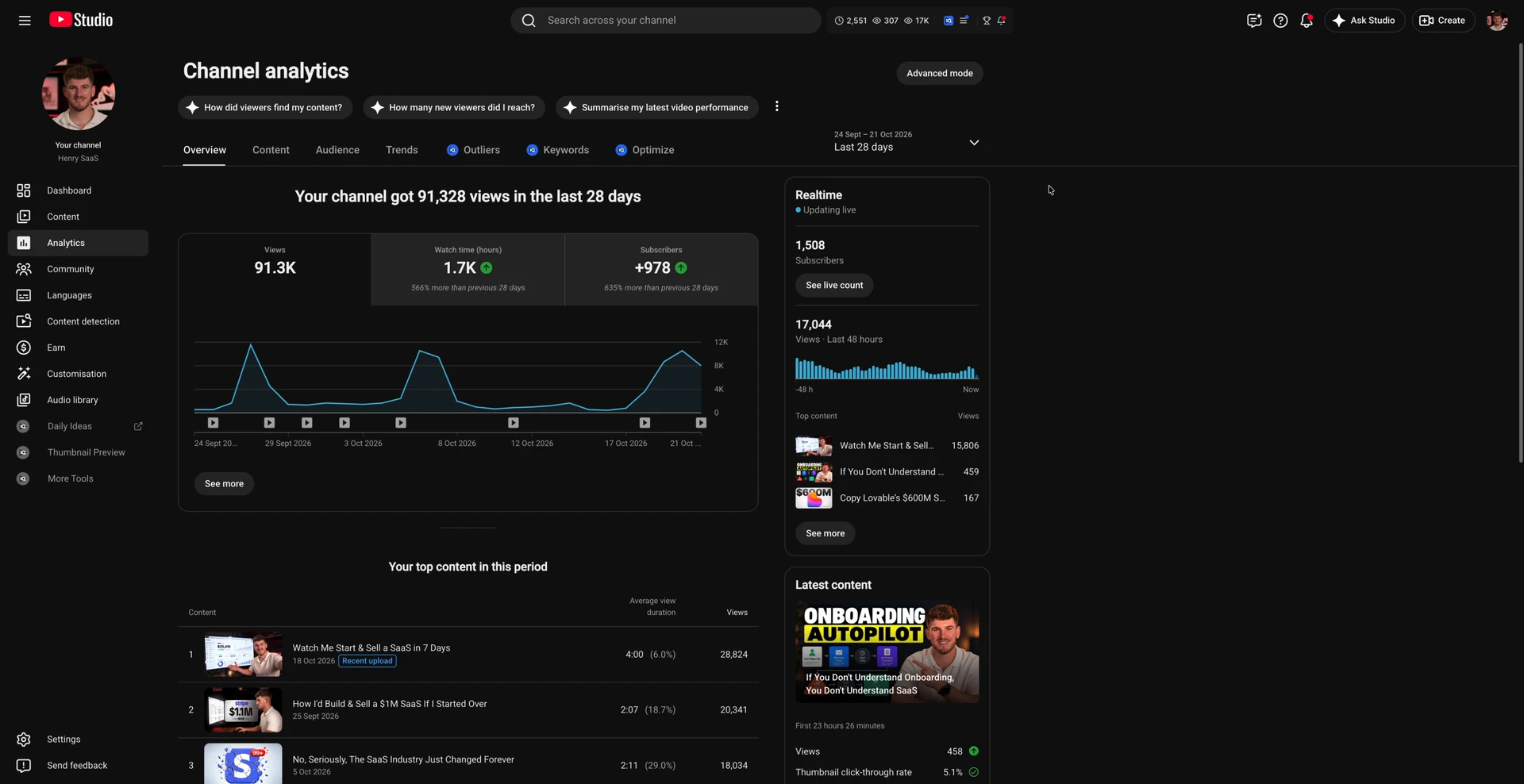
The part I like most is how it judges a new upload. I asked vidIQ's AI Coach how my latest video was doing. Before answering, it compared the video with the median of my recent uploads at the same age, then read the comments and framed the next step.
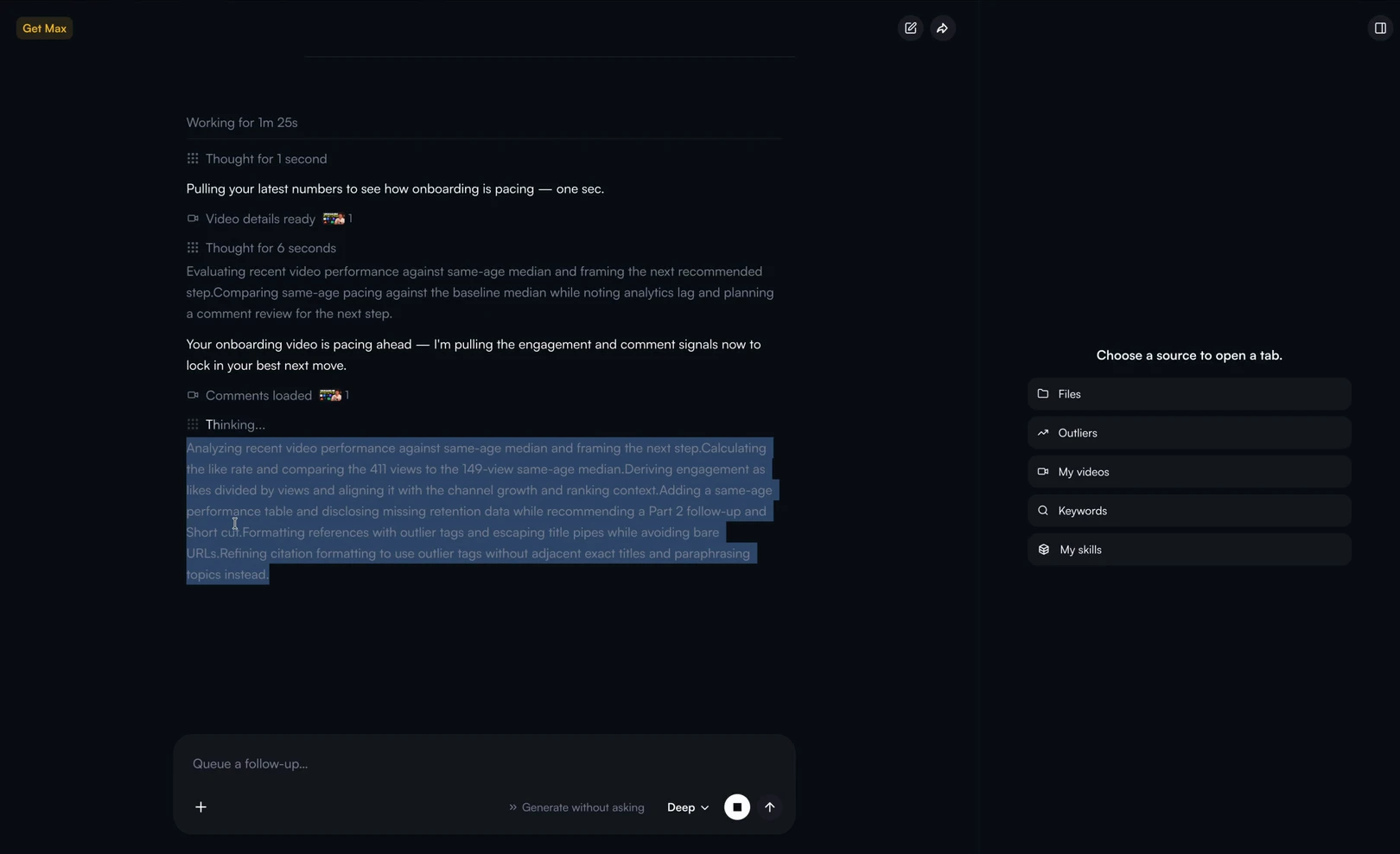
That's a fairer test than raw views. A video with 411 views sounds small until you see that your normal at that age is 149.
To be fair to YouTube, Studio does its own version of this with typical performance, so vidIQ's edge is more detail and a suggested next step, not a different kind of data.
Two things to know before you pay:
- The credits add up. vidIQ's plans start with a Free plan that includes 150 AI credits a month, then Boost at $19 a month and MAX at $49 a month. Those are US list prices, and vidIQ says local pricing may vary. Its MCP for Claude and ChatGPT is on every plan, but tool calls spend credits, so heavy use can quickly rack up a bill.
- It doesn't know your offer. vidIQ is built to get you views and subscribers. It won't tell you whether a video idea will bring in customers, so you have to be that filter.
I went through vidIQ in much more detail in my vidIQ review, and the extension is compared with the others in the best YouTube Chrome extension for every job.
ViewStats and Social Blade: public stats for any channel
ViewStats and Social Blade are the tools to use when you want another channel's numbers. They track public data, such as subscribers and views, over time, and they estimate the rest. Neither can see a channel's watch time, retention or real revenue.
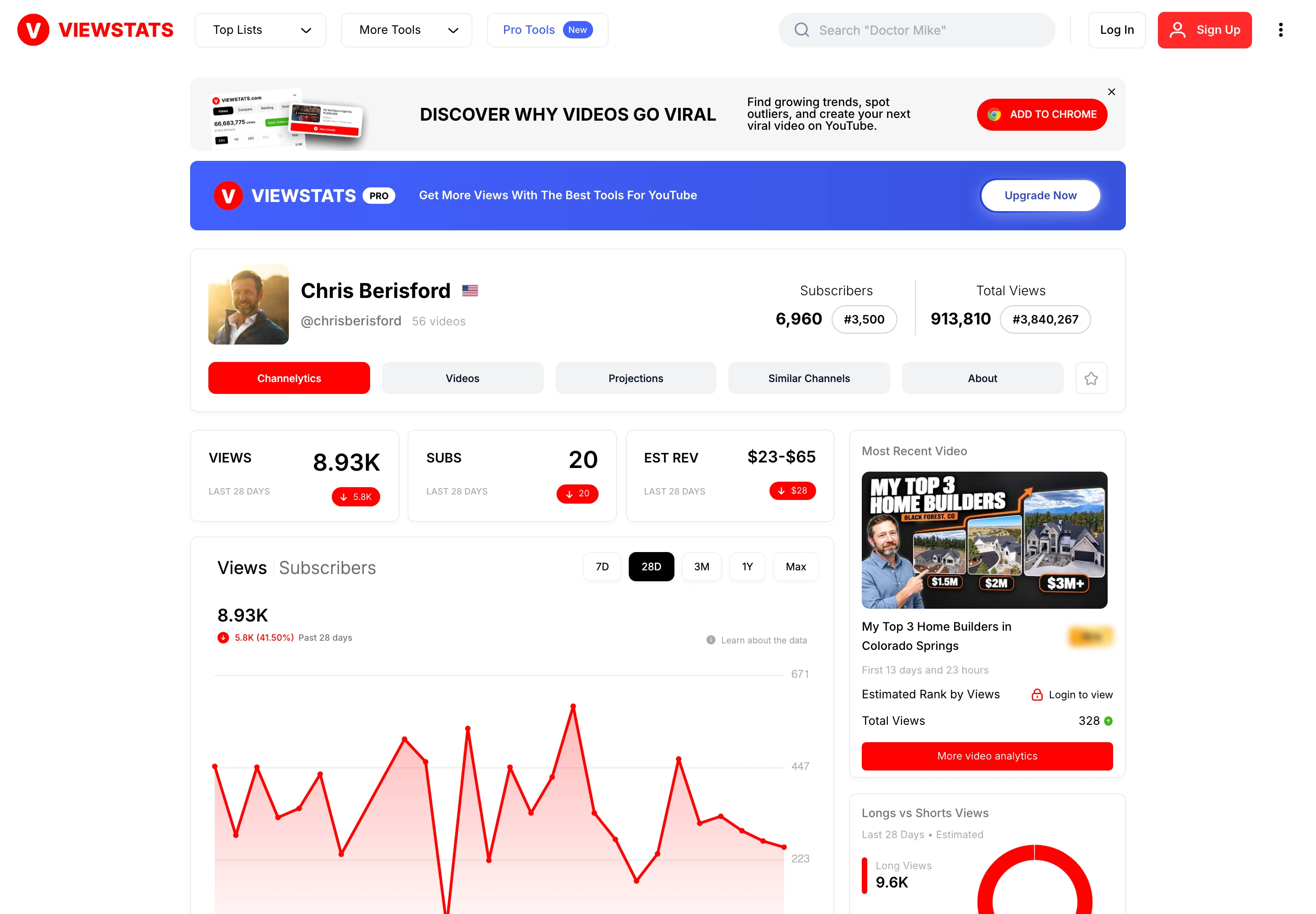
ViewStats says in its own FAQ that it was co-founded by MrBeast. Its free channel pages show subscribers, total views, views and subscribers over the last 28 days, estimated revenue, projections and similar channels, and its free Chrome extension adds outlier scores on YouTube. Pro adds outlier search, thumbnail search and competitor tracking. Its pricing varies by location. On 2 November 2026, its free page for Chris Berisford, a Colorado Springs home builder, showed estimated revenue of $23 to $65 in the last 28 days, which is ViewStats' estimate, not his.
Social Blade is the older of the two, and it's best for long-run growth history. It's free with an account, and paid membership starts at $5.99 a month, adding up to 3+ years of daily history and YouTube report cards.
Treat the money figures on both with care. Social Blade's own FAQ on estimated earnings says it multiplies daily views by a low RPM of $0.25 and a high RPM of $4.00, and that this assumes every view is monetised, "which is usually not the case". For a business channel, ad revenue is the wrong number anyway. A builder's channel earns from homes, not from AdSense.
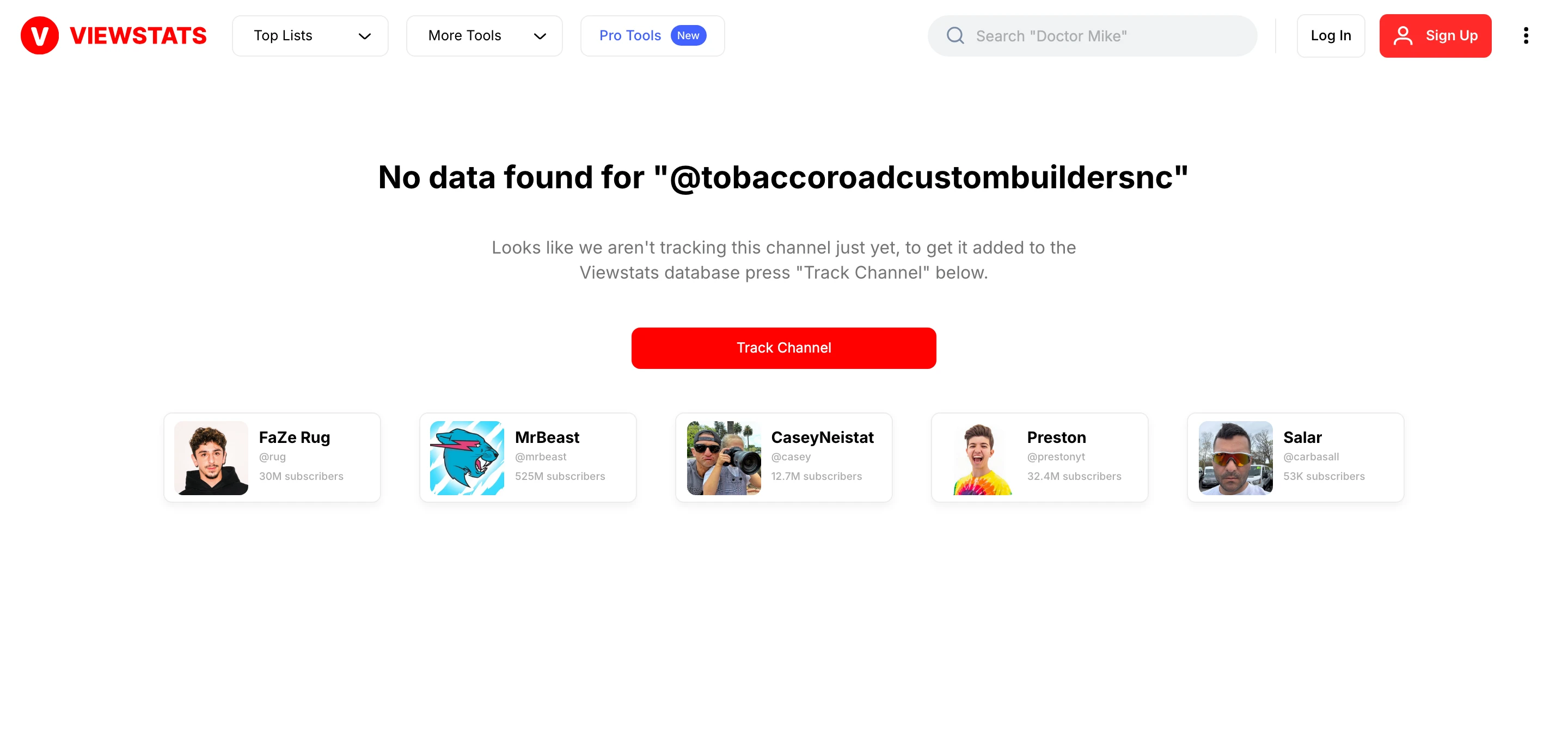
The bigger catch for business owners is that stats sites only track channels someone has added. When I looked up the builders in this article, ViewStats had no data for the smallest one, Tobacco Road Custom Builders (checked on 2 November 2026), and Social Blade had none of the three.
If you're comparing ViewStats with PreFilm directly, I put the two side by side in PreFilm vs ViewStats.
See which competitor videos beat their normal
Find my niche's outliersTubeBuddy: competitor scorecards and A/B tests
TubeBuddy is worth paying for if you want A/B tests and competitor tracking alongside channel admin, rather than deeper analytics. It's a long-running YouTube SEO and channel management toolkit with a free plan.
The analytics-style features sit on its Legend plan: a Competitor Scorecard (limited to 10 competitors), Competitor Upload Alerts and thumbnail and title A/B tests. TubeBuddy's pricing changes with where you are, so check it from your own location. I found no outlier search or MCP on its site.
YouTube now has its own A/B testing for titles and thumbnails in Studio, so the case for TubeBuddy is strongest if you'll also use its bulk tools.
YouTube analytics for other channels: finding competitor outliers
You can't see another channel's YouTube Analytics, but you can see which of its videos beat its own normal, and that's the most useful competitor number there is. An outlier is a video that got far more views than its channel normally gets.
Here's why it matters more than subscriber counts. I ran PreFilm's outlier search on "custom home builder explains cost to build". Top of the list was Where Your Money Actually Goes When Building a Custom Home (Raleigh Builder Explains) from Tobacco Road Custom Builders. It has 5,776 views, which is 26.8 times the channel's normal of 216, on a channel with 44 subscribers.

A stats site shows you a 44-subscriber channel and moves on. An outlier view shows you a Raleigh builder whose walk-through of where the budget goes, from subfloor to soundproofing to the contractor's fee, is aimed squarely at people planning a custom home. The description ends with an invitation to talk to their team, so that's a video doing a sales job.
The same search found How Much Does it Cost to Build a Custom Home (REAL 2026 Numbers) from Chris Berisford, at 9.4 times his normal with 17,919 views, and Cost to Build a House in 2026 (3 Ways to Find Your Local Costs) from Armchair Builder, at 5 times the normal of a 114,000-subscriber channel. Three channels of very different sizes, and the same topic beat all three channels' normal. That's a format worth filming.
The tools that do this kind of research:
- 1of10 is, to me, the pioneer of the outlier idea, and its Chrome extension is valuable for finding outliers. It has a free plan, Basic from $19 a month, and its MCP is on the $89-a-month Pro plan.
- OutlierKit is built for coaches, consultants and experts researching competitors. Plans start at $49 a month, with MCP access on every paid plan.
- PreFilm does YouTube competitor analysis starting from what you sell, which is where it fits best.
Where PreFilm fits (and where it doesn't)
PreFilm isn't a YouTube analytics tool in the dashboard sense, so don't buy it to replace YouTube Studio or vidIQ. It's a research tool: it finds the videos beating their channel's normal in and around your niche, reads their comments and what they're selling, and turns that into ideas for your offer.
On the analytics side, PreFilm's MCP has a channel report that answers questions about your own channel from YouTube Analytics, such as your top videos and which searches find you. It needs PreFilm's YouTube connection, and Studio is still where your own numbers live day to day. You can read how the YouTube MCP works with Claude or ChatGPT.
Where it already earns its place is competitor research for a business. If you run a service business and you want to know which videos your buyers are watching on other channels, and what those videos sell, that's what PreFilm is for. Plans start with $1 for 7 days, then $49 a month, and everything runs on credits. The pricing page has the details.
It isn't for everyone. It's new, and I do most of my own work through the MCP rather than the dashboard. There are cheaper options, and it works best once you've published a few videos. If you're brand new to YouTube, start with the free tools and the guides on the blog.
How to choose a YouTube analytics tool
Choose a YouTube analytics tool by naming the question you can't answer today, then picking the cheapest tool that answers it. Here's the order I'd go in:
- Use YouTube Studio for a month. Learn the Reach and Engagement tabs on each video and check the traffic sources. Most questions about your own channel end here.
- Write down what Studio couldn't answer. If it's "why is this video doing well or badly", try vidIQ's free plan. If it's "how is that competitor doing", try ViewStats or Social Blade for free.
- Pay only when you hit a limit. Upgrade when you're using a free plan every week and its limits are in the way, not before.
- For competitor research, use an outlier tool. Subscriber counts and estimated revenue won't tell you what to film. Which videos beat their channel's normal will.
- Measure what brings in customers. Track enquiries and booked calls that mention YouTube next to your Studio numbers. If you manage channels for clients, how agencies run YouTube channel management covers what to report.
For most business owners, the answer is YouTube Studio plus one paid tool, picked for the job you need doing. For your own numbers, that's vidIQ. For competitor research, it's an outlier tool that understands what you sell.
Stop guessing what to film.
PreFilm finds the videos your buyers already watch and writes the script in your voice. $1 for 7 days.
Find my winning videosQuestions
Questions.
What is the best YouTube analytics tool?
The best YouTube analytics tool for your own channel is YouTube Studio, because it's free and holds your real numbers. For deeper analytics inside Studio, vidIQ is the strongest paid add-on. For other channels' public stats, use ViewStats or Social Blade. For competitor research, use an outlier tool instead of a stats site.
Is YouTube Analytics free?
Yes. YouTube Analytics is free for every channel and lives inside YouTube Studio on desktop, with most reports in the YouTube app too. It covers views, watch time, impressions, click-through rate, retention, traffic sources and your audience, plus revenue if you're in the YouTube Partner Program. Some reports may not be available on mobile.
Can you see YouTube analytics for other channels?
No. Only a channel's owner and the people they give access to can see its YouTube Analytics. For other channels you can see public data, such as subscribers, views and upload dates, and tools like ViewStats and Social Blade track those over time. Watch time, retention, click-through rate and real revenue stay private.
Is Social Blade accurate?
Social Blade is accurate for public numbers such as subscribers and views, but its earnings are rough estimates. Its own FAQ says it multiplies daily views by a low and a high RPM and assumes every view is monetised, which is usually not the case. Use it to spot trends, never to judge what a channel earns.
What should a business track in YouTube analytics?
A business should track the numbers that lead to enquiries: traffic sources, especially YouTube search, watch time on the videos about your service, clicks to your website and the calls or leads that mention YouTube. Views and subscribers are worth watching, but they don't tell you whether YouTube is bringing in customers.
Do I need a paid YouTube analytics tool for a small channel?
Usually not at first. YouTube Studio covers everything about your own videos, and the free plans of vidIQ, ViewStats and Social Blade cover most of the rest. Pay only when you hit a specific gap, such as wanting deeper analytics inside Studio or finding which competitor videos beat their channel's normal.