Comparison · 8 min read
PreFilm vs ViewStats: viral videos, or customers?
PreFilm vs ViewStats comes down to what you want from a YouTube tool: numbers or next videos. ViewStats is a YouTube analytics platform with a big free stats site, and a lot of its users just want channel stats. PreFilm is built to get business owners more customers from YouTube: it starts from what you sell, finds proven video ideas and writes the script in your voice.
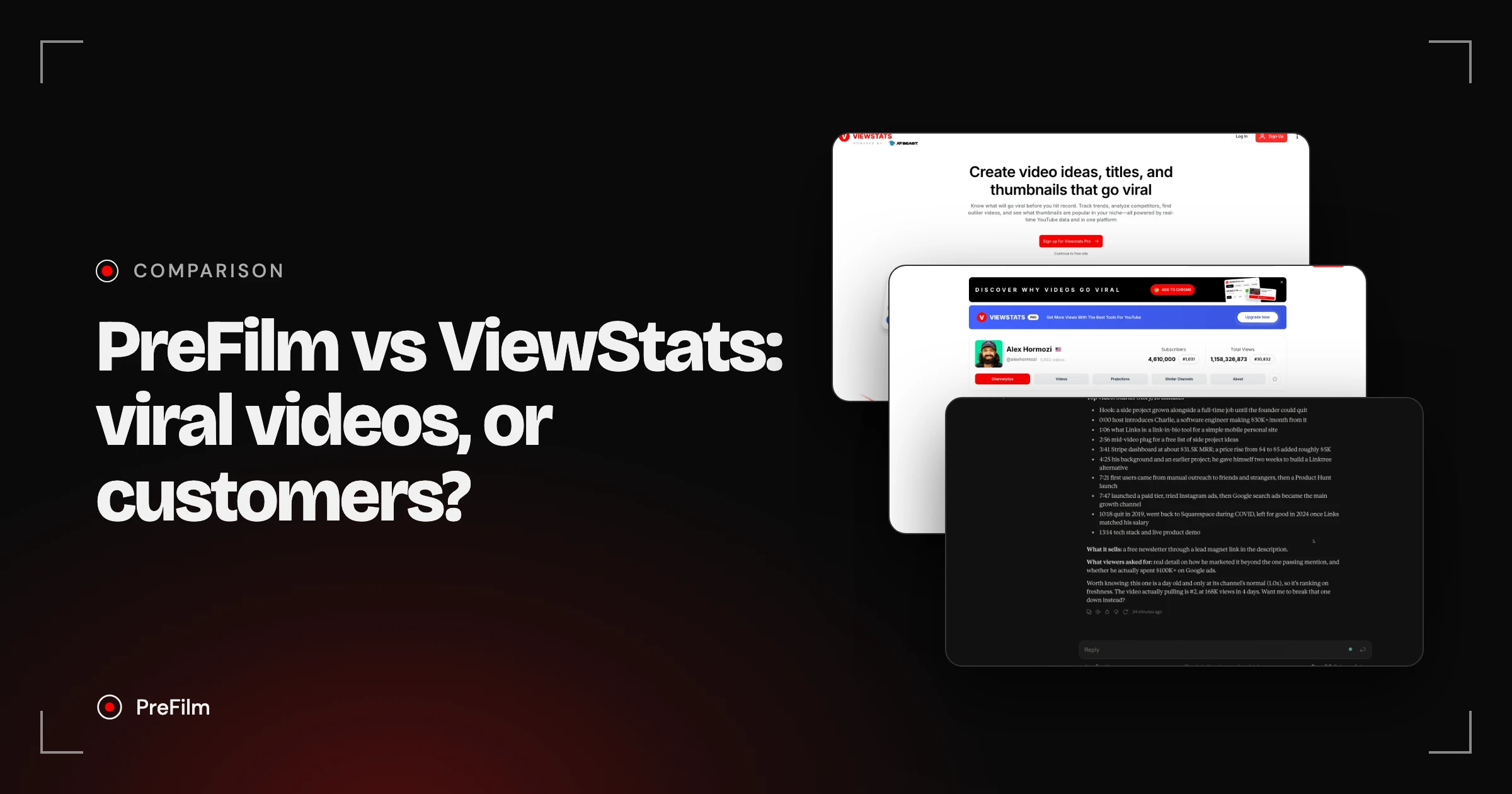
ViewStats is a YouTube stats and research platform, with free channel analytics, a free Chrome extension and Pro tools for outliers, thumbnails, alerts and competitors. Plenty of people use it just to check channel stats, and it's very good at that. PreFilm is built to get business owners more customers from YouTube: it starts from what you sell, hands you video ideas with the evidence behind them, then writes the script in your voice. If you want to know how channels are performing, ViewStats covers that. If YouTube has to bring in customers, PreFilm is built for that.
Choose PreFilm if…
- Your channel exists to bring in customers for what you sell
- You want ideas picked for your offer, not stats and outliers to sort through yourself
- You want scripts written from your own videos, in your voice
- You want to ask Claude or ChatGPT what to film next, on any plan
Choose ViewStats if…
- You mainly want channel and video stats, and the free plan covers it
- You want subscriber, view and estimated revenue history for any channel
- You want outlier, thumbnail and competitor research for views
- You already know what to film and want data to back it up
Find the videos your buyers already watch
Find my winning videosPreFilm and ViewStats, compared
| Feature | PreFilm | ViewStats |
|---|---|---|
| Starts from what you sell | Yes | Not stated on their site |
| Outlier research | Yes | Yes |
| Evidence behind every idea | Yes | Not stated on their site |
| Scripts in your own voice | Yes | Not stated on their site |
| Use it in Claude and ChatGPT | YouTube MCP for Claude and ChatGPT, included on every plan | Not stated on their site |
| Free plan | Not included$1 for 7 days on a monthly plan | Yes |
| Starting price | $49/mo (Creator) | Varies by location |
Checked 2 November 2026 on ViewStats's own site.
I haven't tested ViewStats the way I tested the tools in my vidIQ alternatives video, so everything about it here comes from its own site and help centre, checked on 2 Nov 2026.
PreFilm vs ViewStats: where they really differ
The short answer: ViewStats tells you how channels and videos are performing, while PreFilm tells you what to film next for your business. Here's how that plays out.
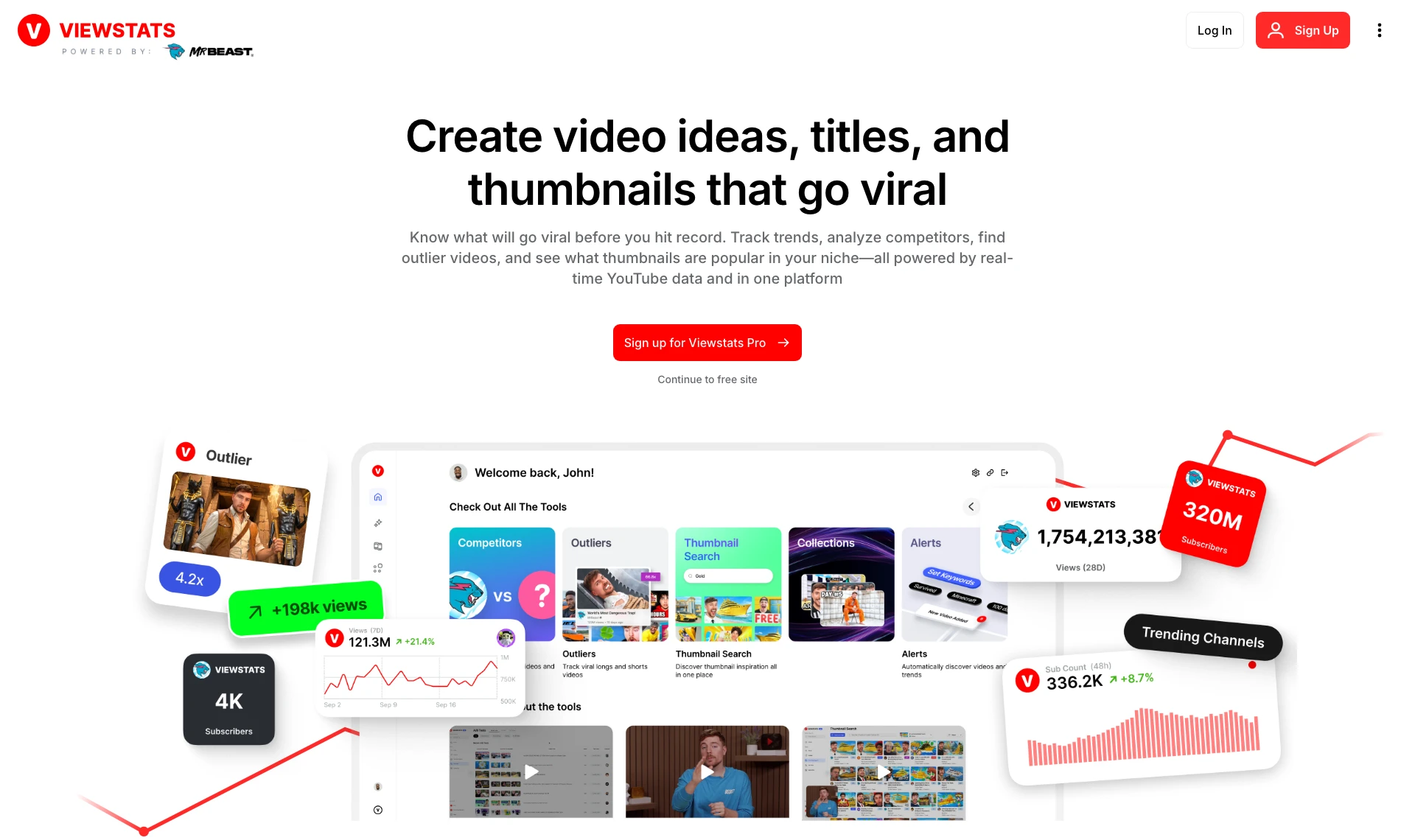
What they start from. ViewStats calls itself an analytics platform built for creators who want to get more views. Its FAQ says it was co-founded by MrBeast, and the homepage headline, when I checked on 2 Nov 2026, was "Create video ideas, titles, and thumbnails that go viral". The tools in its homepage preview are Pro tools; the free site is one click below the sign-up button. PreFilm starts from your channel plus what you sell. You tell it your offer and who buys it, and it looks for the videos your buyers already watch, reads the comments under them and the searches your buyers make, then turns that into video ideas for your offer.
Stats. This is what ViewStats does best, and most of it is free. Search any channel and its Channelytics page shows subscribers, total views, rankings, the last 28 days of views and subscribers, and an estimated revenue range. The one below is Alex Hormozi's, as it showed on 2 Nov 2026. There are also tabs for videos, projections and similar channels, plus Top Lists of the biggest channels. PreFilm doesn't try to be a stats site. If you want a history of any channel's numbers, ViewStats is the better tool.
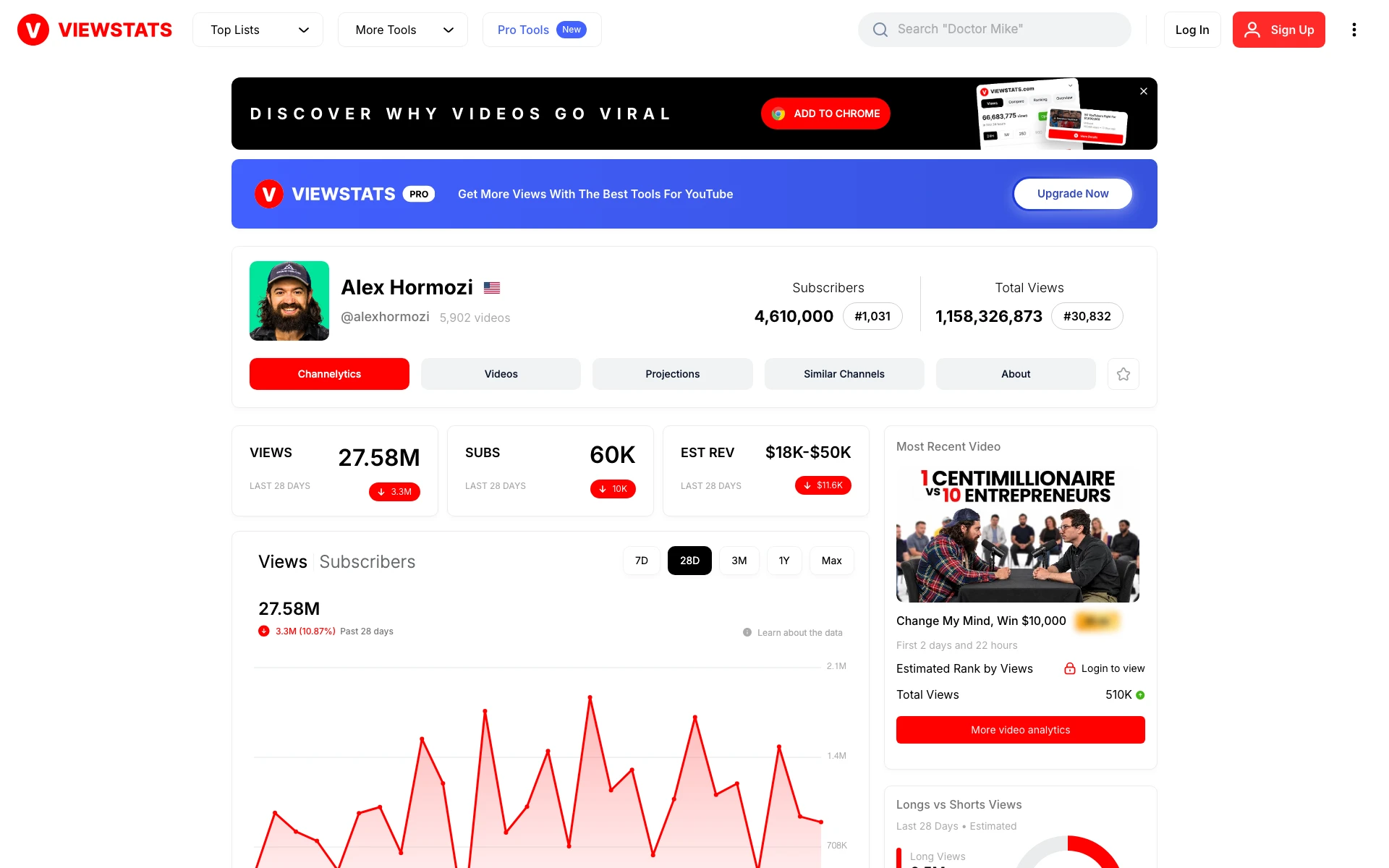
That estimated revenue figure is a good example of the gap for a business. ViewStats' help centre says it calculates estimated revenue from a channel's CPM and views. For Alex Hormozi, whose videos sell his businesses, the ad money is a small part of the story. As a business owner, I don't care about how many views or subscribers I have. I care about making money from YouTube, through booked calls and sales.
Outliers. An outlier is a video that got far more views than its channel normally gets. Both tools find them. ViewStats' Outliers tool, on Pro, scores each video against the channel's last 10 videos at that point in time, and you search by keyword, channel, niche or category. Every PreFilm idea shows the video it came from, how far it beat that channel's normal, when the format first appeared and how many times it's been done since. That last number matters to me, because a format that's been copied over and over in your niche is usually too late to copy again.
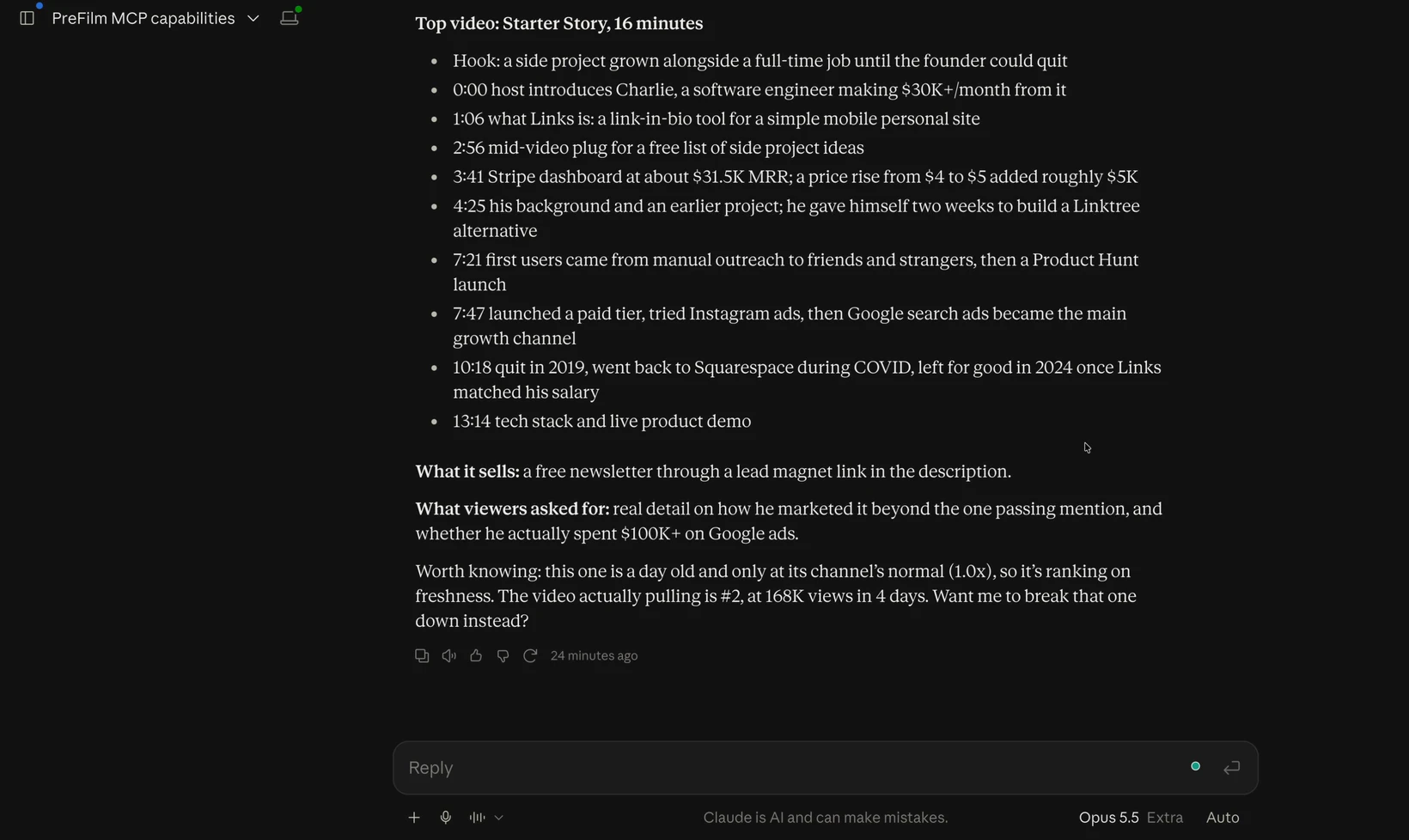
Scripts and AI assistants. I couldn't find a script writer or any Claude or ChatGPT access on ViewStats' site or in its help centre. Its Collections and Ideation tool lets you save videos and preview your title and thumbnail packaging. PreFilm's script writer reads up to 20 of your own transcripts and writes in your phrasing, with a moment to mention what you sell. And PreFilm's YouTube MCP (Model Context Protocol, which lets an AI assistant use PreFilm directly in the chat) means I can ask Claude what to film next, break down a video or write a script. I use it every day. When I had it break down a Starter Story video for my growth tools video, it listed what the video sells and what viewers asked for in the comments, next to the beats.
Get ideas built around what you sell
Find my winning videosWho should pick ViewStats
ViewStats is the right pick if what you want is stats. That covers a lot of people: creators checking how their channel compares, people following the biggest channels, and anyone who wants subscriber and view history without paying. The free site and the ViewStats Chrome extension, which shows an outlier score and view charts on each video and has 100,000 users on the Chrome Web Store, go a long way at no cost.
Pro adds the research tools: Outliers, Thumbnail Search, Alerts for trends and milestones, Collections, and Competitors, where you can connect your channel and follow a timeline of your rivals' outliers, thumbnail changes and subscriber growth. If you already know what your channel should be about and want data behind each decision, that's a solid set of tools.
One thing to know about the numbers. ViewStats' help centre says its data comes from YouTube's public API, so figures can differ a little from what you see for your own channel. For your own channel, YouTube Analytics in YouTube Studio is still the source of truth, and it's free. Where ViewStats earns its place is everyone else's channels: you can't see a competitor's Studio, but you can see their ViewStats page. If you're weighing up other stats tools too, there's a wider list in the best ViewStats alternatives.
Who should pick PreFilm
PreFilm suits business owners whose channel has to bring in customers: consultants, agencies, coaches, clinics, law firms and other service businesses. That's the job I used YouTube for at my last company. Every video was picked from search demand and proven formats before I filmed it, and YouTube became a six-figure revenue engine for the business.
Stats tell you what happened. They don't tell you which video will bring in a buyer for what you sell, and that's the bit PreFilm is built for. Its competitor analysis compares channels by which videos beat their own normal, breaks down why, and reads what your competitors' viewers keep asking for. PreFilm works best once you've published a few videos. If you're brand new, start with the free tools and the blog.
ViewStats Pro pricing vs PreFilm pricing
ViewStats Pro showed as $49.99 a month on its pricing page when I checked from the UAE on 2 Nov 2026, and its prices vary by location, so check ViewStats' pricing page for yours. Here are the two side by side, with PreFilm's from PreFilm's pricing page.
| PreFilm | ViewStats | |
|---|---|---|
| Free plan | No, monthly plans start with $1 for 7 days | Yes, a free account with channel stats and the Chrome extension |
| Entry paid plan | Creator: $49 a month, or $408 a year | Pro: $49.99 a month from the UAE; varies by location |
| Higher plan | Pro: $119 a month, up to 10 channels | Business: starting at $249 a month, with unlimited credits, by booking a call |
| Monthly allowance on the entry plan | 2,000 credits | Not stated on its pricing page |
| Scripts in your voice | On every plan | Not listed on its site |
| Claude and ChatGPT | YouTube MCP on every plan | Not listed on its site |
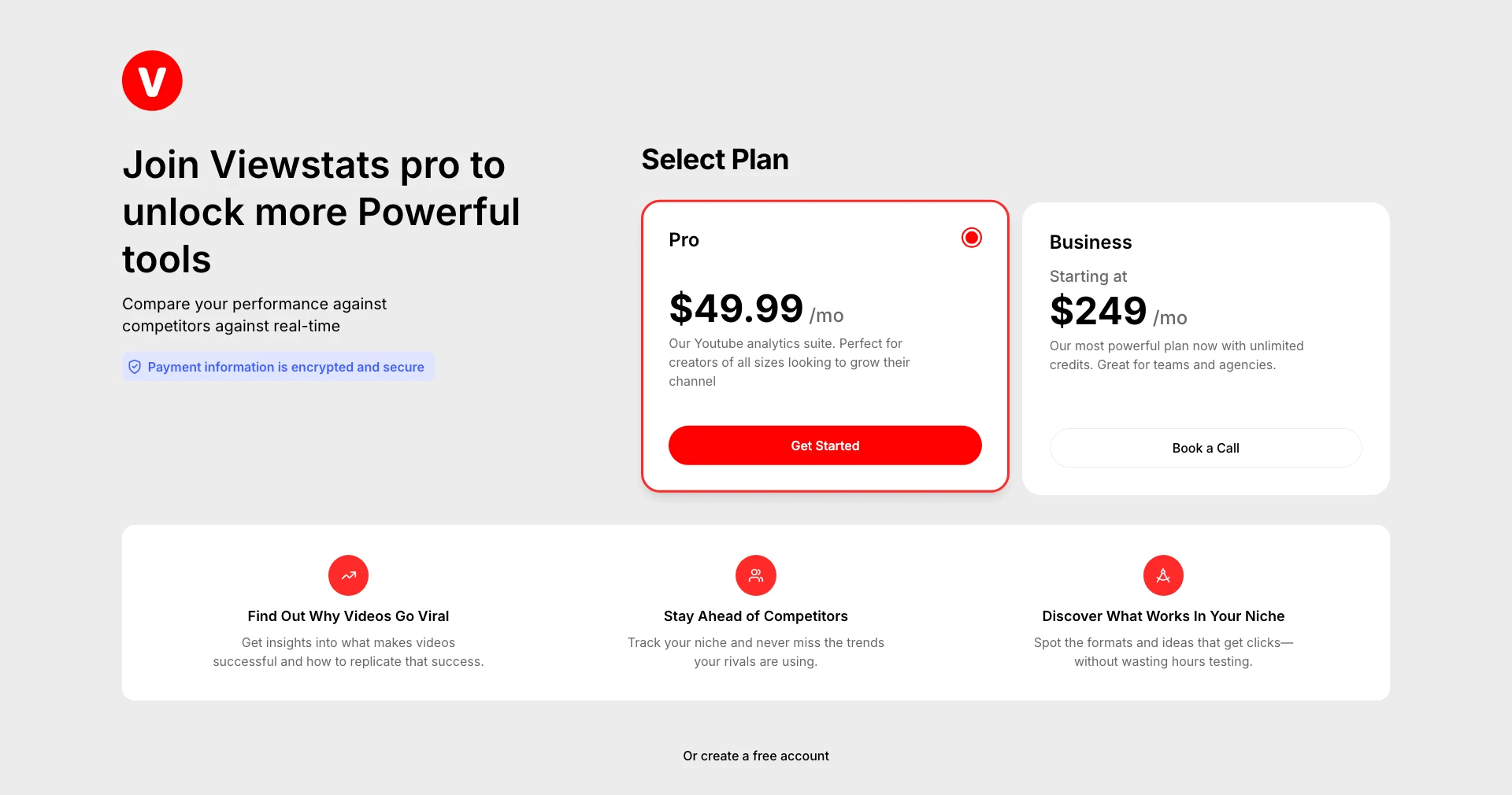
PreFilm's $1 week includes 400 credits, and annual plans are paid for the year with no trial. Both tools charge more as you go up a plan, so the useful comparison is the job each one does for the money.
Can you use PreFilm and ViewStats together?
Yes, and they overlap less than most pairs of YouTube tools. A sensible setup is ViewStats' free site and extension for checking channel stats and spotting outliers as you browse, with PreFilm deciding which videos to film for your offer and writing the scripts.
If you'd rather have one extension, the PreFilm outlier badge, PreFilm's Chrome extension, shows how far every long-form video beat its channel's normal and what the video is selling. I compare the main options in the best YouTube Chrome extensions, and my full ranking is in the best YouTube tools for business owners.
Stop guessing what to film.
PreFilm finds the videos your buyers already watch and writes the script in your voice. $1 for 7 days.
Find my winning videosQuestions
Questions.
Is ViewStats free?
Yes, partly. ViewStats has a free account and a free site where you can look up any channel's subscribers, views, estimated revenue and rankings, plus a free Chrome extension. Its Outliers, Thumbnail Search, Alerts, Collections and Competitors tools need Pro. PreFilm has no free plan; its monthly plans start with $1 for 7 days.
How much is ViewStats Pro compared with PreFilm?
ViewStats Pro showed as $49.99 a month when checked from the UAE, its prices vary by location, and Business starts at $249 a month. PreFilm's Creator plan is $49 a month or $408 a year, and Pro is $119 a month for up to 10 channels, both running on monthly credits.
Is ViewStats owned by MrBeast?
According to its own FAQ, yes. ViewStats says it was co-founded by MrBeast and that he's still actively involved, and its logo reads Powered by MrBeast. PreFilm is a separate company with no connection to ViewStats or MrBeast, and this comparison uses only what ViewStats publishes on its own site.
Is ViewStats worth it for business owners?
It's worth it if you want reliable channel stats and research for views. The free site alone answers most stats questions. But ViewStats is built for creators who want more views, and it doesn't ask what you sell, so turning its numbers into videos that bring in customers is still your job.
PreFilm vs ViewStats: which is better for a business channel?
PreFilm is the better fit when your channel has to bring in customers, because that's what it's built for: it starts from your offer, shows the proof behind every idea and writes the script. ViewStats is the better fit when you want channel stats, estimated revenue and outlier research, and you're happy to decide what to film yourself.