Guides · 10 min read
YouTube content strategy for founders
A YouTube content strategy for a founder is a short plan for which videos to make and why: search videos that answer questions your buyers already type, outlier formats whose packaging has already worked in your niche, and a weekly rhythm you can keep. It's built to bring in customers, so every video points to a next step.
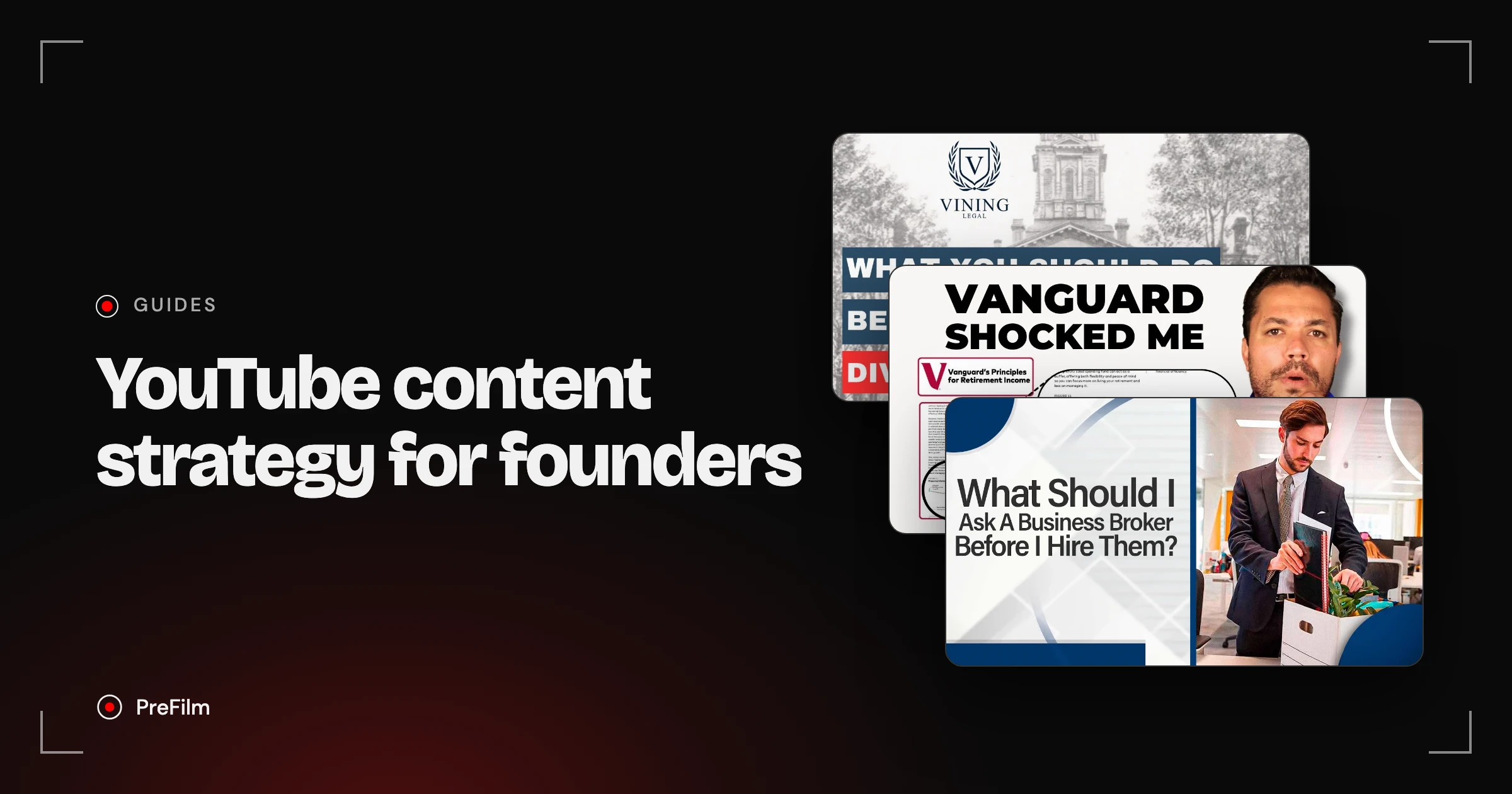
Most guides on this are written for brands chasing reach, or for creators who want to go viral. This one is for founders and owners of high-ticket businesses who need booked calls more than subscribers. I turned YouTube into a six-figure revenue engine for my last company, SEOSpace, which I sold in 2025. I chose those videos from search demand and proven formats before filming, because virality is luck. Data is not. Below is the plan, with real videos from law firms, a business broker and a financial planning channel.
What is a YouTube content strategy?
A YouTube content strategy is your plan for which videos to make, who each one is for, how often you publish and what each video should lead to. For a founder, it only needs three parts.
| Part | What it gives you | Where the evidence comes from |
|---|---|---|
| Search videos | Proven demand: people are already typing the question | YouTube search predictions, your sales calls, videos in your niche already ranking for it |
| Outlier formats | Proven packaging: a title and angle that already pulled viewers | Videos that beat their own channel's normal by a wide margin |
| A weekly rhythm | Consistency without it taking over your week | Your calendar, and what you can keep up for six months |
That's the whole thing. Content pillars, posting times and channel art come up in every other guide, and none of them matter much until you're picking the right topics.
Why should founders plan for customers, not views?
Founders should plan for customers because a business channel pays for itself with a small number of the right viewers. I don't care how many views or subscribers I have. I care about making money from YouTube, which for me means booked calls.
Views are easy to chase and easy to misread. A video can do well with people who would never buy from you, and a video with a few thousand views can bring in your best client of the year. So every topic in the plan has to pass one test: would someone who might hire you search for this, or click on it?
There's also a cost to getting it wrong. I once paid a YouTube agency about $5K a month for four videos. At over $1,000 a video, a topic nobody was looking for is an expensive guess. Picking topics from evidence is cheaper than any production upgrade.
And staying close to your customers matters more than any growth hack. I said as much in a SaaS Founder Podcast episode: drift away from them and you shoot yourself in the foot. On YouTube, that means your best topics come from the questions people ask you on sales calls, in emails and in your first meeting.
Find the videos your buyers already watch
Find my winning videosSearch videos: plan for proven demand first
Search videos answer a question people already type into YouTube, so they start with demand that exists before you film. They're the backbone of a YouTube content strategy for a business, because they get found without subscribers and keep getting found.
My own numbers show how long that lasts. My Google Search Console tutorial had 61.4K views and was still climbing 858 days after I published it. My Full Squarespace SEO Course was at 43.5K views and still climbing 798 days in. Videos chosen like those were part of how SEOSpace got to $100K a month with $0 spent on paid ads.
Here's what proven demand looks like in a high-ticket service. Vining Legal, a family law firm with 623 subscribers, posted "What Should You Do Before Filing for Divorce in Indiana?" in April 2020. It got 3,052 views, 18.6× the channel's normal.

The same question worked again, in a different state, five years later. Sterling Lawyers posted "Divorce in Wisconsin: 5 Things You Must Do Before Filing" in August 2025, and it did 8.9× its channel's normal of 81 views. Two firms, two markets, one question buyers ask right before they hire a lawyer. That's what proven demand means.
To find your own search videos:
- Write down the questions from your last ten sales calls. Prices, timelines, how to choose someone, what to do first, what goes wrong.
- Type each one into YouTube and note the search predictions. If YouTube finishes the sentence for you, people are searching for it.
- Look at who already ranks. If small channels in your niche have beaten their normal on it, the demand is real and the competition is beatable.
- Add your market to it. Both law firms put their state in the title. A local or industry-specific version of a common question is easier to rank for and pulls in the right buyers.
There's more on titles and descriptions in YouTube SEO: what still works, and on why search videos keep growing in how the YouTube algorithm picks videos.
Outlier formats: borrow packaging that has already worked
An outlier is a video that got far more views than its channel normally gets. Because the channel's audience was the same size as always, an outlier shows that the topic and packaging pulled in new viewers, so its format is worth borrowing for your own offer.
Retire Confidently, a financial planning channel with 49,600 subscribers, posted "Vanguard Exposes The Mistake Millions of Retirees Are Making in 2026" in September 2026. Within 37 days it had 103,570 views, 12.5× the channel's normal.
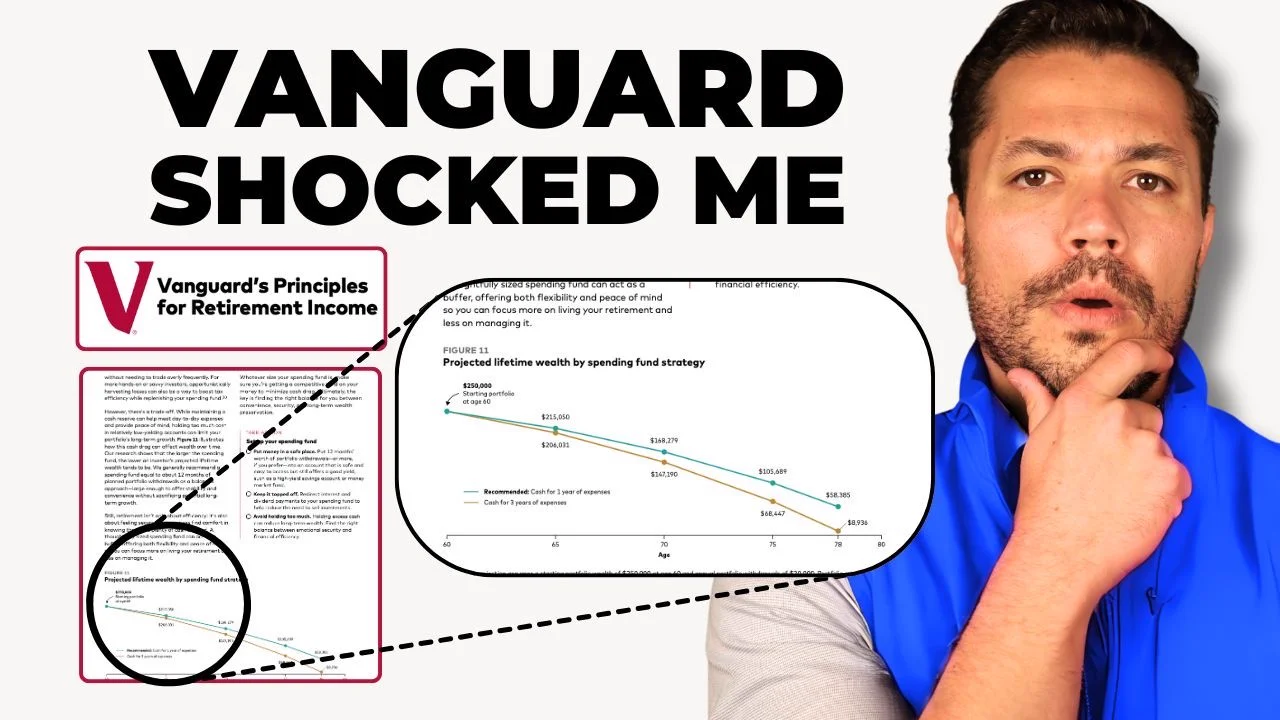
The format is simple. Take a report from a name your buyers trust, pull out one finding that affects them, and explain it. The thumbnail even shows the page from the report. Any adviser, accountant or consultant can do this with research from their own industry.
The "before you" packaging is another one. Both divorce videos above use it, and so does "What Should I Ask A Business Broker Before I Hire Them?" on Cole Ferguson's business brokerage channel, which did 23.4× its normal. Three firms, two different services, one shape of title: the moment just before someone commits.
Before you borrow a format, check two things:
- Who is it for? A format your peers watch won't bring you buyers. More on telling the two apart in profitable YouTube niches.
- How often has it been done? When you find an outlier, it may already have been copied 20 times. A format that's newer in your niche usually has more room left.
This is the research PreFilm's video ideas does for you: it finds the outliers in and around your niche, and every idea shows the source video, how far it beat its channel's normal and how many times the format has been done since.
Fill next week's slot with a proven idea
Find my next videoWhere should the offer go in a business video?
Put a soft next step in the video, after you've answered the question, and the hard offer in the description. That's what the business videos above do, and none of them stops halfway to sell.
PreFilm's breakdown of the business broker video shows how this works. The presenter, Neal Isaacs, opens with a viewer's question: what should you ask a business broker before you hire one? He works through experience, marketing, fees, how long a sale takes, closing rates and credentials. Then at 5:42, with the answer delivered, he offers the next step: there are more questions, and viewers can message him directly for the full list.

The direct sale lives in the description, which links to the firm's site and its free consultation. So the video earns trust first, offers a small step (a message for the full list), and leaves the consultation one click away for anyone ready.
Sterling Lawyers does the same with a different ask. The attorney, Holly Mullen, spends nine minutes on what to do before filing, then at 8:51 points viewers to the next video. The call to schedule a consultation, with a phone number, is in the description.
A few rules come out of this:
- Answer the question before you ask for anything. Both videos deliver the full answer first.
- Make the in-video ask small. A message, a checklist, the next video. People who've just learned something from you will take a small step.
- Put the consultation in the first line of the description. Then repeat it with end screens pointing to your next most useful video.
- Decide the ask before you film. Write it into the script, at the point where the viewer has just seen you know what you're doing. How to write a YouTube script has a template with a section for it.
How to build a YouTube content plan with a weekly rhythm
A YouTube content plan is the next four to eight videos, written down, each with its topic, its evidence and its ask. The weekly rhythm is what keeps it going when the business gets busy.
Here's an example of a four-week plan for a founder posting once a week. It's an illustration of the structure, not a record of results.
| Week | Video type | Topic source | The ask |
|---|---|---|---|
| 1 | Search video | A pricing question from a sales call | Free consultation in the description |
| 2 | Outlier format | A "before you hire" format that beat its channel's normal in your niche | A checklist or the full list by message |
| 3 | Search video | A "how do I choose" question with search predictions behind it | Free consultation in the description |
| 4 | Outlier format | A trusted report from your industry, explained for your buyers | The next video, then the consultation |
And a week that fits around running a business:
- Monday: pick the video. Take the next topic from the plan and check the evidence still holds.
- Tuesday: write the title and thumbnail. Packaging first, because it decides who clicks.
- Wednesday: script it, with the ask placed after the answer. PreFilm's script writer writes scripts in your own voice, learned from up to 20 of your past transcripts.
- Thursday: film. One sitting.
- Friday: edit and publish, or hand it to an editor. If someone else runs your channel, YouTube channel management covers how agencies split this work.
One video a week is a rhythm most founders can keep. Two a month is fine if each one is well chosen. What kills a YouTube content strategy is skipping the plan and filming whatever comes to mind on Thursday.
What should you measure each month?
Measure enquiries and booked calls first, then the numbers that explain them. Once a month, take an hour and go through these:
- Enquiries from YouTube. Ask every new lead where they found you. This is the number the whole plan is for.
- Traffic sources. In YouTube Studio, the reach report shows which videos people found through search, suggested videos or browse. Search traffic tends to be people with a specific problem.
- Audience retention. If people leave your pricing video early, the opening isn't answering the question fast enough. YouTube's key moments for audience retention shows where.
- Clicks to your site. Use a tracked link in each description so you can see which videos send visitors who become leads.
- Packaging. YouTube's A/B testing lets you test titles and thumbnails on a video once it's live.
Then adjust the plan. Make more of the topics that sent you leads, and drop the ones that only got views.
What if you haven't posted a video yet?
If you're brand new, keep the plan even simpler: four search videos answering the four questions you hear most on sales calls. Don't worry about outlier formats yet. You'll learn more from publishing those four than from any amount of planning.
Tools like PreFilm work best once you've published a few videos and know who you're making them for. Until then, our free YouTube tools and the guides on the PreFilm blog cover the basics without costing anything.
A YouTube content strategy that brings in customers is short: search videos for demand, outlier formats for packaging, and one video a week with a clear next step. Write the next four down today. If you'd like the research done for you, see how PreFilm works for business channels or compare the plans.
Stop guessing what to film.
PreFilm finds the videos your buyers already watch and writes the script in your voice. $1 for 7 days.
Find my winning videosQuestions
Questions.
What is a YouTube content strategy?
A YouTube content strategy is your plan for which videos to make, who each one is for and how often you publish. For a business, it also covers what each video should lead to, such as a booked call or an enquiry. The best ones pick topics from real search demand and formats that have already worked.
How do I create a YouTube content strategy for my business?
Start by listing the questions buyers ask on your sales calls. Check which of those people search for on YouTube, then look for videos in your niche that beat their channel's normal. Mix the two into one video a week, decide where each video asks for the next step, and track enquiries rather than views.
What should be in a YouTube content plan?
A YouTube content plan should list the next four to eight videos, each with its topic, the evidence it will work, the title, the buyer it's for and the next step it asks for. Add the day you'll script, film and publish each one. Keep it short enough that you actually use it.
How often should I post on YouTube?
One video a week is a rhythm most founders can keep alongside running a business. Two a month is fine if each one is well chosen. Consistency matters, but topic choice matters more, because one video that answers a real buyer question can keep bringing in enquiries for years.
Should I focus on search or browse traffic?
Start with search, because search videos get found without subscribers and keep picking up views for years. Then add outlier formats, which are built for browse and suggested traffic. Most founders do well with a mix, leaning on search for the videos closest to the buying decision.
How long does a YouTube content strategy take to work?
Judge a YouTube content strategy over months, not days. Search videos often grow slowly and keep going, so a video can look quiet in its first week and still be bringing in enquiries a year later. Review your videos monthly and keep the topics that send you leads.
Do I need a YouTube content calendar?
You need a simple one. A YouTube content calendar can be a four-week table with each video's topic, publish date and the step it asks viewers to take. Anything more complicated tends to get abandoned. The point is to know next week's video before this week ends.