Guides · 12 min read
YouTube SEO in 2026: what still works
YouTube SEO in 2026 comes down to the three things YouTube says it ranks search results on: relevance, engagement and quality. So pick a topic your buyers already search for, use their words in the title and description, and make a video that keeps them watching. Tags and keyword tricks barely matter any more.
I chose videos this way for my last company, SEOSpace, and my Squarespace SEO course was still climbing 798 days after I published it. Below is what YouTube's own Help pages say, what I'd ignore, and real search videos from roofers, mortgage lenders and a divorce lawyer that keep pulling in viewers years after they went up.
What is YouTube SEO?
YouTube SEO is making your videos easy for YouTube search to match with what people type, so they show up when your buyers look for an answer. SEO stands for search engine optimisation. On YouTube it's mostly about choosing the right topic and describing it in plain words.
YouTube explains how its ranking works on its How YouTube search works page. It looks at three things, and how much each one counts depends on the search:
| Signal | What YouTube says it looks at | What you control |
|---|---|---|
| Relevance | How well the title, tags, description and video content match the search | The topic, and the words in your title and description |
| Engagement | Signals like the watch time of a video for that particular search | Whether the video answers the question quickly and fully |
| Quality | Which channels show expertise, authoritativeness and trustworthiness on the topic | Sticking to the subject you actually know and sell |
Two more lines from that page are worth knowing. Results are personalised using each viewer's search and watch history, so what you see when you search your own title isn't what everyone sees. And YouTube says it doesn't accept payment for better placement in organic search.
So there's no hidden lever. Two of the three signals are about the video itself, and the third is about whether your channel is a credible place to learn about the topic.
Why do search videos keep growing for years?
Search videos keep growing because the question they answer gets typed into YouTube every day, so YouTube keeps finding new viewers long after your subscribers have watched. That's why a video made for a search can still be climbing two years later.
Here's one of mine. My Full Squarespace SEO Course had 43.5K views and was still climbing 798 days after I published it, and it brought in about 1,000 subscribers on its own.
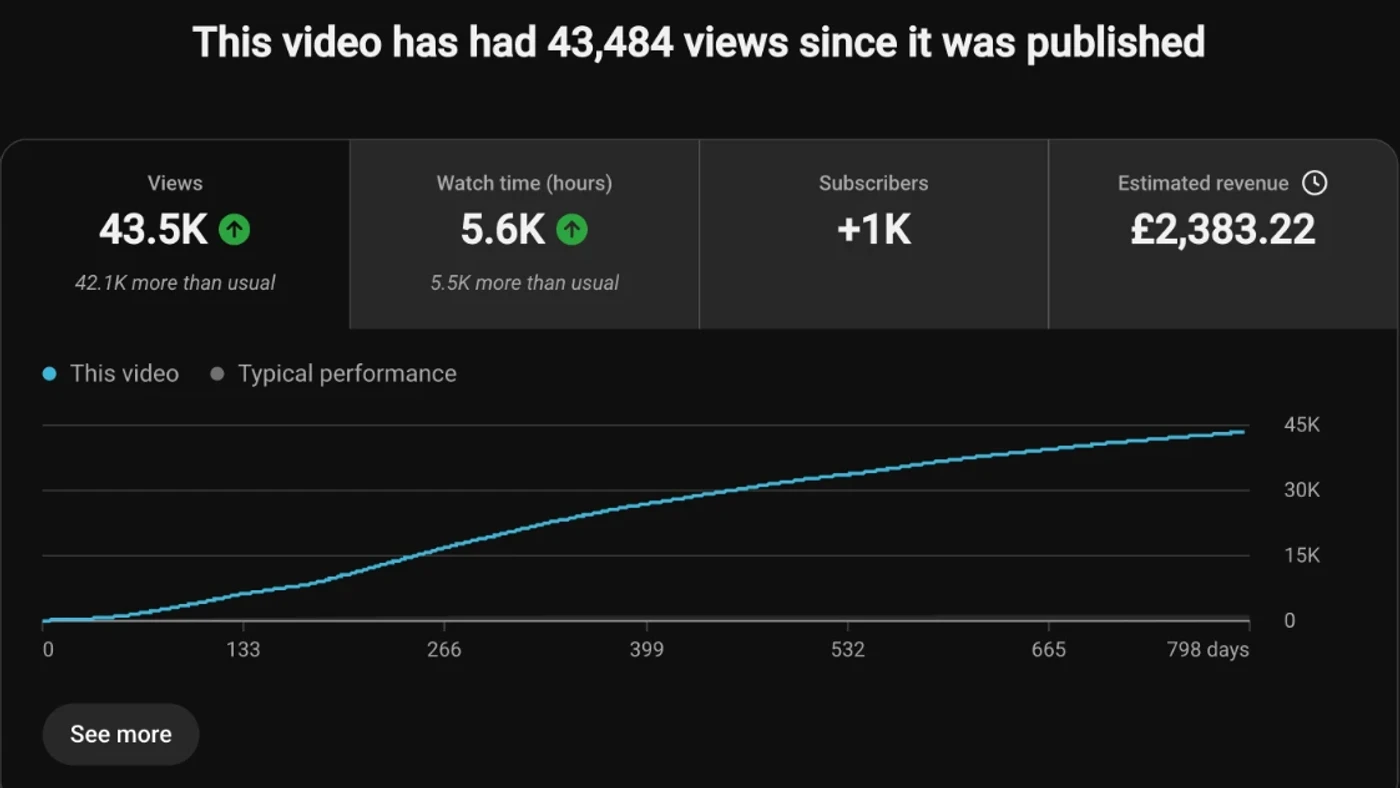
The public counter on YouTube showed 44,865 views on 2 November 2026, so it kept going after that screenshot too. My Google Search Console tutorial did the same: 61.4K views, still climbing 858 days after publishing. Neither video was clever. Each one answered a question Squarespace site owners were typing into Google and YouTube, and videos like those were part of how SEOSpace got to $100K a month with $0 spent on paid ads.
It works for service businesses with tiny channels too. The Roofing Channel, run by a roofing company in Nashville, posted "How Much Does a Roof Repair Cost? (And Factors That Affect the Cost)" in November 2021. It's three minutes long. It has 16,273 views, which is 39.6× the channel's normal of 411.
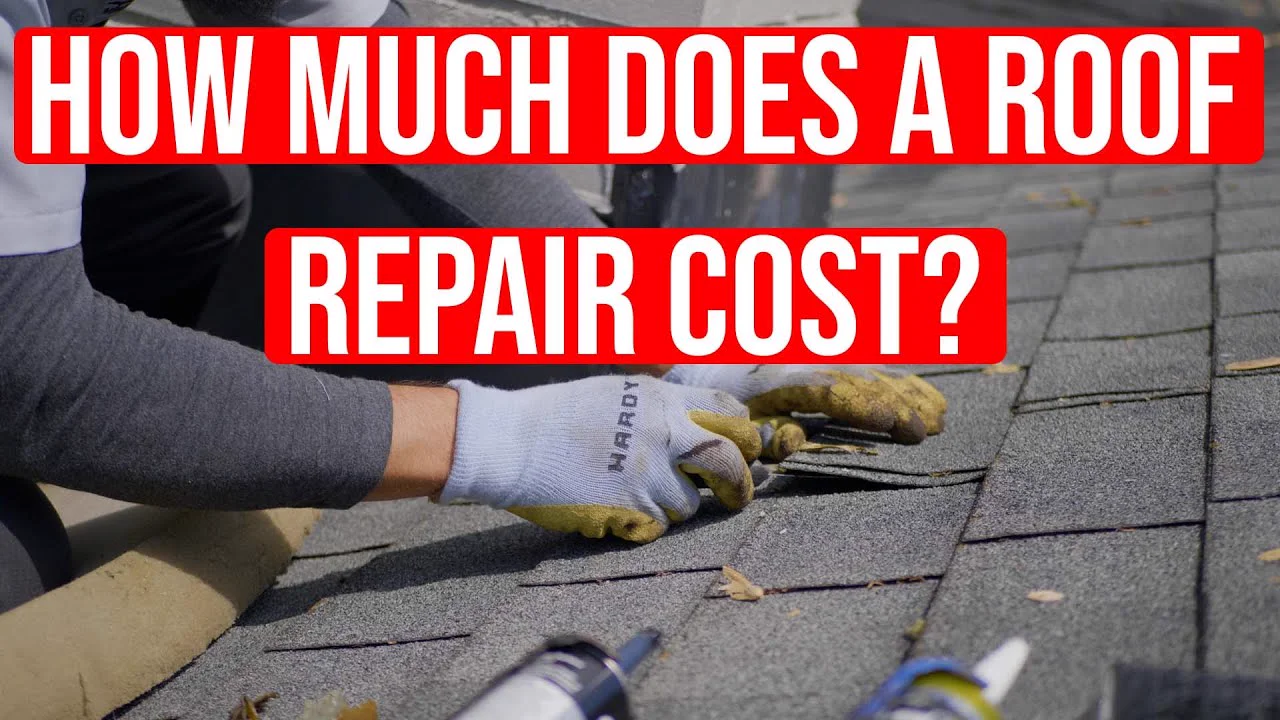
The thumbnail is the search, word for word. The video gives price ranges for minor and major repairs, and the description links to a free quote for homeowners around Nashville. In the comments, one viewer asks for a quote and another asks if they cover Terre Haute, Indiana. Those are homeowners who need a roofer, which is exactly who a roofing company wants watching.
Find the videos your buyers already watch
Find my winning videosHow do you pick a topic people search for?
Pick the topic from what your buyers already type into YouTube, before you film anything. Most YouTube SEO happens at this stage. A well-written title can't rescue a video nobody searches for.
Here's how I'd do it:
- List the questions buyers ask before they pay you. Pull them from sales calls and emails. What does it cost? How does the process work? What do I do next?
- Type each one into YouTube search. Note the search predictions that drop down. YouTube says it makes them from factors like popularity and similarity, including what other people are searching for, so they're real phrases in your buyers' words.
- Check the Trends tab in YouTube Studio. Under Analytics, the Trends tab shows top searches from your audience and flags content gaps, which YouTube describes as searches where viewers "can't find enough quality search results". Some of its insights only cover certain countries and languages.
- Look at who already ranks. If the top results are big channels with recent videos, pick a narrower version of the phrase. Add your location, your type of client or the stage they're at.
- Check the topic has already worked. Look for videos on it that beat their channel's normal. An outlier is a video that got far more views than its channel normally gets, and it shows the topic pulled in the viewers, not the channel size.
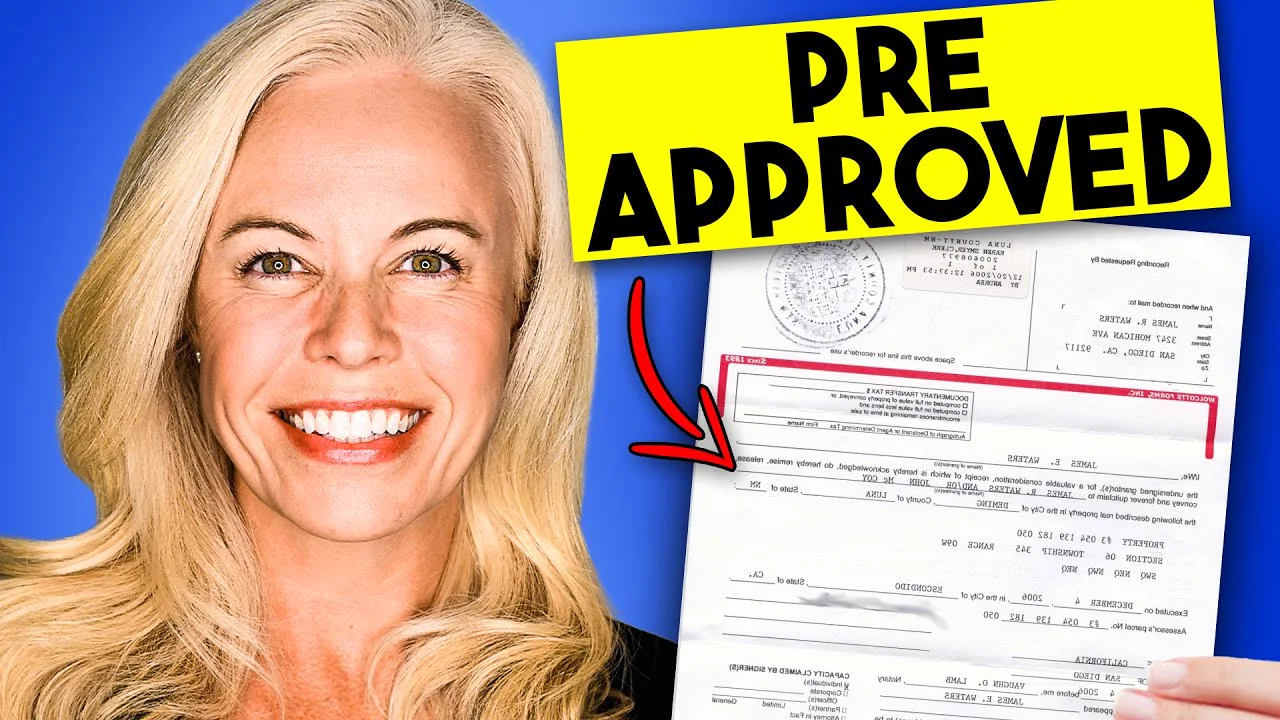
Step 4 is where small channels win. Mortgages By Channing has 2,500 subscribers, so "how to get a mortgage" is a fight that channel would lose. "7 Things To Do AFTER Getting Pre-Approved for a Mortgage" targets a narrower moment in the buyer's process, and it got 22.3× the channel's normal.
If you'd rather use a tool for the search side, vidIQ's keyword suggestions and outlier research are the parts of it I like. For the outlier side, PreFilm's video ideas finds the outliers in and around your niche and turns them into ideas for what you sell. There's a full walkthrough of the search side in YouTube keyword research without vidIQ.
YouTube SEO tips for titles that still work
The title tip that still works best is to put the words people search near the start, and make sure the video delivers exactly that. YouTube's own thumbnail and title tips say to "put the most important words near the beginning", keep it short because viewers may only see part of it, and make sure it accurately represents the video. If it doesn't, people stop watching, which YouTube says can hurt discoverability.
Look at how the best search videos in these niches are titled:
- Jennifer Beeston: "Mortgage Pre Approval Process Explained". That's the search phrase and nothing else. It got 86,169 views, 18.6× her channel's normal of 4,624.
- Homestead Roofing: "How To Read Roofing Estimates In 2025 (Explained By A Roofer)". The search phrase comes first, then the year and who's explaining it in brackets. 19,726 views, 17.1× its normal.
- My own: "How to Use Google Search Console (for Beginners 2026)". The same shape. It went up in May 2024, and its title now carries the current year.
Matching the search phrase gets you into the results. It doesn't make anyone pick you over the other videos with nearly the same title. I tested that with a title for my own channel, "How to Reduce SaaS Churn (Step by Step)", in Roast, PreFilm's title and thumbnail checker, which judges a title against what's working in your niche and the top YouTube results for it.
The verdict was "Reframe it". It found that 14 of the 14 different videos in the top 20 YouTube results from the past 12 months used the same shape. Its reason was that the title "stays generic instead of naming the 16% to 6% churn drop". That's my real result from the business I sold, and the title hid it. The first reframe it suggested was "I cut SaaS churn from 16% to 6% by fixing one onboarding step", which keeps the words people search and adds the one thing no one else in those results can say.
So my rule for search titles is simple. Use the phrase people type, put it near the front, and add one specific detail that only you can claim: a number, a location, or who it's for. And never promise something the video doesn't show. YouTube's spam policy bans titles, thumbnails and descriptions that are maliciously misleading.
How should you write a YouTube description for search?
Describe the video in the first two lines using the words people search, then add the next step and your chapters. YouTube's tips for video descriptions say that "writing descriptions with keywords can help viewers find your videos more easily through search", and suggest picking one or two main words and using them in both the title and the description.
A few more things from that page:
- The first lines count most. Viewers see them before they click "Show more", so use them to describe the video.
- Every description should be unique. YouTube says that makes each video easier to find through search.
- There's room. Descriptions can be up to 5,000 characters, but nobody needs all of them.
For a business, I'd structure it like this:
- Two lines on what the video answers, using the search phrase once, naturally.
- The next step, with a link: book a call, get a quote, download the checklist.
- Chapters, so viewers can jump to the part they searched for.
- One related video or playlist, so they keep watching your channel.
The Roofing Channel's description does this. The opening paragraph repeats the search almost word for word, the next block links to a related video on spotting roof damage, and the call to action links to a free quote. Jennifer Beeston puts her booking link and phone number right at the top, because her video is about the process of getting pre-approved and the obvious next step is to start one with her.
Up to three hashtags from your description can also show by your title. YouTube's hashtags page says they help viewers find related content through search, but they must relate directly to the video, and if a video has more than 60, YouTube ignores all of them.
See who already owns the search before you film
Roast my next titleDo tags still matter for YouTube SEO?
Tags barely matter. YouTube's Help page on how to add tags to your videos says the title, thumbnail and description "are more important pieces of metadata for your video's discovery", and that otherwise tags "play a minimal role".
There's one exception. YouTube says tags can be useful if the topic is commonly misspelt. If your buyers type a brand name, a medical term or a place name three different ways, add those spellings as tags.
The same page warns that adding excessive tags to your video description is against YouTube's policies on spam, deceptive practices and scams. So a block of 40 keywords pasted under the video wastes your time and can count against you.
Most YouTube SEO tips still list tags near the top. I'd spend those five minutes on the title instead.
Do chapters and captions help YouTube SEO?
Chapters and captions are mainly for viewers, and YouTube doesn't say either one lifts rankings. They're still worth doing, because engagement is one of the three things YouTube ranks on. Someone who searched one specific question can jump straight to the answer instead of leaving.
Video chapters have three rules, from YouTube's Help page:
- The first timestamp must be 00:00.
- You need at least three timestamps, in ascending order.
- Each chapter must be at least 10 seconds long.
YouTube also adds automatic chapters to eligible videos by default, but not every video gets them. I'd write your own. The Roofing Channel's chapters are written as the questions a homeowner asks: "What's the Severity of Your Roof Damage?" and "What Type of Roof Do You Have?". Both of my SEOSpace videos above have chapters too.
For subtitles and captions, YouTube creates automatic captions with speech recognition, in the video's default language only. YouTube's page sells captions as a way to share your videos with a larger audience and doesn't claim they lift rankings. Check the automatic ones anyway, especially for product names and industry terms that speech recognition gets wrong.
What doesn't work for YouTube SEO any more?
The things that don't work are the ones that try to trick the ranking instead of answering the search. Here's what I'd stop doing:
- Stuffing tags and keywords. YouTube says tags play a minimal role and excessive tags break its spam policies.
- Renaming the video file. Some guides still recommend putting your keyword in the file name. YouTube's own page on how search works lists the title, tags, description and video content, and says nothing about file names, so I wouldn't spend time on it.
- Clickbait titles. If the video doesn't deliver the title, people leave, and YouTube says that can hurt discoverability.
- Chasing the biggest phrase. Big channels own the broad searches. A narrower phrase you can win beats a famous one you can't.
- Copying videos made for a different audience. When PreFilm searched "how to file for divorce lawyer explains", the biggest outlier was a podcast clip of a divorce attorney talking about love and marriage, with 7.4 million views. It's a good interview, but it isn't what someone facing a divorce in their own state is searching for.
That last search also turned up the opposite. Dolan Divorce Lawyers has 521 subscribers. In 2021 it posted "Divorce Process Explained by a Connecticut Divorce Lawyer", a 52-minute screen share of a Word document listing every stage of a divorce case. The thumbnail is a frame of that document.
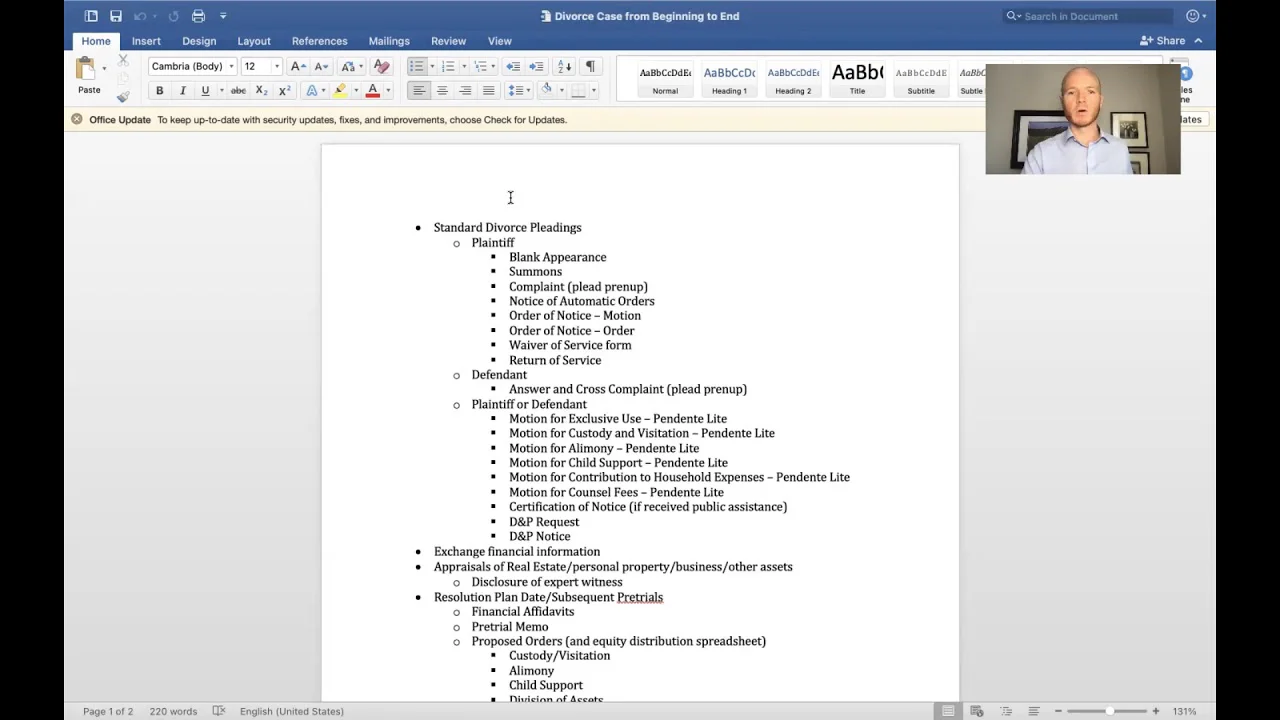
It got 1,662 views, 6.2× the channel's normal of 270. One of its comments is from a parent laying out their daughter's divorce in detail and asking whether anyone can help. That's someone in the middle of the exact problem the firm handles, which is the kind of viewer a search video brings in.
YouTube SEO checklist
Here's the whole thing as a checklist, in the order you'd do it. Every rule in it comes from YouTube's own Help pages or from the examples above.
| When | What to do |
|---|---|
| Before filming | Pick a question your buyers type. Check search predictions and the Trends tab. Look at who ranks, and narrow the phrase if big channels own it. |
| Title | Search words near the start. Short. One specific detail only you can claim. Accurate to the video. |
| Thumbnail | Simple, readable text, and it matches the title's promise. |
| Description | First two lines describe the video in the search words. Then the next step link, chapters and one related video. |
| Chapters | Start at 00:00, at least three, each at least 10 seconds. Name them after the questions people ask. |
| Captions | Check the automatic ones for names and industry terms. |
| Tags and hashtags | A few accurate tags, mainly for misspellings. Two or three hashtags that relate directly to the video. |
| After publishing | Check the traffic sources report for views from YouTube search, and audience retention for where people leave. |
If a search video isn't getting found after a few months, change the title before you change anything else. If it's getting found but people leave early, the opening is the problem. There's more on reading those numbers in how to get more views on YouTube, and on how search fits with browse and suggested videos in the YouTube algorithm in 2026.
Search is where a law firm with 521 subscribers can reach the right people, because the person searching wants an answer and doesn't care how big your channel is. Pick the question, use the buyer's words, and let the video keep working for years. If you want to check a title against what already ranks before you film it, see how Roast works or compare the plans.
Stop guessing what to film.
PreFilm finds the videos your buyers already watch and writes the script in your voice. $1 for 7 days.
Find my winning videosQuestions
Questions.
What is YouTube SEO?
YouTube SEO is making your videos easy for YouTube search to match with what people type. You pick a topic people already search for, use their words in the title and description, and make a video that keeps them watching. YouTube says it ranks search results on relevance, engagement and quality.
Does YouTube SEO still work in 2026?
Yes, YouTube SEO still works in 2026, but the tricks don't. YouTube still matches a video's title, description and content to the search, then checks whether people watch it. Picking a topic people search for and answering it clearly works. Stuffing tags and keywords barely helps, and too many can break YouTube's spam policies.
Do tags matter on YouTube?
Tags matter very little on YouTube. YouTube's Help page says tags play a minimal role in a video's discovery, and that the title, thumbnail and description are more important. Tags are useful when your topic is often misspelt. Add a few accurate ones and spend the rest of your time on the title.
Do hashtags help on YouTube?
Hashtags help a little, because viewers can click them to find related videos. Up to three hashtags from your description can appear by the title. They must relate directly to the video, and if a video has more than 60 hashtags, YouTube ignores all of them. Two or three accurate hashtags are plenty.
How long does it take for a YouTube video to rank?
There's no fixed time for a YouTube video to rank, because YouTube tests it against what viewers do. Search videos usually build slowly and keep going. My Squarespace SEO course was still picking up views 798 days after I published it. Judge a search video over months, not over its first two days.
How do I do YouTube SEO as a beginner?
Start with one question your buyers type into YouTube and answer it plainly in a video. Use their exact words near the start of the title, describe the video in the first lines of the description, and add chapters. If you're brand new, start with PreFilm's free tools and blog. PreFilm itself works best once you've published a few videos.
How do I rank videos on YouTube?
To rank videos on YouTube, pick a search phrase that small channels can win, put it near the start of your title and in the first lines of your description, and answer the question fast so people keep watching. Then check the traffic sources report to see whether YouTube search is sending you viewers.