Guides · 11 min read
Use a YouTube comment analyzer to find ideas
A YouTube comment analyzer reads the comments under a video and groups them into the questions, requests and complaints viewers keep repeating. Use one on a video that beat its channel's normal in your niche, count which questions come up most, and film the answer to the biggest one.
Most guides on this stop at "look for patterns". So I ran a real scan on a real outlier in a high-ticket niche, a retirement video with 385,824 views, and I'll show you what the comments said, which ones sound like buyers, and how each question becomes a video. Then I'll cover the free way to do it and the tools worth using.
What does a YouTube comment analyzer actually do?
A YouTube comment analyzer pulls the comments from a video or a channel and sorts them so you don't have to read every one. Most of them do some mix of four things:
- Group comments into themes, such as "questions about pensions" or "complaints about pace".
- Pull out questions and requests, which are the comments that point to a video.
- Score sentiment, the split between positive, negative and neutral comments.
- Summarise, a paragraph on how viewers reacted.
For finding your next video, the first two matter most. A YouTube comment sentiment analysis tells you whether people liked a video. It doesn't tell you what they want next. A question does, and a question asked by five different people tells you even more.
Why comments are where buyers tell you what to film
Comments are the one place where your future customers write down, in their own words, what they still don't understand after watching. That's why PreFilm's video ideas read the comments under your niche's winning videos and the searches your buyers make.
I don't care how many views or subscribers I have. I care about making money from YouTube, and that means videos that get the right people to book a call. A search tool can tell you how many people type a phrase. A comment tells you the exact worry behind it, from someone who just sat through a whole video on the subject. That's the closest thing to a sales conversation you'll get before anyone has heard of you.
If you want the wider picture of where ideas come from, I cover search and outliers in how to find YouTube video ideas that are already proven.
Find the videos your buyers already watch
Find my winning videosStart with an outlier, not a random video
Pick a video that beat its own channel's normal before you read a single comment. An outlier is a video that got far more views than its channel normally gets, and its comment section is full of people who cared enough about the topic to watch it and still had questions.
I ran a PreFilm outlier search on "financial advisor retirement withdrawal strategy". The top result was "How I'd Live Off $2 Million in Retirement (Without Ever Running Out)" from Tyler Gardner, a personal finance channel with 242,000 subscribers. It got 385,824 views, 15.1× the channel's normal of 25,621, and it had 567 comments.
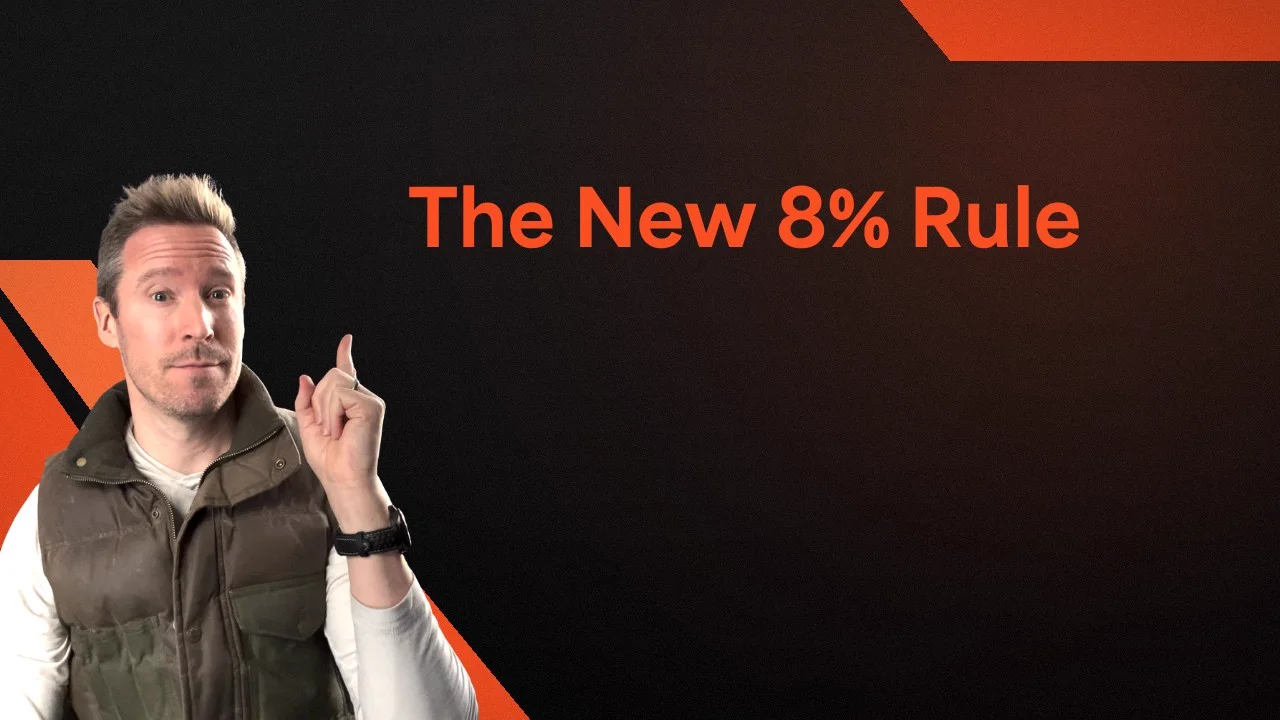
The people watching a video about living off $2 million are exactly who a financial planner wants as clients. Tyler's own call to action is a free weekly newsletter, so the follow-up questions in his comments are mostly left for someone else to answer.
The same search found Ark Royal Wealth Management, a channel with 5,830 subscribers, whose "The Only Withdrawal Strategy You Need in Retirement" got 47,748 views, 11.4× its normal. It has 36 comments. You don't need a tool for 36 comments. Read them all with a cup of tea.
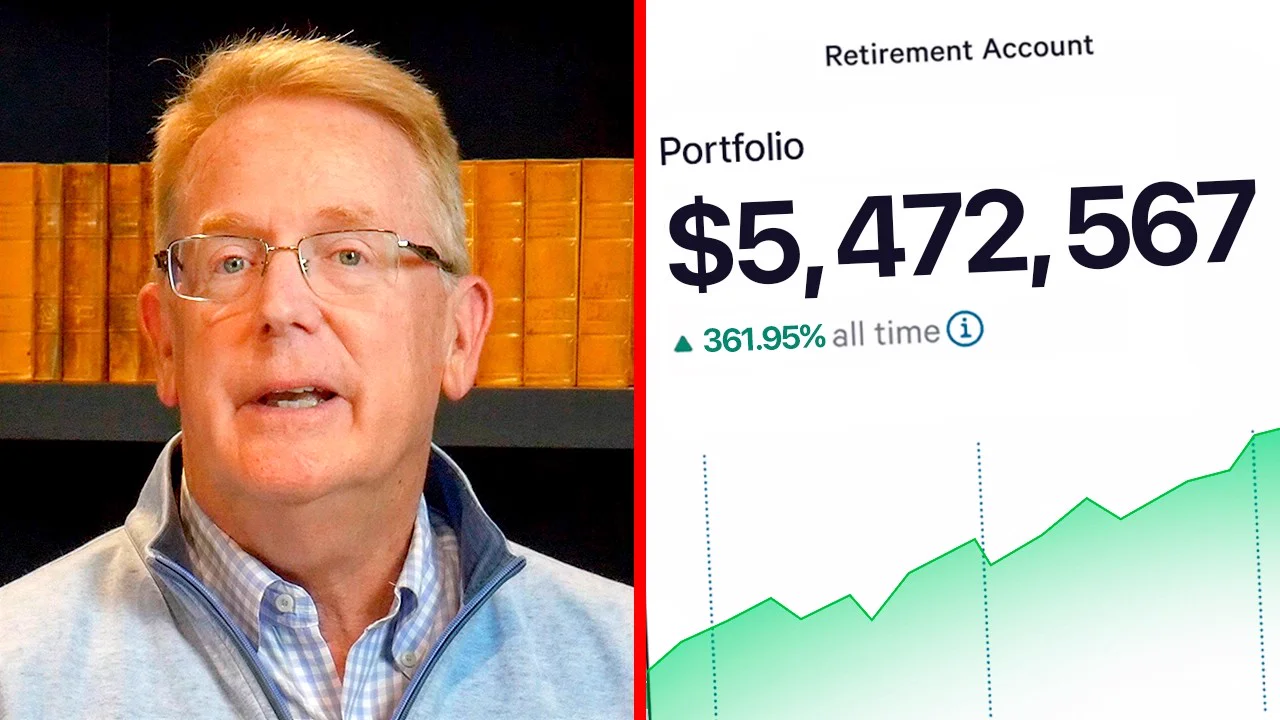
It works outside finance too. An outlier search on "estate planning attorney explains trusts" found The Real Estate Lawyer's "LAWYER EXPLAINS: Revocable Trusts in 5 Minutes", with 480,235 views at 9.2× its normal and 221 comments. That's a good size for a manual read or a free analyzer.

What a real YouTube comment analyzer scan found
I read Tyler's comments two ways with the PreFilm MCP, which lets you use PreFilm from Claude or ChatGPT. Here's what came back, trimmed but not reworded.
First, a breakdown of the video itself, which reads its comments and groups what viewers asked for. It read 100 comments and found these asks:
| What viewers asked | Comments |
|---|---|
| How a pension, early retirement or Social Security timing changes the amount you need | 4 |
| Whether withdrawals come from both funds or just one | 3 |
| How the bond part compares with SGOV, T-bill ladders or long bonds | 3 |
| How the plan would have held up in bad periods like 2000 to 2010 | 2 |
| Whether to hold international stocks | 2 |
| How to sell a large portfolio into this plan without a big capital gains bill | 1 |
The wording is the useful part. One viewer asked how the number changes "if I have a federal government pension". Another asked whether they'd be "also selling from the TIPS fund or just the VTI?" And one wanted to rebuild their portfolio without "a Vermont mountain sized capital gains tax bill". Nobody writes like that in a keyword tool.
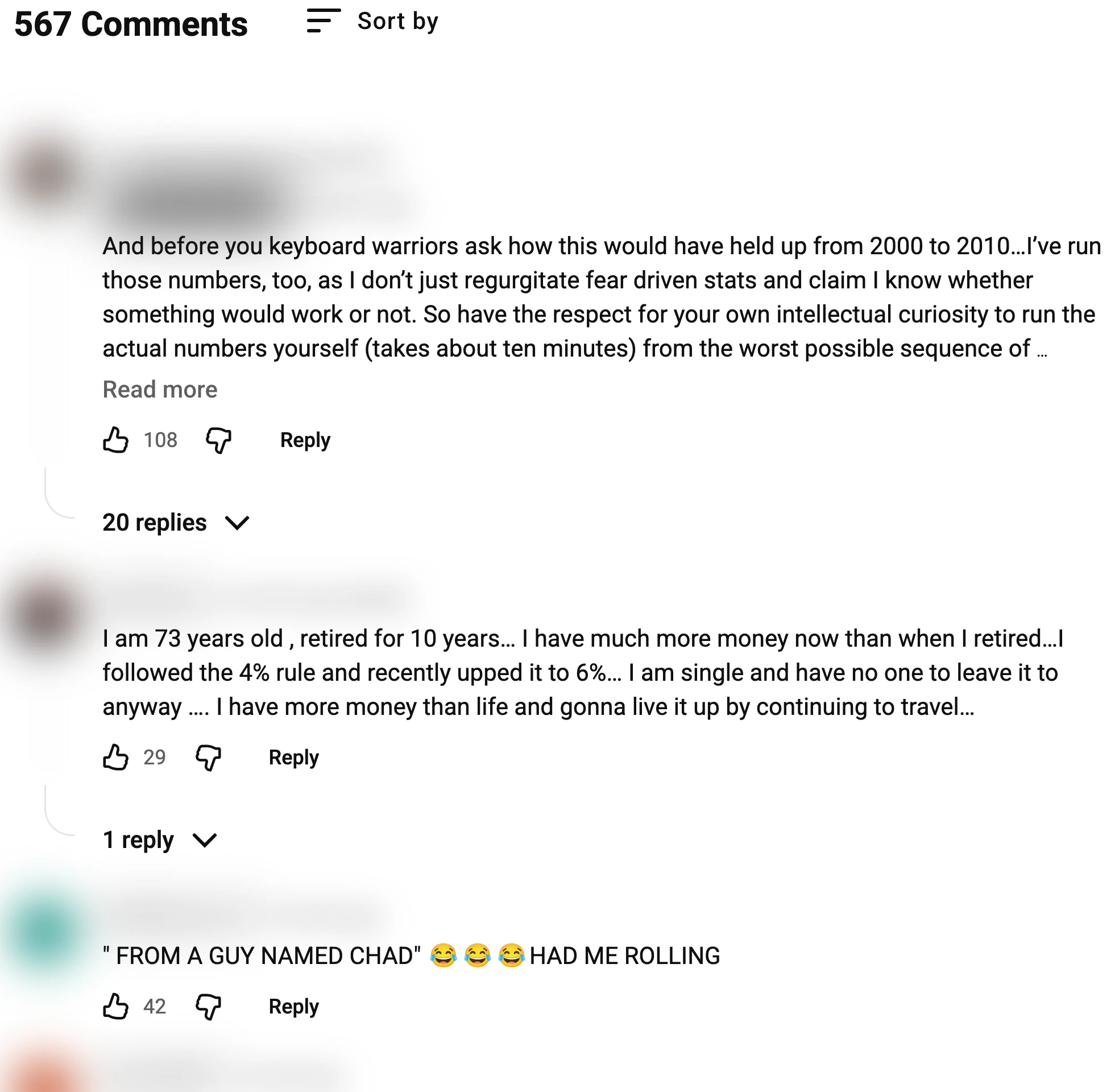
As you can see, sorting by Top doesn't give you the questions. The first comment answers the 2000 to 2010 worry before anyone asks, the second is a retiree's story, and the third is a joke with 42 likes. The questions are further down.
Second, I ran mine_comments, PreFilm's comment scan, on the whole channel. It read 1,000 comments, but Tyler posts so often that 1,000 comments only went back about a week, spread across lots of videos. Only one came from the outlier: a viewer asking whether TIPS beat SGOV or BND for the 10% outside stocks. On a busy channel, read the winning video's comments directly.
The channel scan was still useful. It groups what viewers ask for across the channel and flags the ones that sound like buyers:
- "I wish I could get 30 minutes with you." Flagged as a buyer: a 56-year-old viewer asking for a one-to-one chat. That's a booked call for any financial planner.
- "How do I find a CFA that will help me" with their portfolio. Not flagged, but it's someone ready to hire, asking how to choose.
- Health cover before Medicare. "What to do for health care coverage when retiring at 62?" and, on another video, "What about medical insurance".
It also flagged two comments as buyers that I wouldn't trust: two accounts, on two different videos, saying they had $100K to invest in almost exactly the same words. Identical comments from different people are usually spam, so check every "buyer" flag yourself before you build a video around it.
How to turn comment questions into video ideas
Rewrite each question as the need behind it, then as a title your buyer would click. Keep their words where you can.
Here's how I'd turn Tyler's comments into videos for a financial planner. These titles are mine, written from the comments above, not PreFilm output.
| What the comments said | The need | A video idea |
|---|---|---|
| 4 viewers on pensions, retiring early and Social Security timing | Does the $2 million rule apply to me? | Do You Still Need $2 Million If You Have a Pension? |
| 3 viewers on which fund to sell from | What exactly do I sell each month? | Which Account to Sell First in Retirement (Step by Step) |
| The capital gains comment | How do I switch without a huge tax bill? | How to Simplify a $2M Portfolio Without a Big Tax Bill |
| Health cover at 62, "What about medical insurance" | How do I bridge the gap to Medicare? | Retiring at 62: How to Cover Health Insurance Until Medicare |
| "30 minutes with you", "How do I find a CFA" | Who can I trust to check my plan? | What a Financial Planner Actually Checks in Your Retirement Plan |
Three rules for picking which one to film:
- Count people, not comments. Four separate viewers asking about pensions beats one long, detailed comment.
- Favour questions that need you. The capital gains question only had one comment, but it's the kind of problem people pay a professional to solve.
- Answer it better than the original. Tyler's video is a general plan. Yours can be the specific follow-up his viewers asked for.
Then write a first line that repeats the viewer's worry back to them. I cover that in how to write YouTube hooks.
Read the comments under your niche's winners
Find what my buyers askHow to do YouTube comments analysis for free
You can do YouTube comments analysis with nothing but YouTube and a spreadsheet. It takes about an hour per video, and it's how I'd start before paying for anything.
- Find two or three outliers in your niche. Head over to a competitor's Videos tab, sort by Popular, and compare each video's views to the channel's usual. You're looking for one that did 5 or 10 times better.
- Open the comments and sort by Newest. Top comments favour jokes and praise. Newest shows you the questions people still have.
- Copy every question into a spreadsheet. One row each, with the video it came from. Skip praise, jokes and anything that's word for word the same as another comment.
- Rewrite each question as a need, in a second column. "If I have a federal government pension" and "I want to retire at 57" both become the same need: does the rule apply to my situation?
- Count the needs. Sort by need and count the rows. The biggest group is your first video.
- Mark the buyers. Highlight anyone asking for a call, a recommendation or help with their own case. Those are the topics that bring in clients, not just views.
Do the same on your own channel every month. Your own comments tell you what your current viewers are stuck on, and competitors' comments tell you what a bigger audience is stuck on.
YouTube's own comment tools (free, but mostly for your own videos)
YouTube Studio has a surprising amount of comment analysis built in, and it's free. It only works on your own channel.
On a computer, sign in to YouTube Studio and select Community from the left menu. YouTube Help says you can filter comments "by search, questions, response status, content type, and more". Filter to questions and Unresponded, and you've got a list of things your viewers are waiting for you to answer.
- Search by topic or meaning. On YouTube Studio on a computer, the Search tool uses AI to find comments by meaning, not just keywords, so you can type something like "questions about fees". Each comment's three-dot menu also has Find similar comments. Topic and similar-comment search covers the last 90 days.
- Get Summary. Go to a video's comments in YouTube Studio and use Get Summary for an AI summary of how viewers responded. If it's missing, YouTube says the video may have too few comments.
- Ask Studio. Ask Studio, the chat built into YouTube Studio, has a suggested prompt, "Summarize comments", and you can ask it about the common themes on a specific video.
- Comment topics. For viewers, the YouTube mobile app shows comment topics on videos with large comment sections: a Topics option that groups comments into themes with AI. YouTube says "quality and accuracy may vary", and creators can't turn them off. It's the one built-in way to see themes on someone else's video.
Which YouTube comment analysis tool should you use?
Use YouTube Studio for your own channel, read small competitor videos by hand, and use a tool once you're reading hundreds of comments a week. Here's what each option does, from each tool's own site.
| Tool | Whose videos | What it reads | Price |
|---|---|---|---|
| YouTube Studio | Yours only | All your comments, with filters, AI search and Get Summary | Free |
| Tube Search YouTube Comment Analyzer | Any public video | Up to 500 top-level comments, ordered by relevance; replies not included | Free, 3 analyses a day without an account |
| AIR Comment Analyzer | "Yours or a competitor's" | Any video link you paste; gives feedback summaries | Free trial with an AIR ID; no price listed |
| ExportComments | Any public video | Exports comments to Excel, CSV or JSON for your own analysis | Free up to 100 results per export; paid from $30 for 3 days |
| PreFilm | Yours or a competitor's channel, plus any single video | Up to 1,000 recent comments per channel scan; buyer comments and unanswered questions on yours, with replies drafted in your voice | Credit-based, from $1 for 7 days |
If you're technical, most of these are built on the YouTube Data API, which returns a video's comment threads. You can pull them yourself and paste them into any AI chat.
Where PreFilm differs is what it does with the comments. On your own channel, mine_comments finds the comments that sound like buyers and the questions you haven't answered, and drafts a reply in your voice for you to paste. PreFilm never posts a reply itself. On a competitor's channel, it counts what their viewers keep asking for. And any question group can go straight onto your ideas board as an idea. A video breakdown costs 10 credits, and the pricing page has the rest.
To be clear about who it's for: PreFilm works best once you've published a few videos. If you're brand new, start with the free method above and the free tools.
Comments also feed your plan beyond one video. When the same question keeps appearing across a niche, that's a series, and I cover how to plan that in YouTube content strategy for business owners.
Your next video is already in someone's comments
Pick one outlier in your niche this week, read its newest comments, and count the questions. The biggest group of real people asking the same thing is your next video, written in your buyers' own words.
Stop guessing what to film.
PreFilm finds the videos your buyers already watch and writes the script in your voice. $1 for 7 days.
Find my winning videosQuestions
Questions.
What is a YouTube comment analyzer?
A YouTube comment analyzer is a tool that pulls the comments from a video or channel and sorts them into themes, questions, requests and sentiment. Instead of scrolling through hundreds of comments, you see what viewers keep asking for, how many asked, and links back to the comments themselves, so you can turn the biggest needs into videos.
Is there a free YouTube comment analyzer?
Yes. YouTube Studio is free and lets you filter your own comments to questions, search them by topic and get an AI summary. For other people's videos, Tube Search's YouTube Comment Analyzer runs three free analyses a day without an account, reading up to 500 top-level comments. You can also read and tally comments by hand.
Can AI analyze YouTube comments?
Yes, AI can analyse YouTube comments well enough to group them into themes and pull out the questions. YouTube itself uses AI for comment summaries and comment topics, and says quality and accuracy may vary. Treat the output as a shortlist, then open the real comments before you decide what to film.
How many YouTube comments should I analyze?
Read every comment on a small video and the most recent few hundred on a big one. What matters is the number of different people asking the same thing, not the total. If three or four separate viewers ask the same question under a winning video, that is enough to plan a video around it.
Can YouTube summarize comments for me?
Yes, on your own videos. In YouTube Studio, open Community, go to a video's comments and use Get Summary for an AI summary of how viewers responded. If the option is missing, the video may have too few comments. Viewers on the YouTube mobile app also see comment topics on videos with large comment sections.
Are the most-liked comments the best video ideas?
No, not usually. The most-liked comments are often jokes, praise or a quote from the video. The best video ideas sit in questions and objections, which tend to get fewer likes. Sort by newest as well as top, and look for the same question asked in different words by different people.
Can I analyze comments on a competitor's YouTube video?
Yes. Comments on public videos are public, so you can read them yourself, export them, or use a YouTube comment analyzer that accepts any video link. Competitor comments are often more useful than your own, because a competitor's winning video has already gathered the questions your buyers ask.